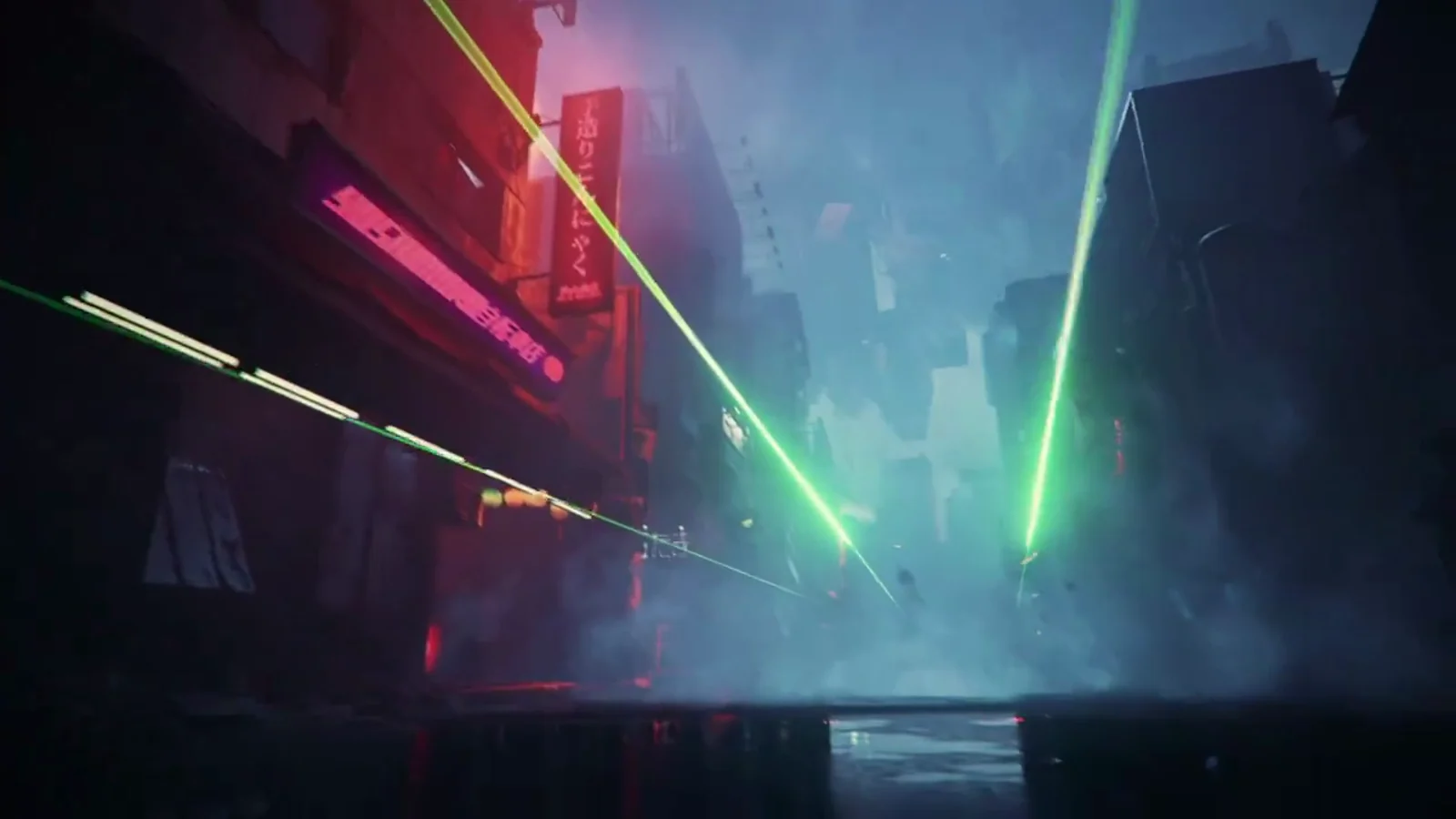
A brand film, landing page and staking dashboard for a tokenized-retail launch
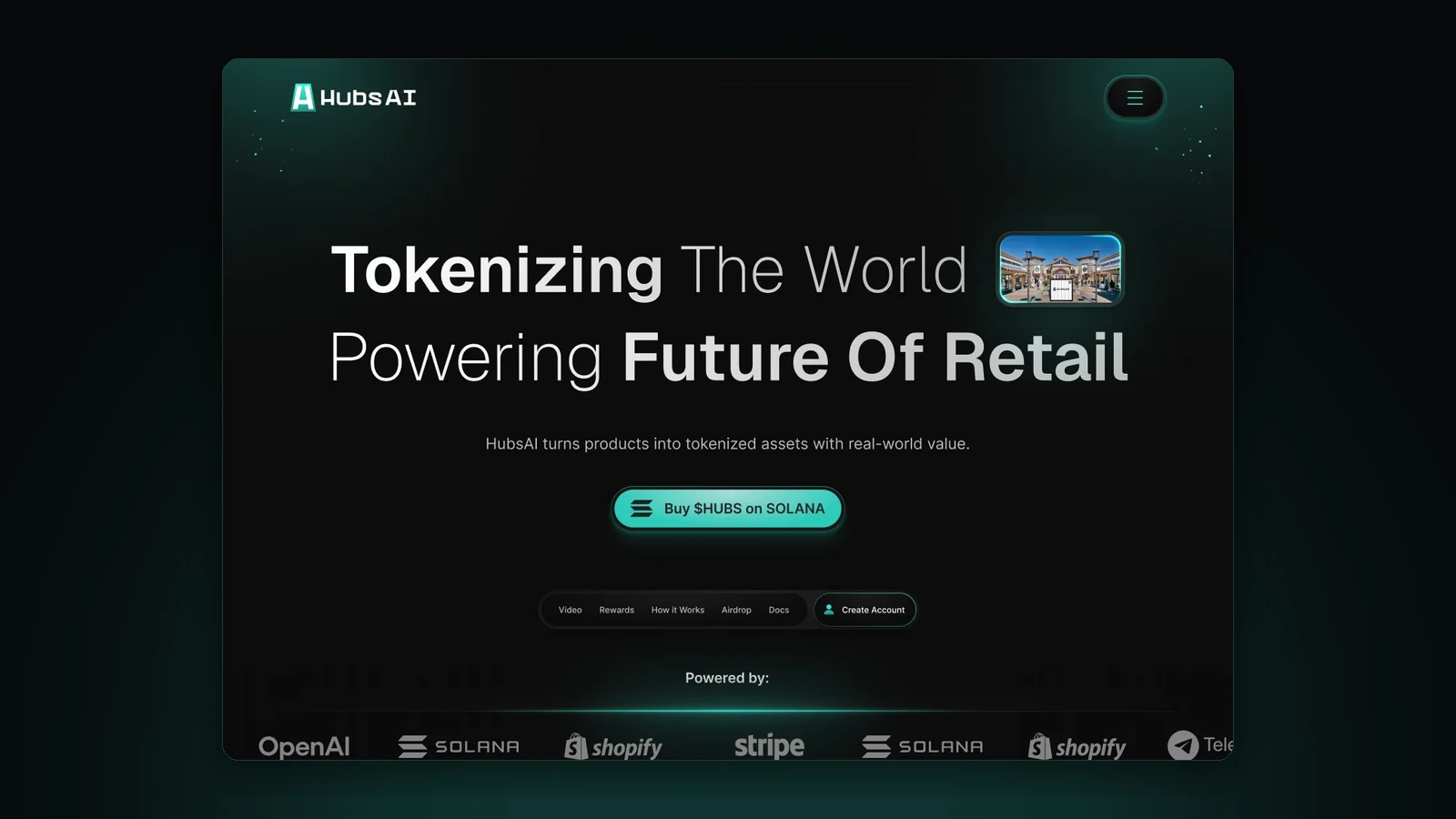
Book a call, get a price rangeHubsAI mints retail products as on-chain tokens and pays holders who stake them and its $HUBS token. For the $HUBS launch we designed the landing page, the staking and rewards dashboard with every wallet and pool state, and a 45-second brand film.
Tokenized retail is hard to picture, and a staking product has to be trusted before any money moves.
A landing page, the staking dashboard with every wallet and pool state, user flows and a 45-second brand film.
Site, dApp and film in one visual languageFor the $HUBS launch
- Client
- HubsAI, a tokenized-retail infrastructure startup ($HUBS)
- Stage
- Token launch
- Services
- Landing page, product UI/UX for the staking dashboard, user flows, brand film
- Tools
- Figma, Spline
- Website
- hubsai.io
The problem and the brief
A tokenized-retail launch had two audiences: shoppers who may never have used a wallet, and token holders who decide whether to stake by how the product behaves when something goes wrong.
HubsAI sells products through autonomous kiosks and mints each one as a token, a digital twin that records its ownership. Holders stake those tokens and the $HUBS token for rewards, cashback and access to brand events.
For the $HUBS launch we designed the landing page, the staking and rewards dashboard, the user flows behind it and a 45-second brand film. The landing page had to explain a model most people have never seen. The dashboard had to earn enough trust that a holder would move money.
The research
of US adults are not confident that crypto is safe and reliable.
Source: Pew Research Center, 2024
of people who own crypto use it actively each month.
What wallet users write
To test the design against its audiences, we gathered 1,925 passages from Hacker News and the Ethereum and Bitcoin Stack Exchanges, about wallets, staking, failed transactions and tokens tied to physical goods. Jev judged each one: is it about trusting or using a crypto product, which doubt does it express, and who is speaking? We ran this in October 2026, after the design was delivered.
- 1,925passages read
- 384about trusting or using a crypto product
- 129from first-hand users
- Failed or stuck transactions, fees lost80
- Connecting, signing and approvals70
- Too complex for a first-time user70
- Scams and paused withdrawals66
- Tokens tied to physical goods56
- Where the rewards come from25
- Lock-ups and getting money out17
The topics were searched for, and one Stack Exchange search targeted failed transactions, so read the counts as what comes up often, not as a survey or a ranking. Only one passage came from a shopper. Classified by Jev.
Four doubts before anyone stakes
- First-time wallet user
Connecting my wallet could drain it.
- Token holder
My transaction failed and I don't know why.
- Token holder
Can I get my money out, and when?
- Shopper
Why would I want a token of my sneakers?
The strategy: explain first, then state everything
Shoppers needed the model explained before a wallet appears. Holders needed every number and every failure stated before they move $HUBS. So we mapped every path through the product first, 32 states including 9 errors and empty states, and designed a screen for each doubt.
- Doubt 1 · Signing
Connecting my wallet could drain it.
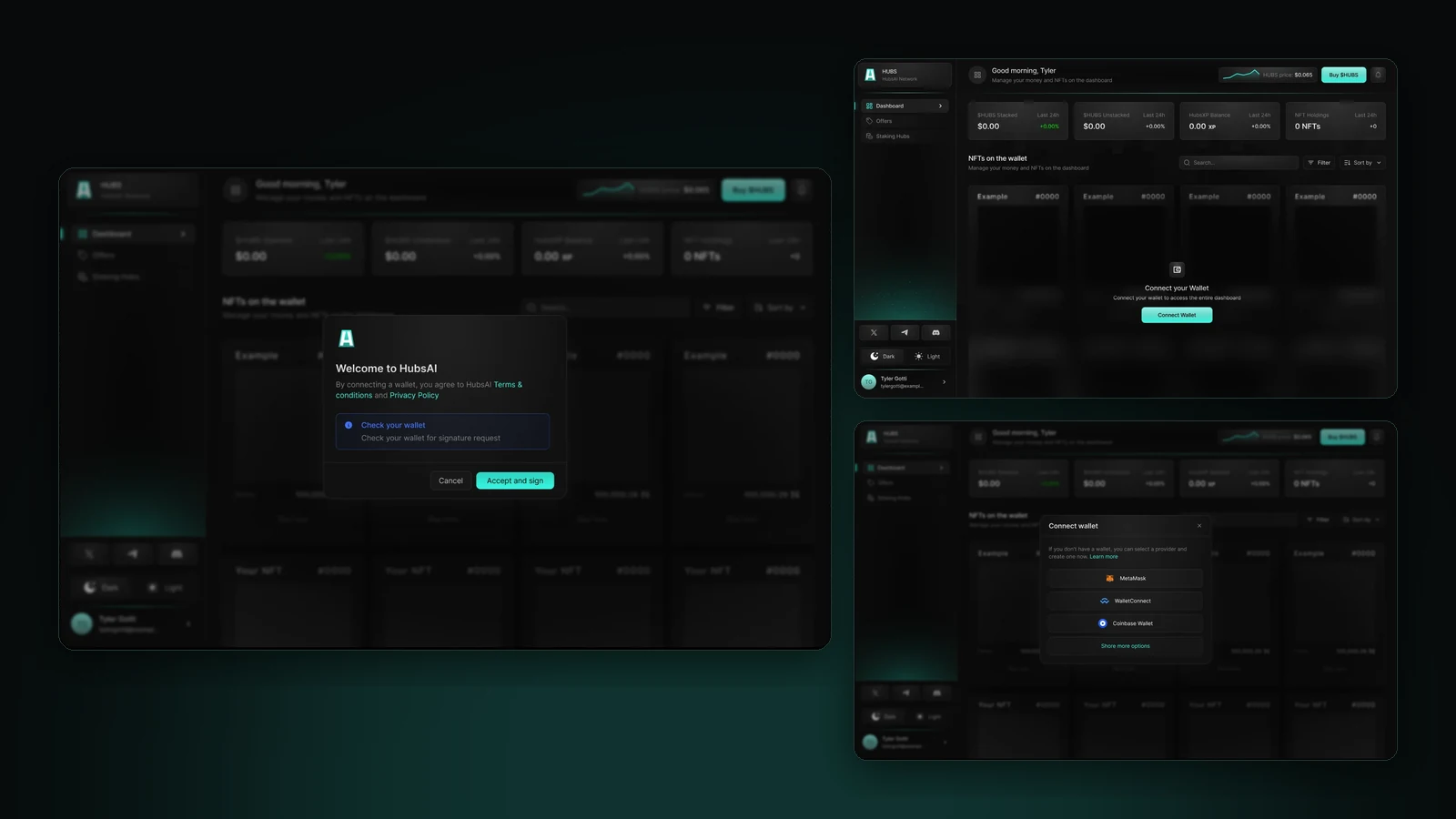
Connecting in four plain steps
An empty dashboard says what connecting unlocks. The picker tells people without a wallet how to get one. The welcome step states the terms and warns that a signature request is coming, and the signature itself is a login message, not a transaction.
70 passages are about signing and approvals, and another 70 say crypto is too complex for a first-time user.
- Doubt 2 · Failures
My transaction failed and I don't know why.
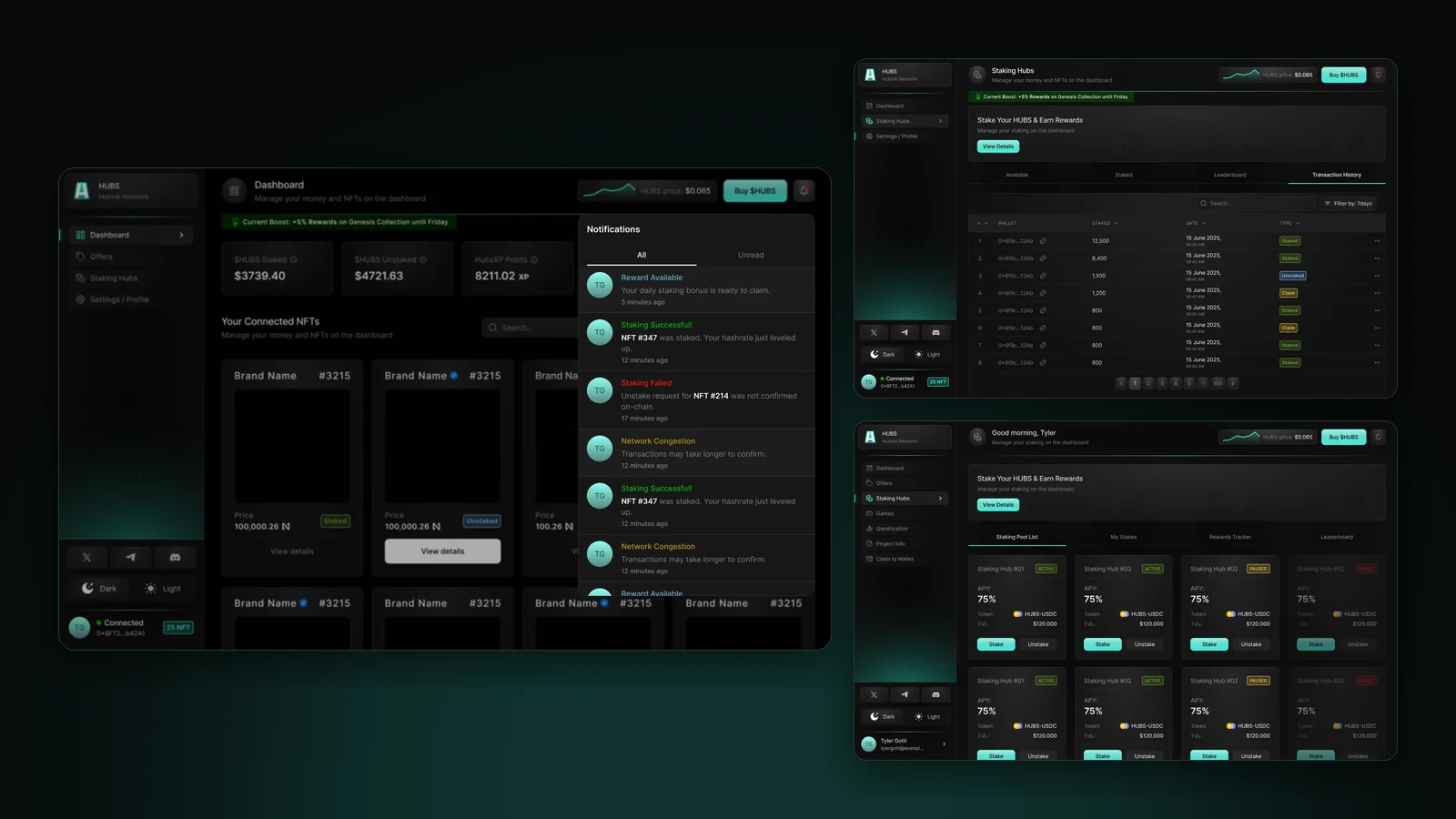
Failure gets as much design as success
Notifications say it plainly: "Staking Failed: Unstake request for NFT #214 was not confirmed on-chain", and "Network Congestion: Transactions may take longer to confirm". Transaction history dates every stake, unstake and claim.
Failed and stuck transactions are the most common first-hand complaint: 53 of the 80 passages come from people it happened to.
- Doubt 3 · Getting out
Can I get my money out, and when?
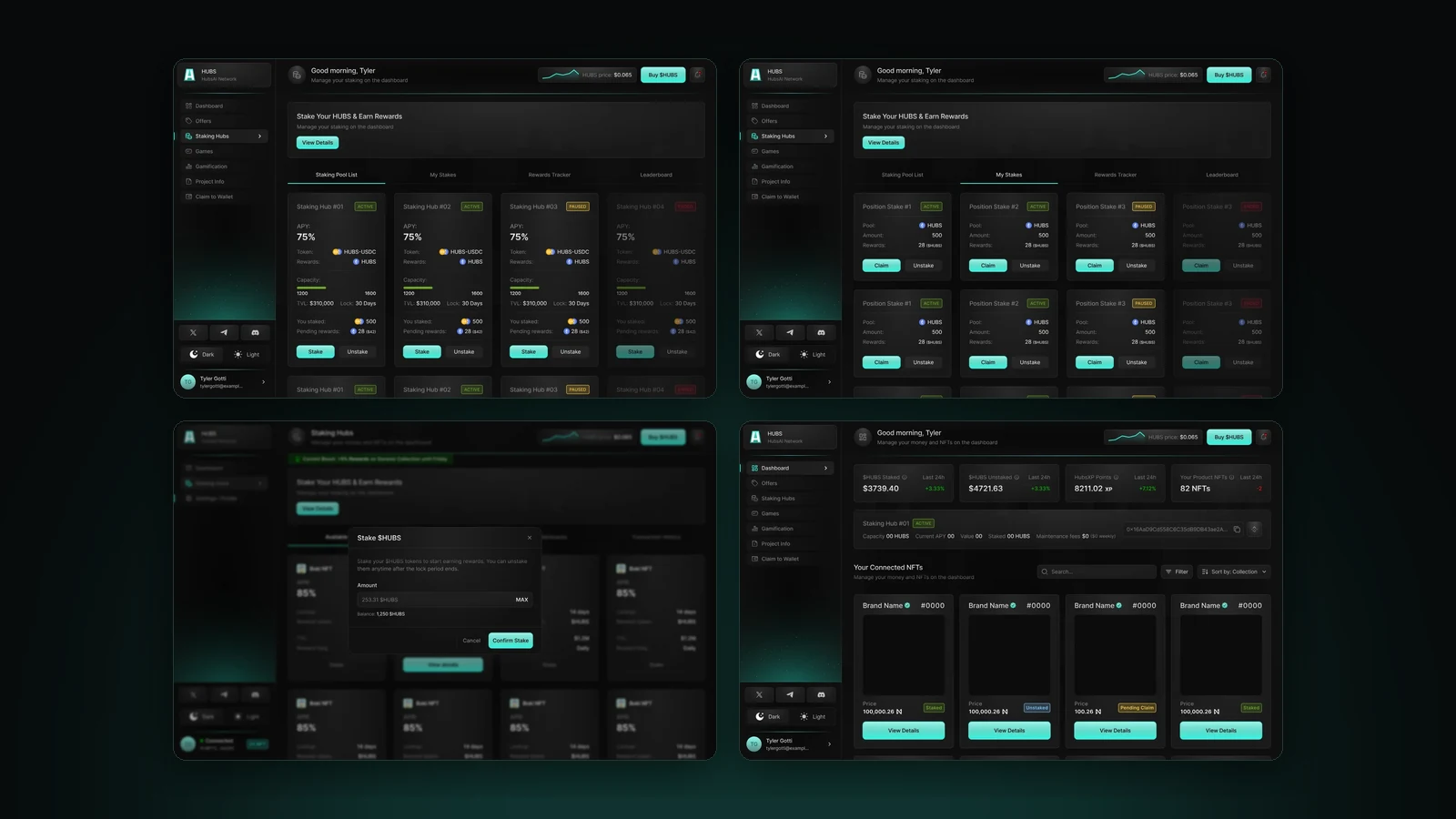
Every pool states its terms
Each pool card shows its lock period, capacity, value locked, your stake and pending rewards, with an Active, Paused or Ended badge; an ended pool can't be staked. The modals repeat the lock and reward frequency, say rewards stay claimable after unstaking, and show the exact amount you're about to withdraw.
66 passages are about scams and paused withdrawals, 25 ask where rewards come from, and 17 are about lock-ups.
- Doubt 4 · Why a token?
Why would I want a token of my sneakers?
The model, in the order a shopper thinks
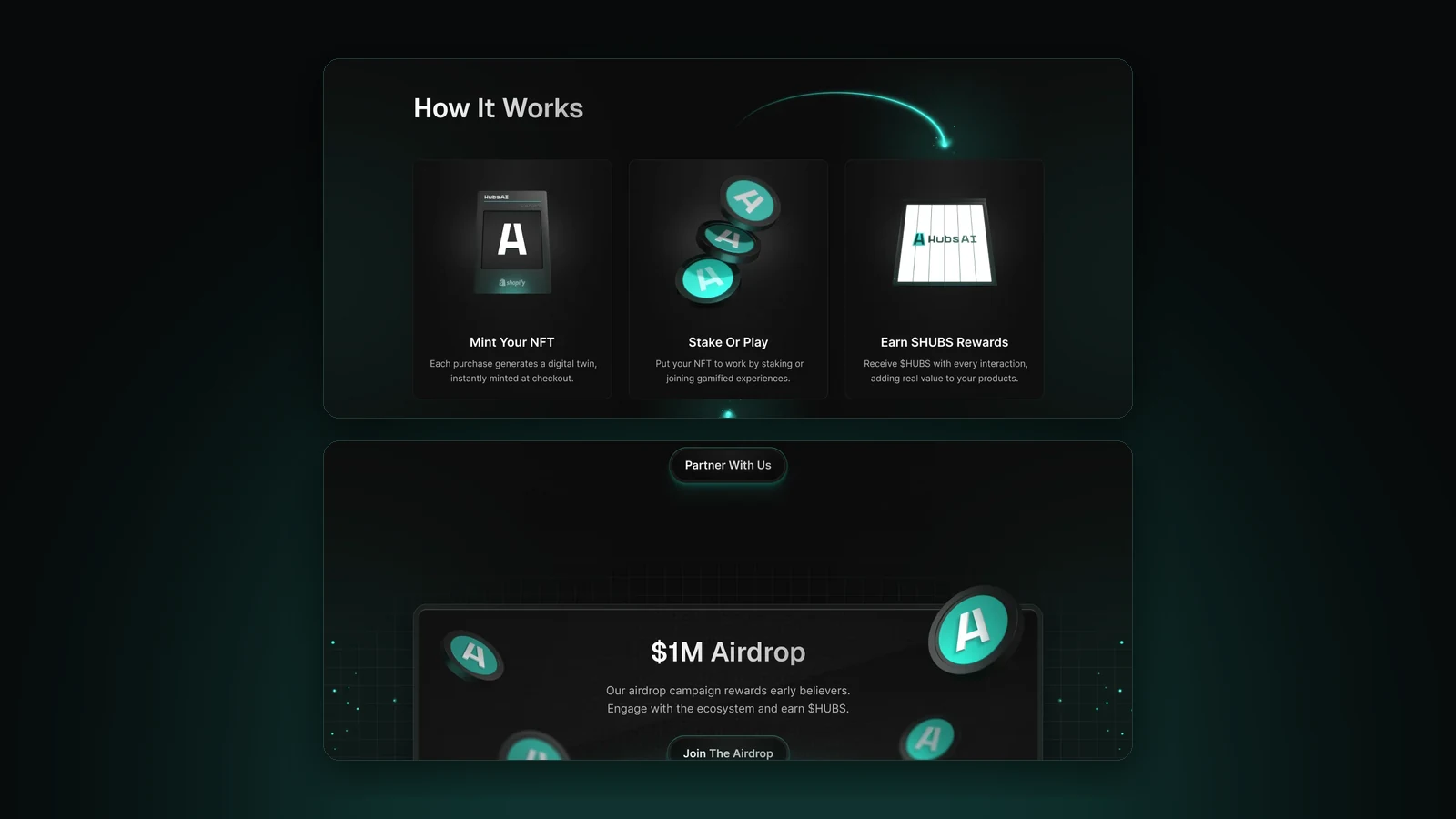
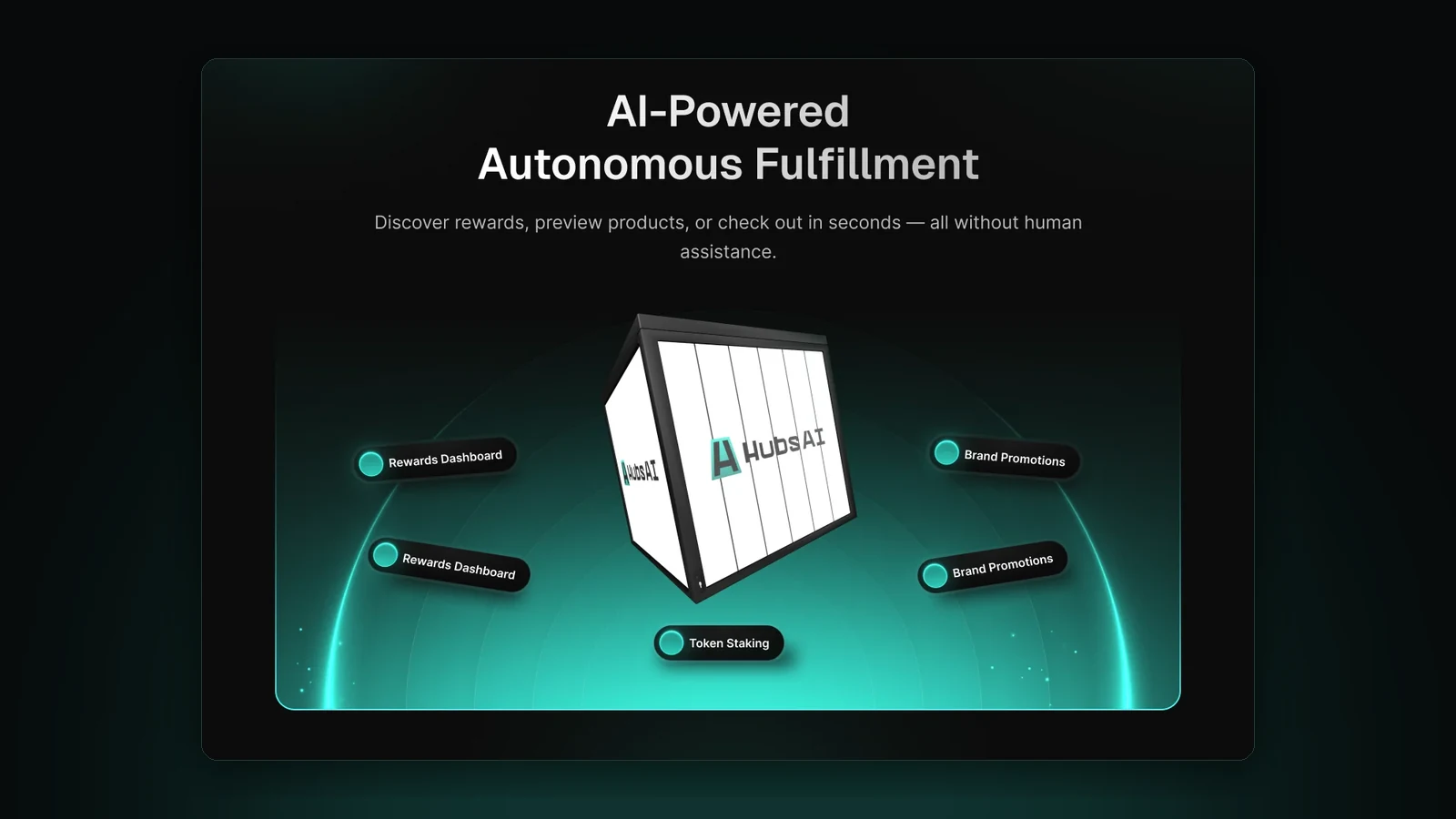
The landing page explains before it asks: the claim, then the kiosk as a 3D object labelled with its rewards dashboard, brand promotions and staking, then three steps, mint your NFT at checkout, stake or play, earn $HUBS, and only then the airdrop and the wallet.
56 passages question tokens tied to physical goods, almost all from observers rather than shoppers.
The design system
Near-black surfaces, glass cards and one teal for every action and status, carried unchanged from the landing page into the product and the film.
- HubsAI teal #36F8E2Every action and every status: buttons, active states, the mark's light
- Active green #6EA42BPools and positions that are live
- Failure red #DF1C41Failed transactions, errors and ended pools
- Near black #0C0C0CThe surface everything sits on, so the teal carries the signal
Type. Inter throughout, from dashboard figures to landing headlines, so balances and rewards read as plain numbers.
3D. The kiosk, coins and bolt were built in Spline, ready as video loops or interactive embeds that follow the cursor.
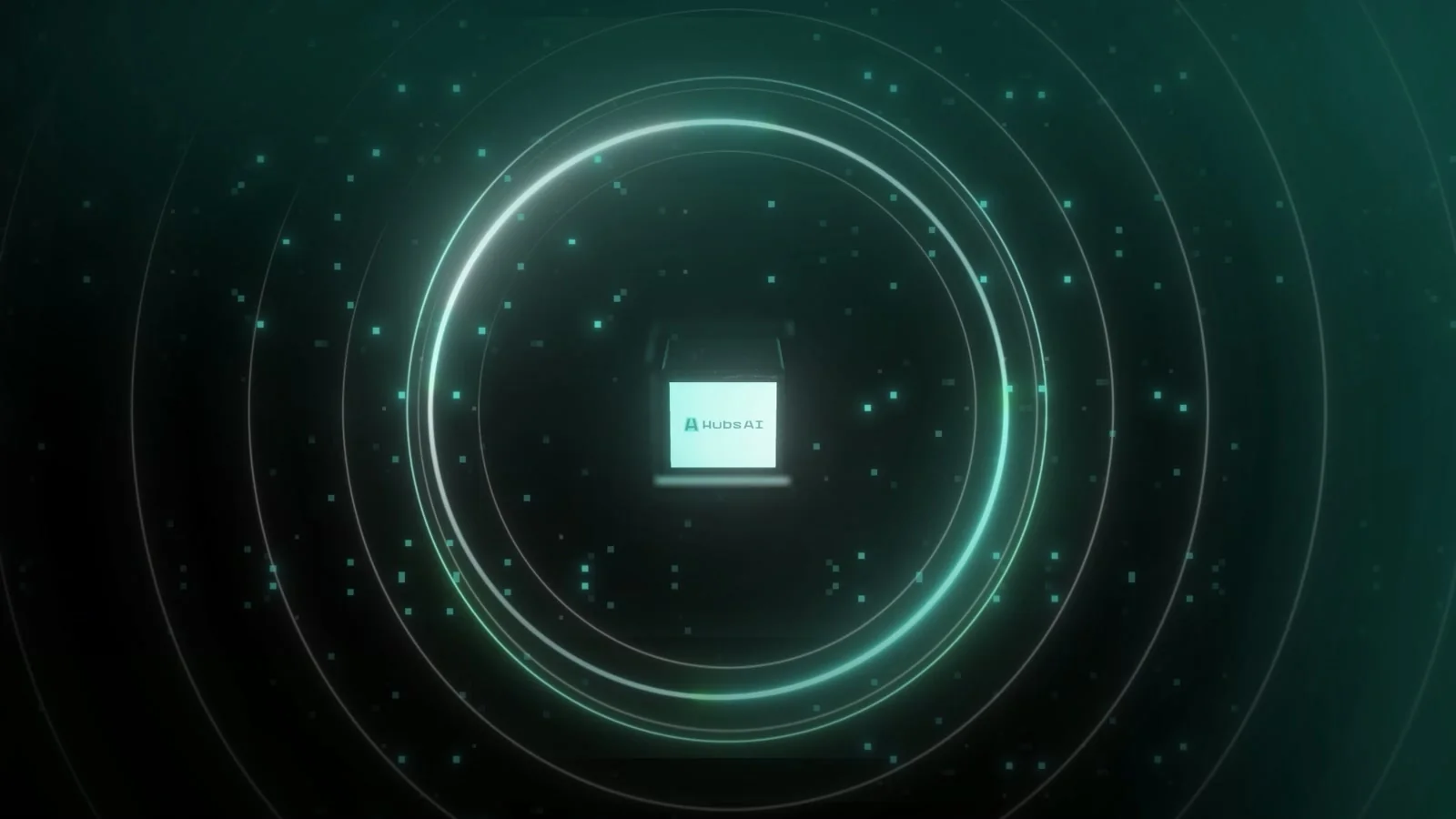
Film. 45 seconds, from a padlock to an on-chain QR card, using the same cards and teal a holder later meets in the dashboard.
How we got here
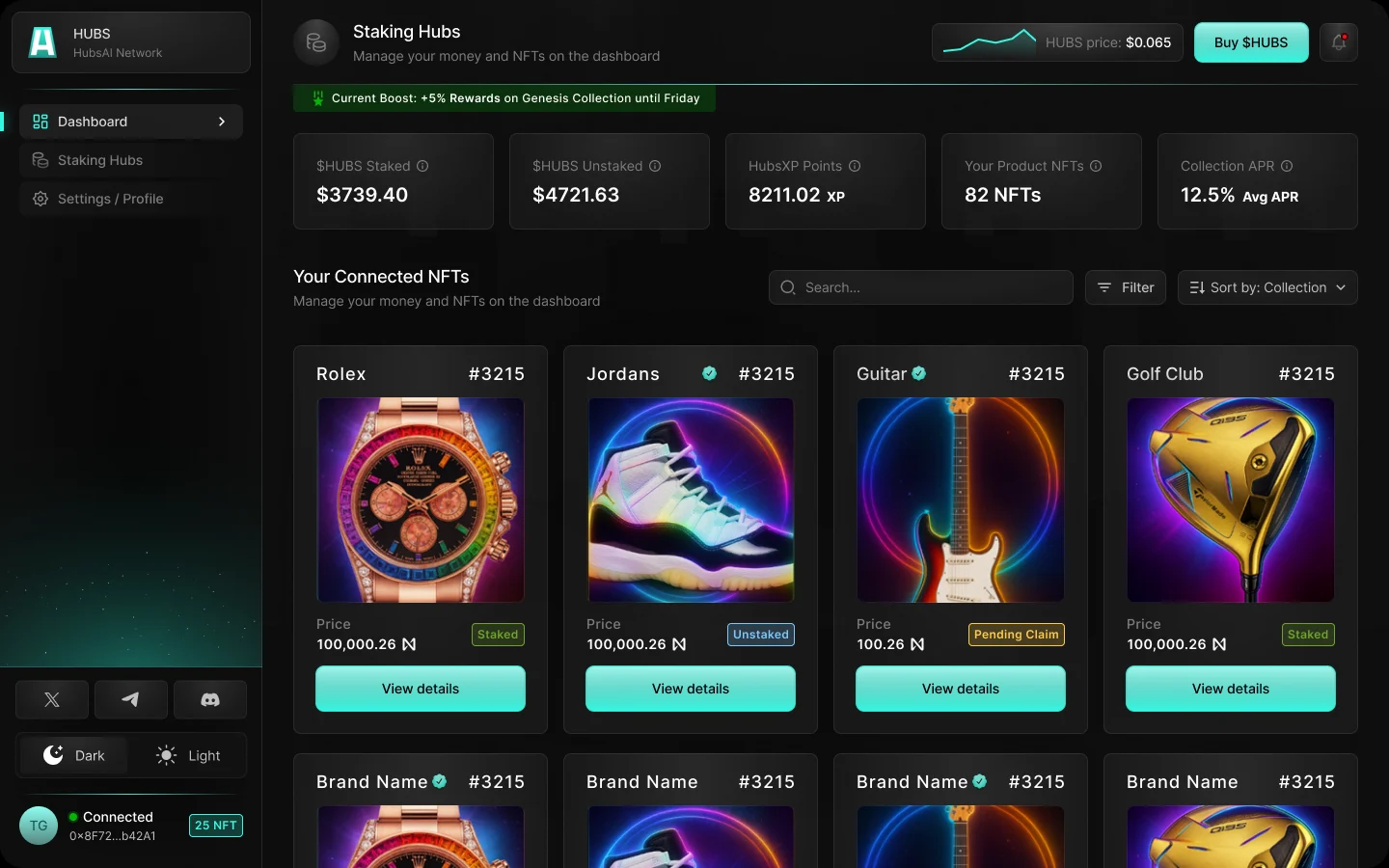
01 · First versionThe first dashboard opened on the product cards: the watch, the sneakers, the guitar. 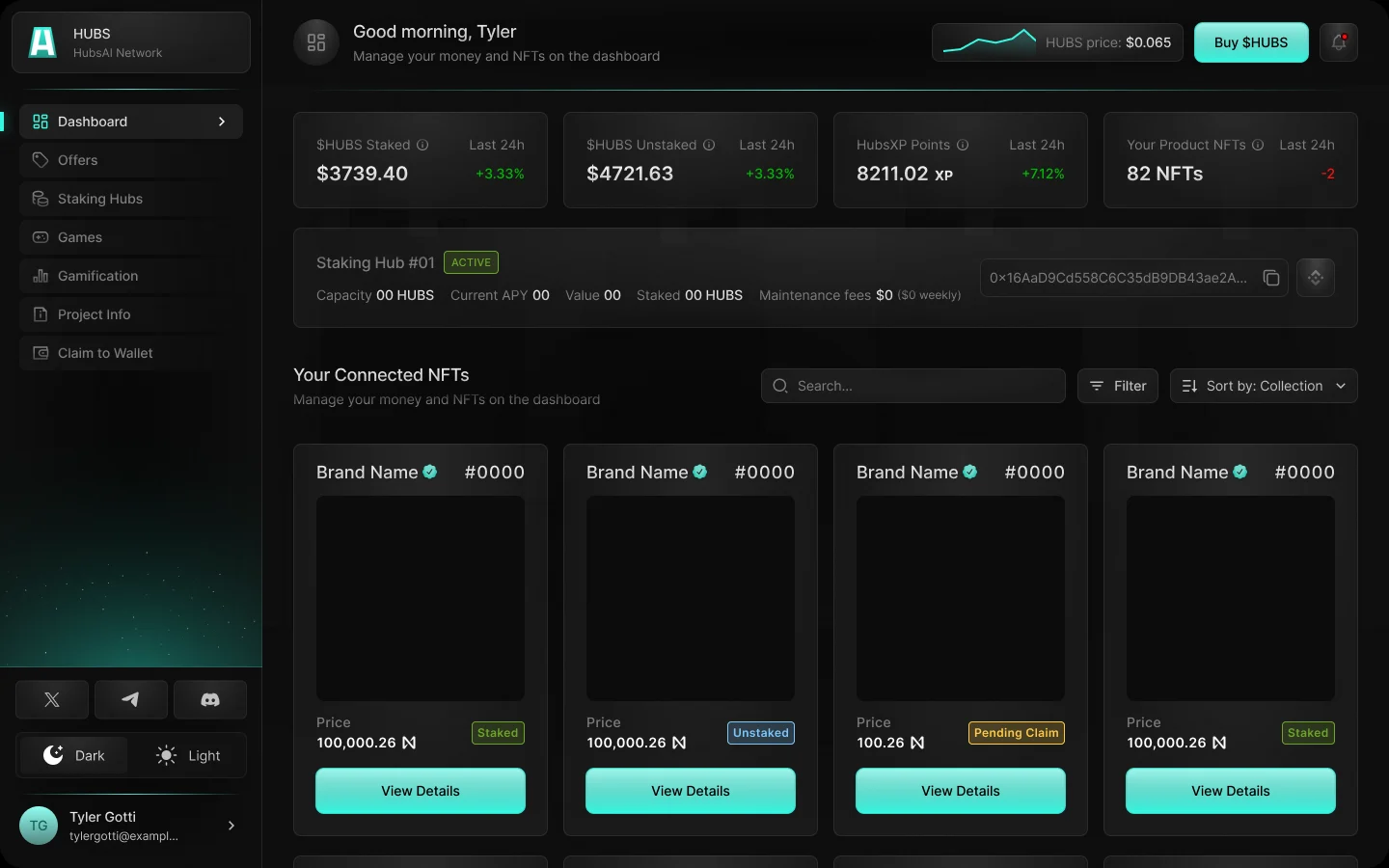
02 · Later versionThe reworked dashboard opens on balances, points, NFTs and the staking hub's status, with a personal greeting.
Results
- Product design
- 66 desktop frames covering 50 distinct screens and states, from wallet connect to claiming rewards
- Flows
- A 32-state flow map for holders and brand admins, including 9 error and empty states, mapped before any screen was designed
- Launch pieces
- Landing page, staking dashboard and a 45-second brand film in one visual language
- 3D
- Kiosk, coins and bolt in Spline, delivered as loops and as interactive embeds
What's next
- Say where the yield comes from on every pool card, with a link to an audit and a plain risk line.
- Give every failure a next step and show the network fee before Confirm Stake.
- Design the brand-admin screens from the flows already mapped: verify, set up a store, publish.
Want a result like this? Talk to us about product & ui/ux design.
Curious how your site compares?  Run the same audit on your site →