
Kubo: a brand for an iPhone app that turns anything you walk around into a 3D model
Book a call, get a price rangeKubo is an iPhone app. Walk once around a chair, a plant or a pair of sneakers, and about a minute later you have a 3D model to share, sell, place in a room or print. We built it from scratch: the name, a world of sunlit film stills where the thing being captured is half real and half cubes cut from its own material, the soft-cube character and its wordmark, the capture app and its Lock Screen moments, and the launch on posters, a bus shelter, a crewneck and stickers.
- Project
- An Alterra Studio project: we built the company's brand, product and launch from scratch
- Stage
- Consumer AI app, seed stage
- Services
- Naming, world and key art, the character, wordmark and app icon, the iOS capture app and its OS surfaces, posters, out-of-home, merch and stickers, animated board
- Tools
- Imagine (our in-house design app), Nano Banana Pro, GPT Image, Seedance, HyperFrames
Show a real thing becoming 3D
None of nine funded 3D capture apps shows a phone capturing a real thing on its first screen. Six open on a finished render.
Kubo is an iPhone app. Walk once around a chair, a plant or a pair of sneakers, and about a minute later you have a 3D model to share, sell, place in a room or print. Its buyer is someone who collects, sells or makes things and already lists them on resale apps.
The brief, in a founder's words: "Buyers on resale apps have stopped trusting photos; our sellers need a homepage that shows a real thing becoming a 3D listing in a minute, not another gallery of renders."
as likely to sell: second-hand handbags with better photos, in a study of about 75,000 listing photos.
Source: Cornell Tech, 2019
of UK buyers on second-hand marketplaces reported a scam in two years. 15% of them got the wrong goods.
Source: Which?, 2024
more 3D printers under $2,500 shipped in 2025 than in 2024.
Source: CONTEXT, 2026
Three doubts, and the screen that answers each
- "Scanning takes ages and comes out as a melted blob."
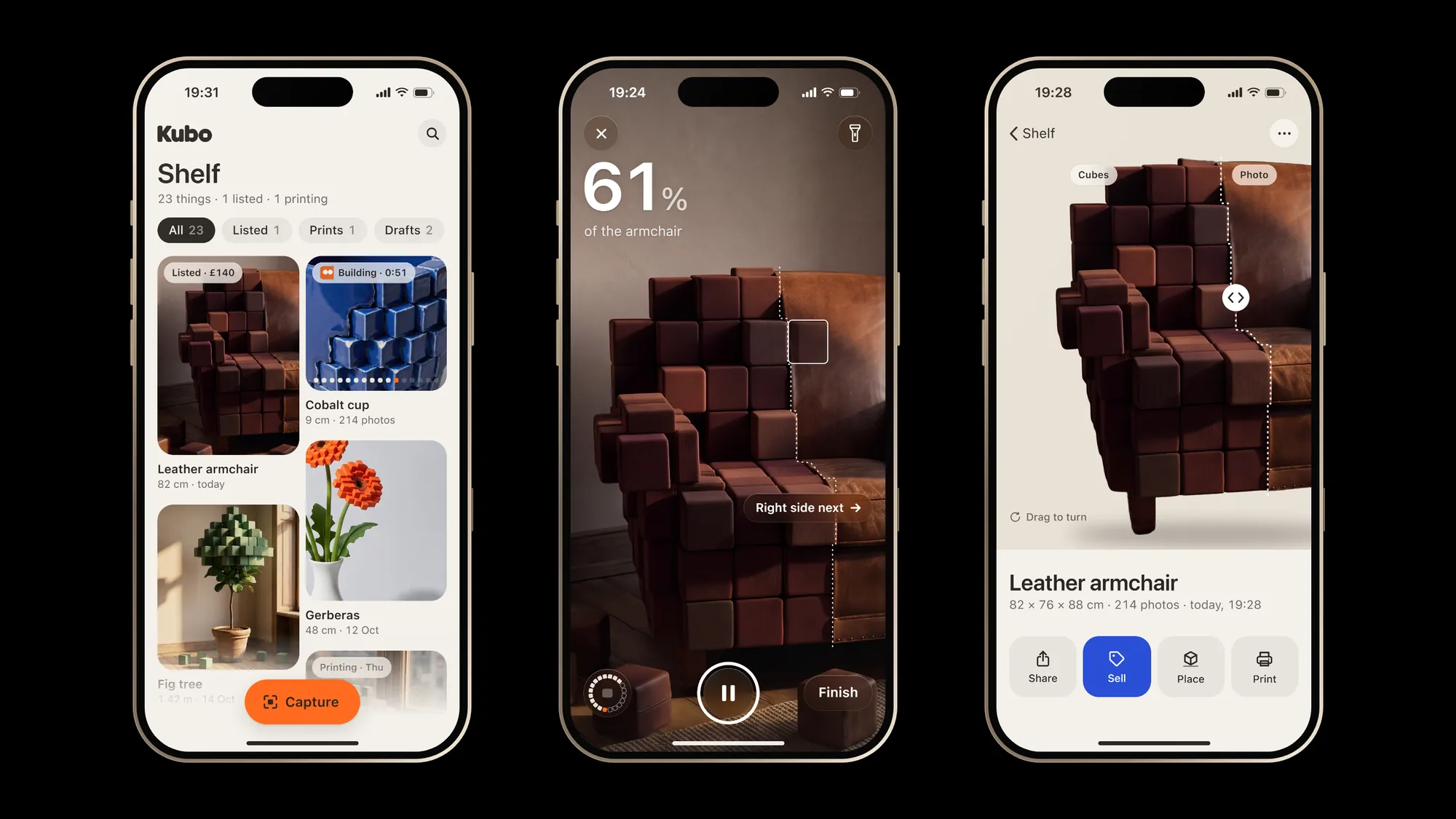
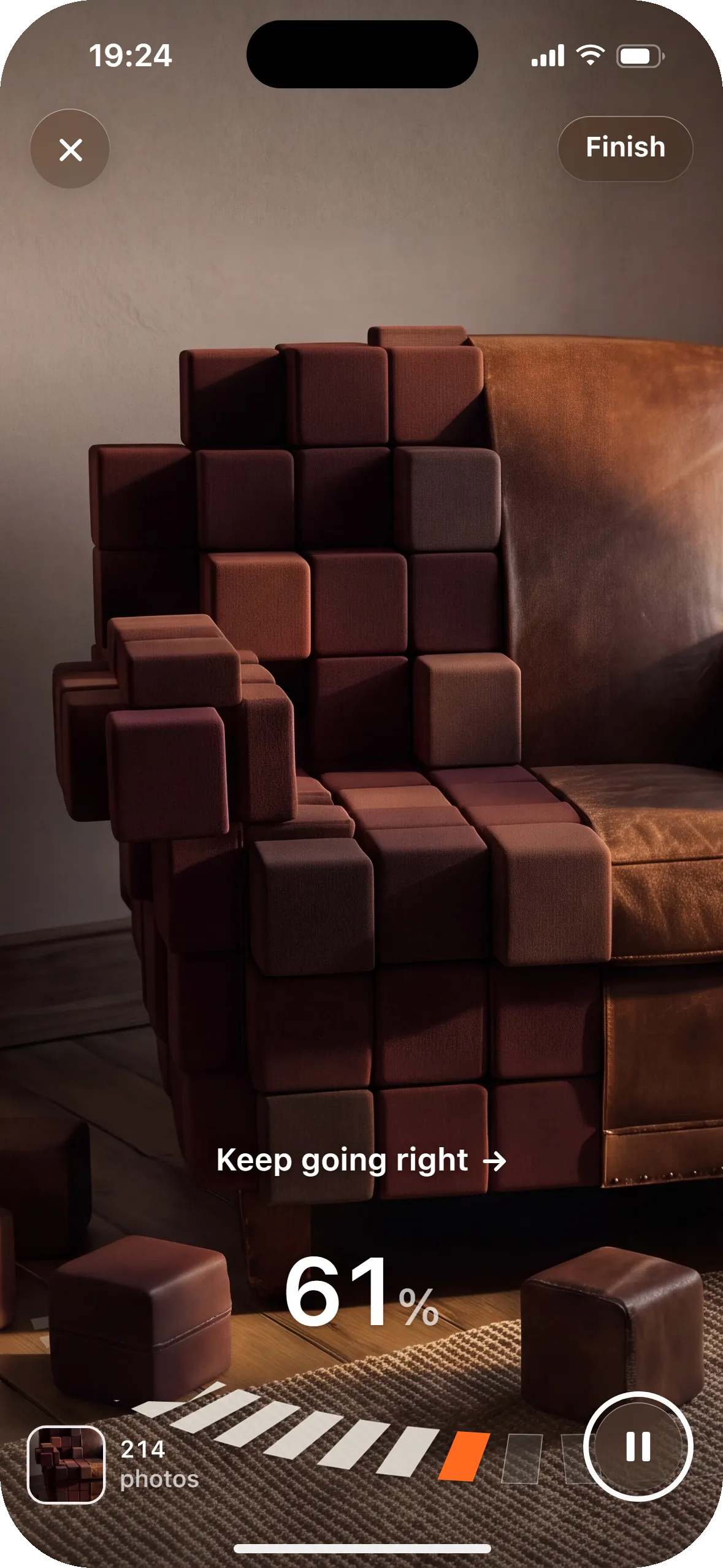
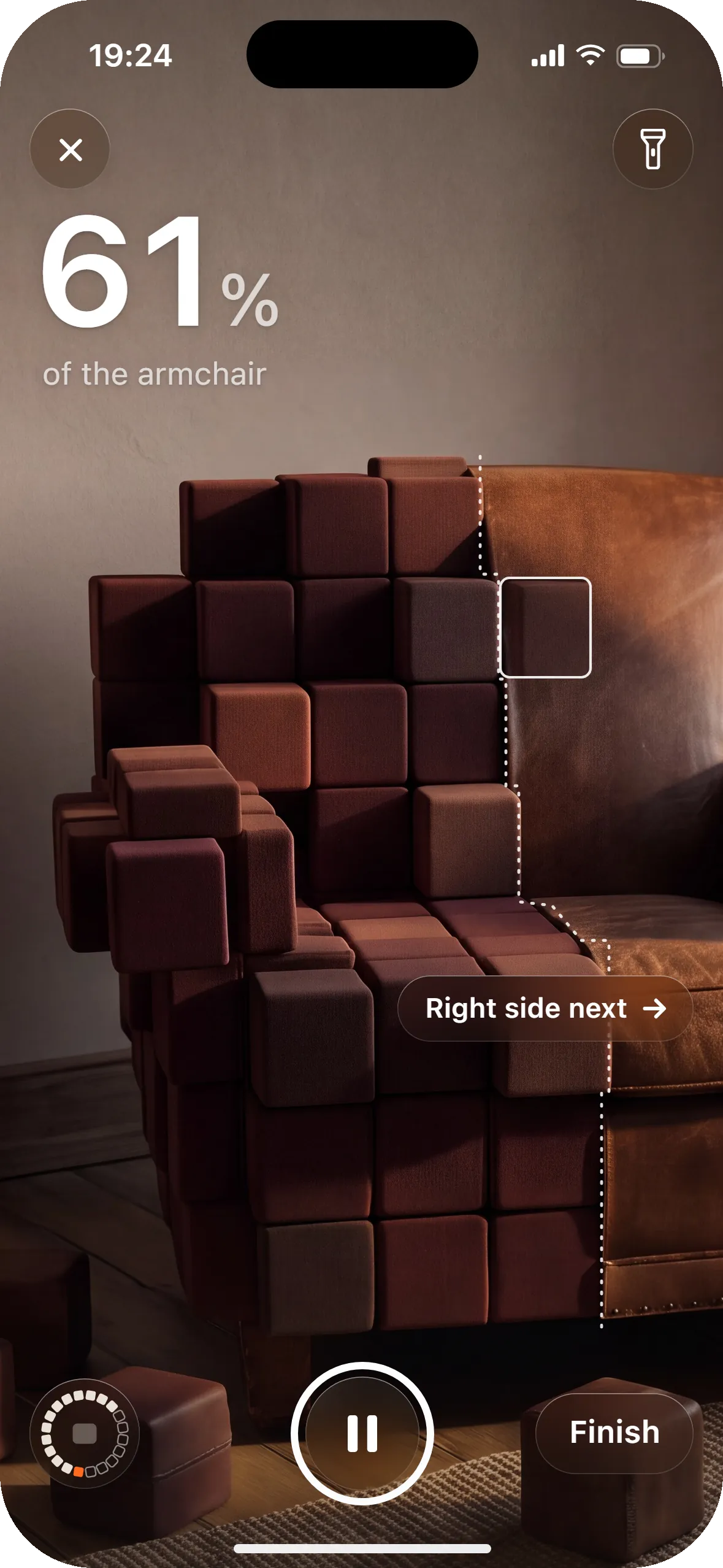
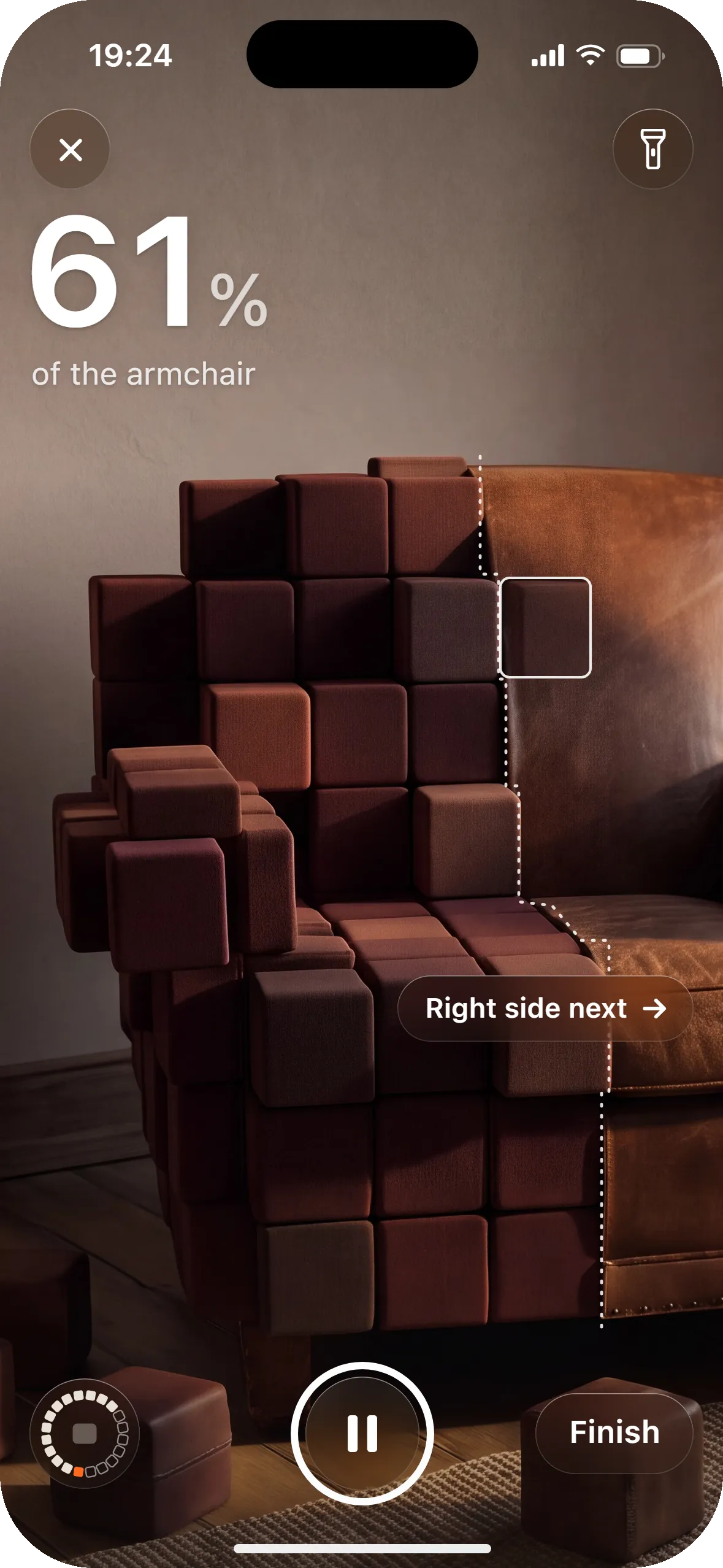
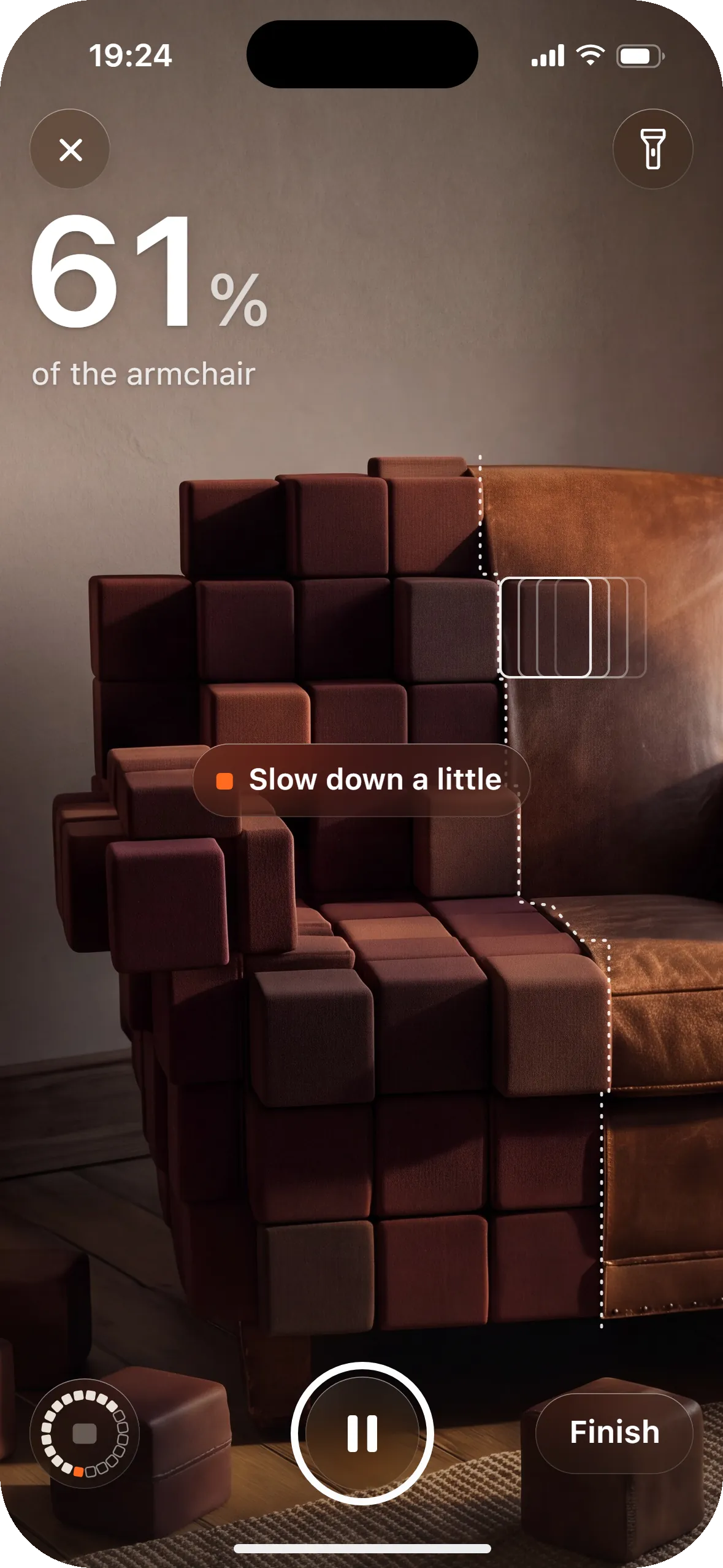
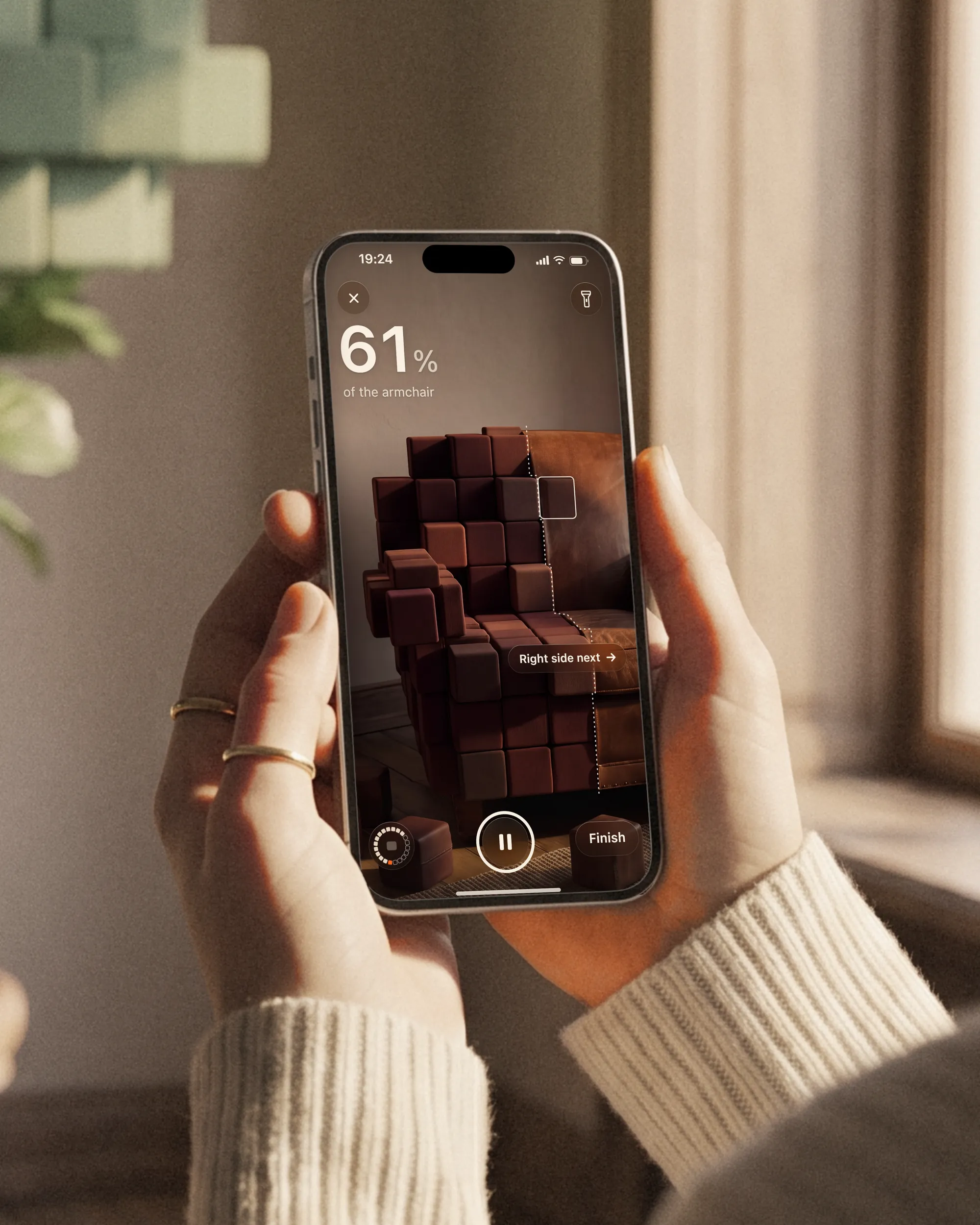
- The capture screen shows one number, the share of the armchair covered. Every side you have walked past turns to cubes, a dotted seam marks where they stop, and one chip says which side is next. You see what is missing before you finish.
- "I'll spend an afternoon fixing the mesh before I can print it."
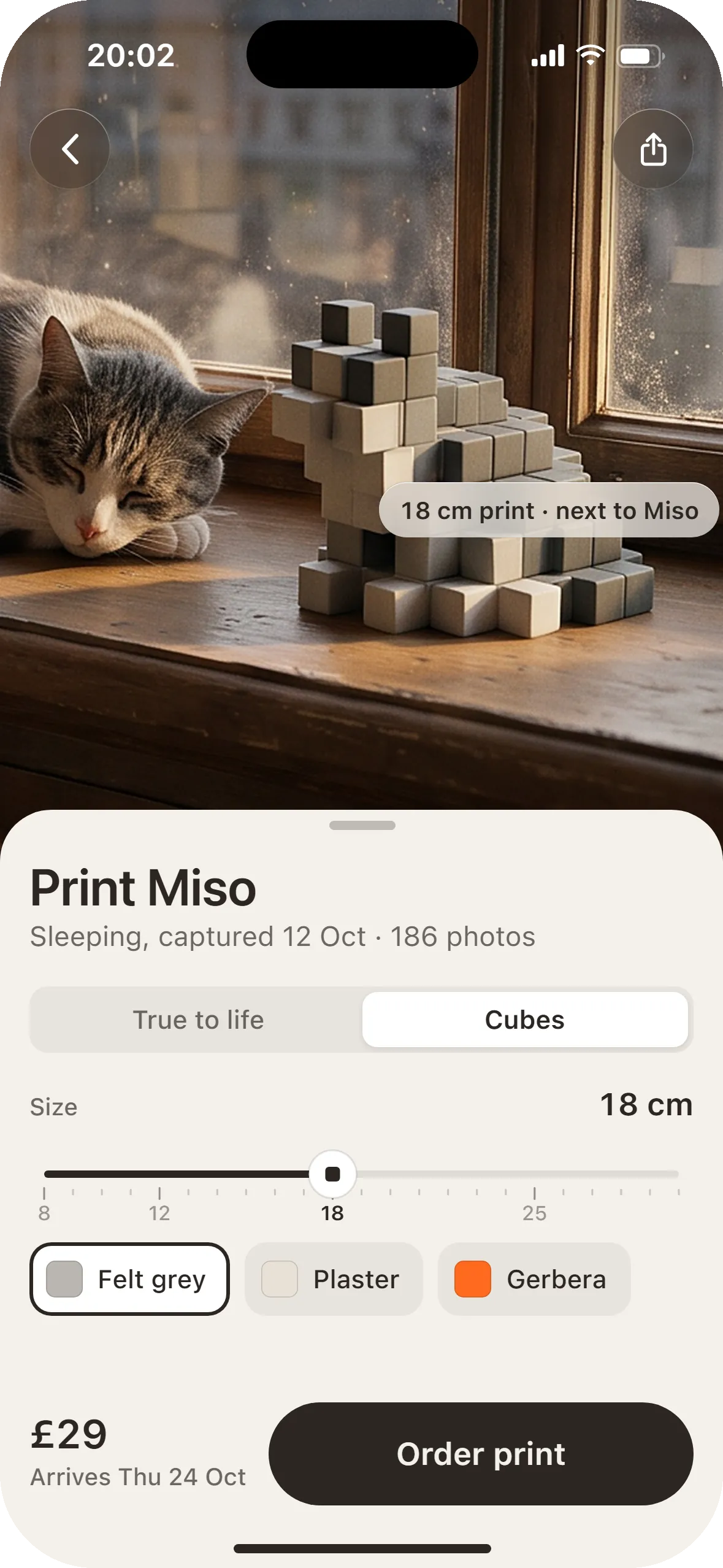
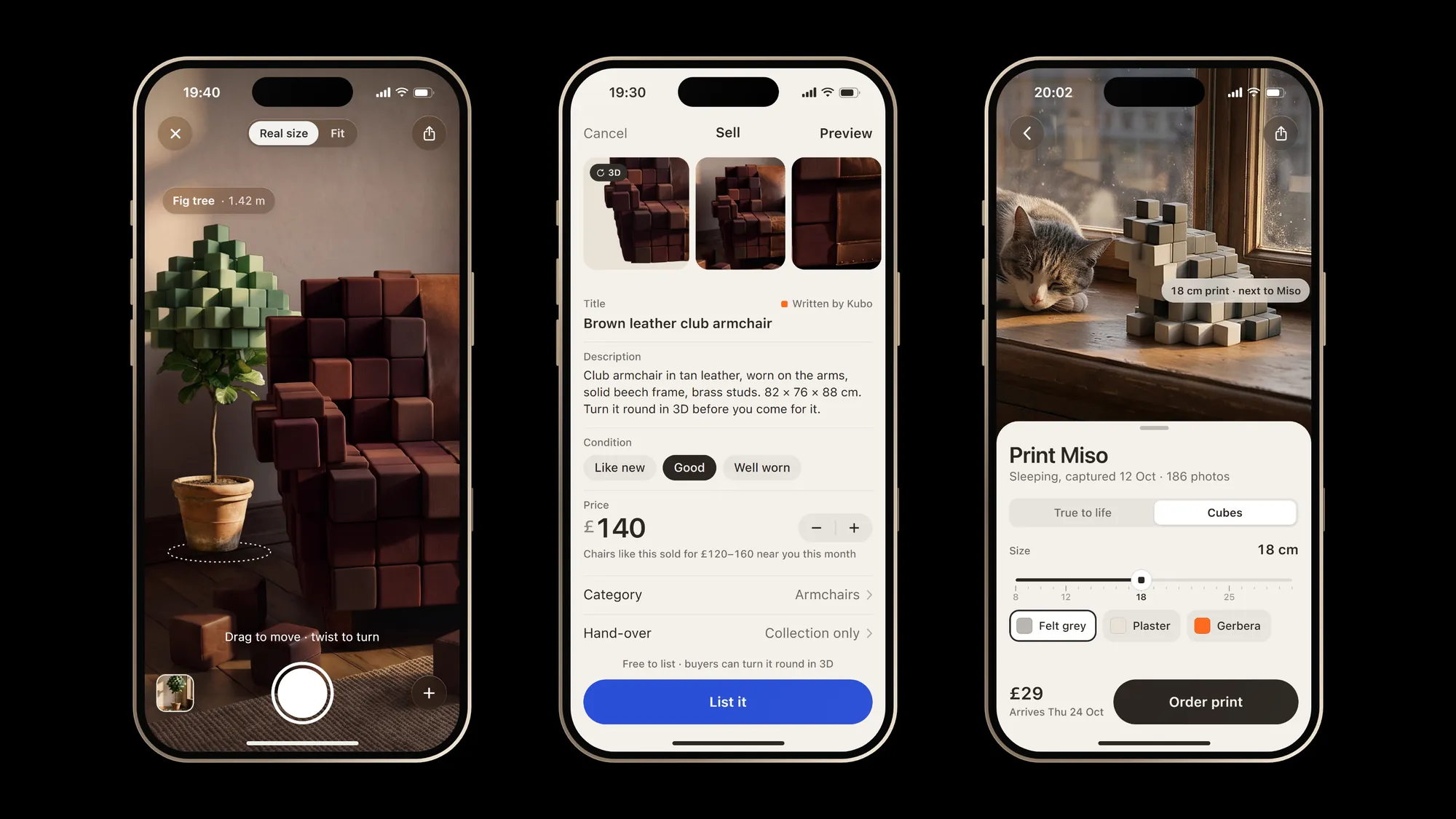
- Print asks what anyone can answer: a size on a slider, true to life or in cubes, one of three finishes, then a price and a delivery day. There is no mesh step.
- "A 3D model could be faked. I want to know the thing is real."
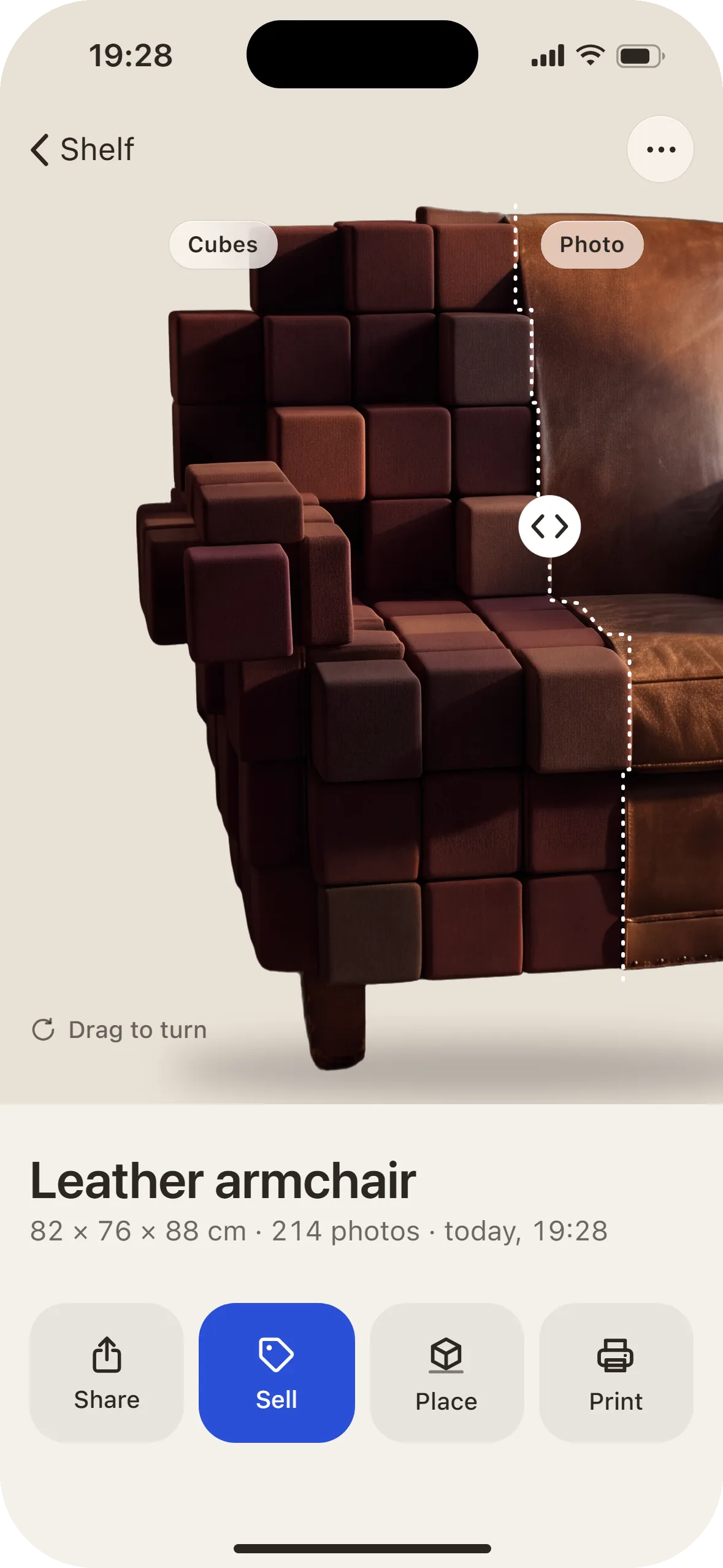
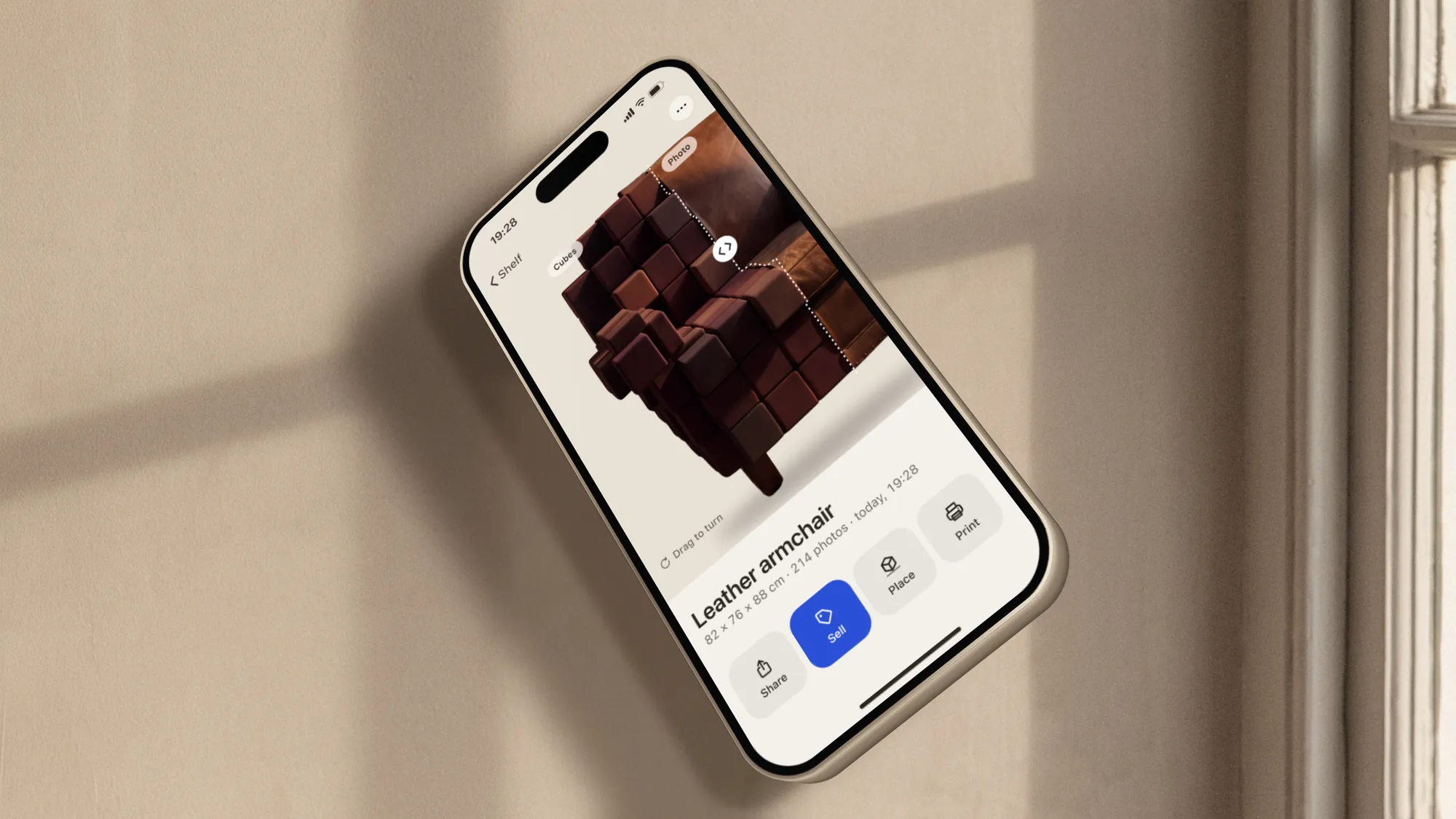
- The model sits on its own photo. Drag the seam and it gives way to the picture it was made from, in the same place, with the real size and the number of photos under the name.
What we left out
- A finished render on the first screen (6 of 9)
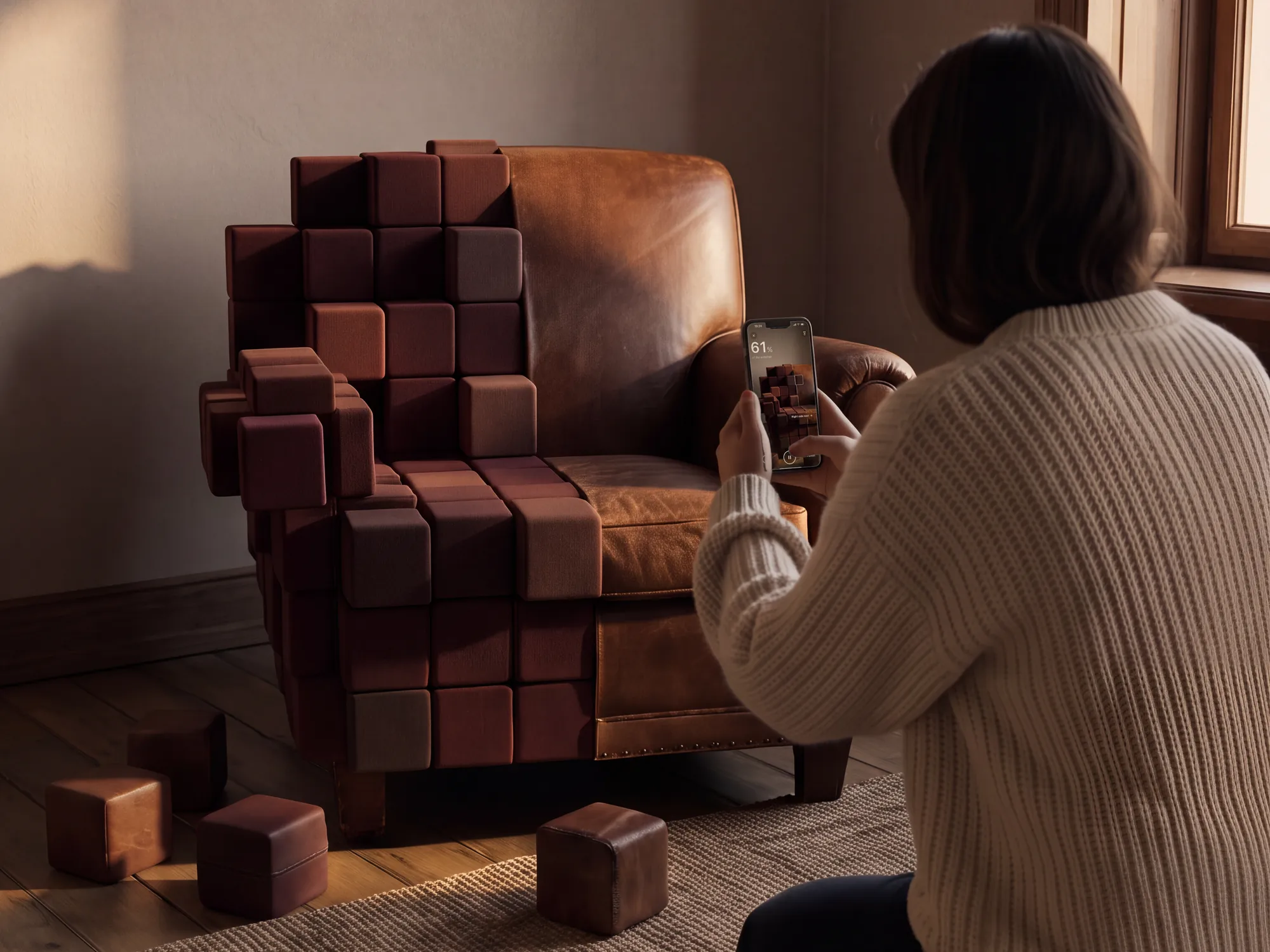
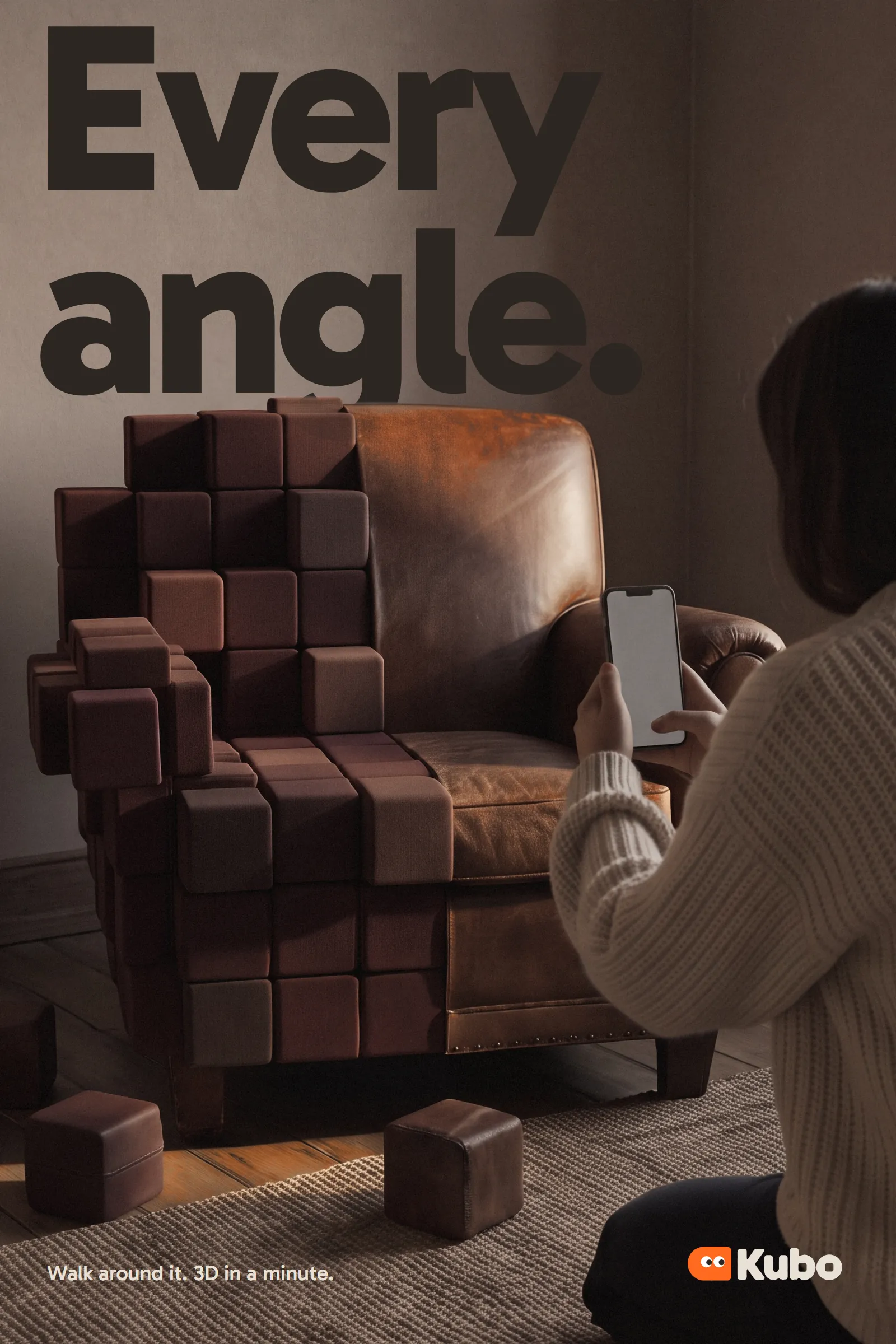
- The capture: a real armchair in a lived-in room, half turned to cubes cut from its own leather.
- "Anyone", "easy" or "best" as the promise (7 of 9)
- The job instead: walk round it, get a model in about a minute, then share, sell, place or print it.
- A dark ground with a neon or purple glow (4 of 9)
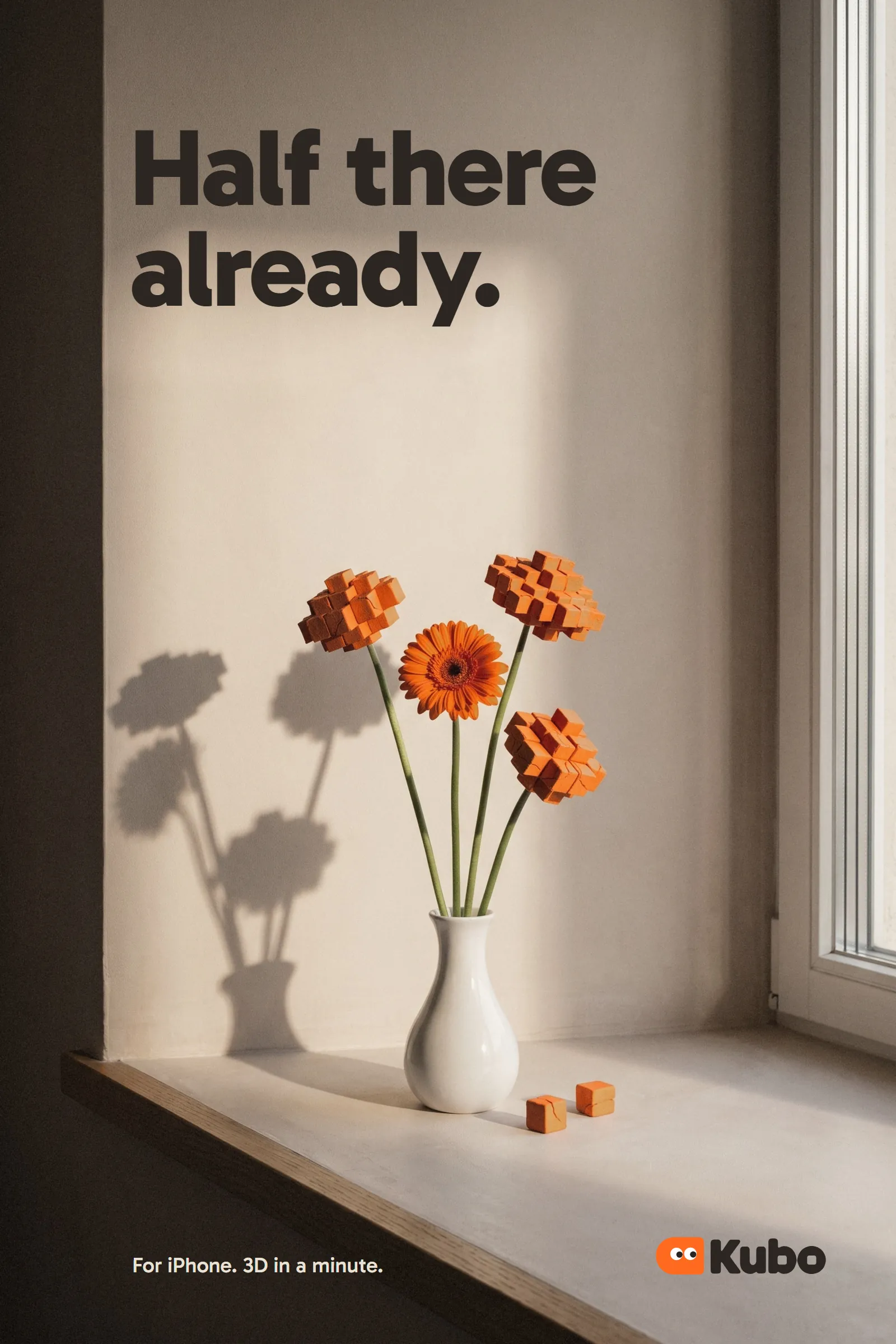
- Plaster, oak and low May sun in a lived-in flat. Gerbera orange marks one thing per frame.
- Fidelity specs as the pitch (4 of 9)
- What you do with the model, as four buttons under it: Share, Sell, Place, Print.
- Fantasy figures and game props as samples (3 of 9)
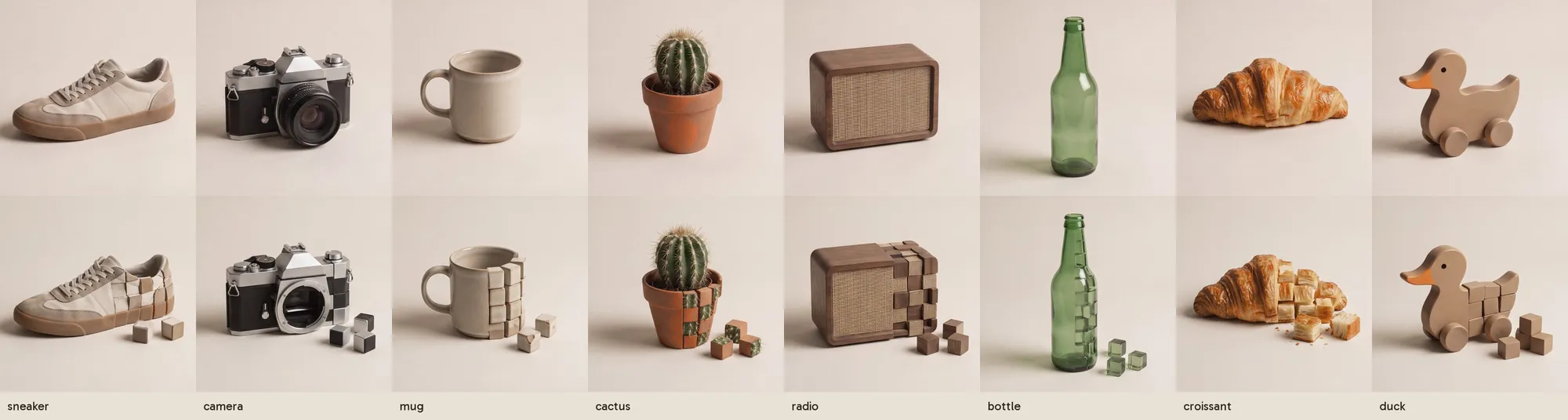
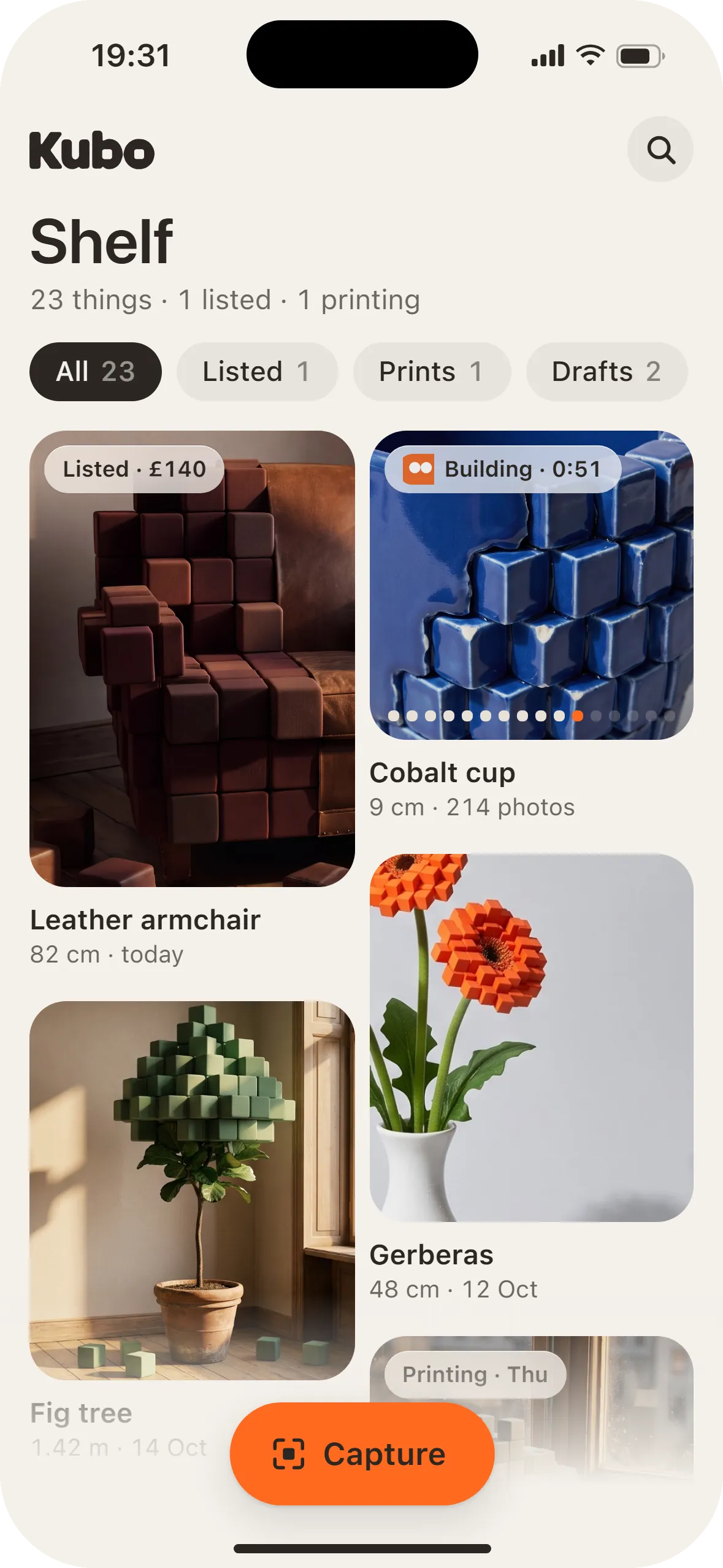
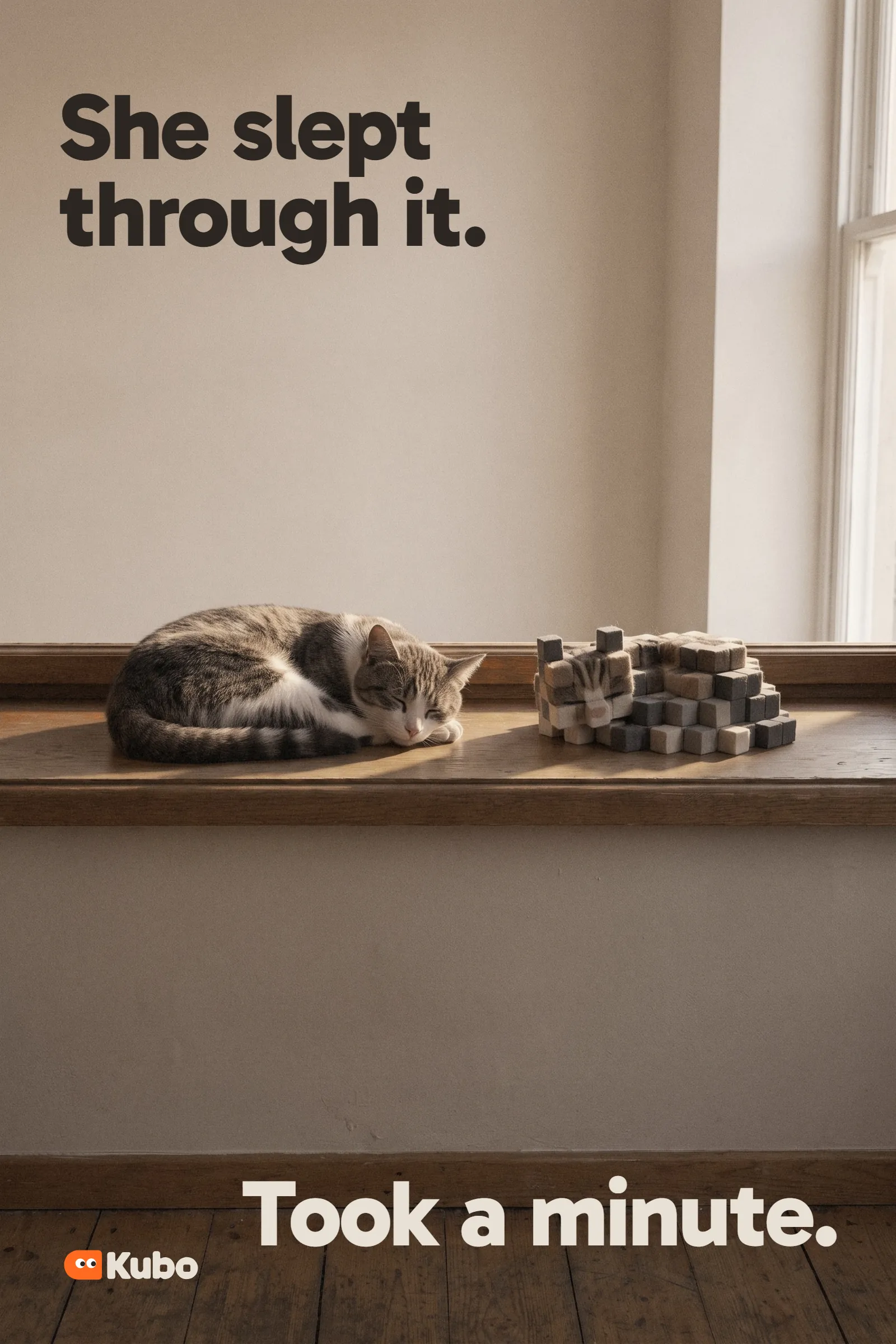
- Things people own and sell: an armchair, a cobalt cup, gerberas, a fig, a sleeping cat.
A sunlit flat, one thing in cubes
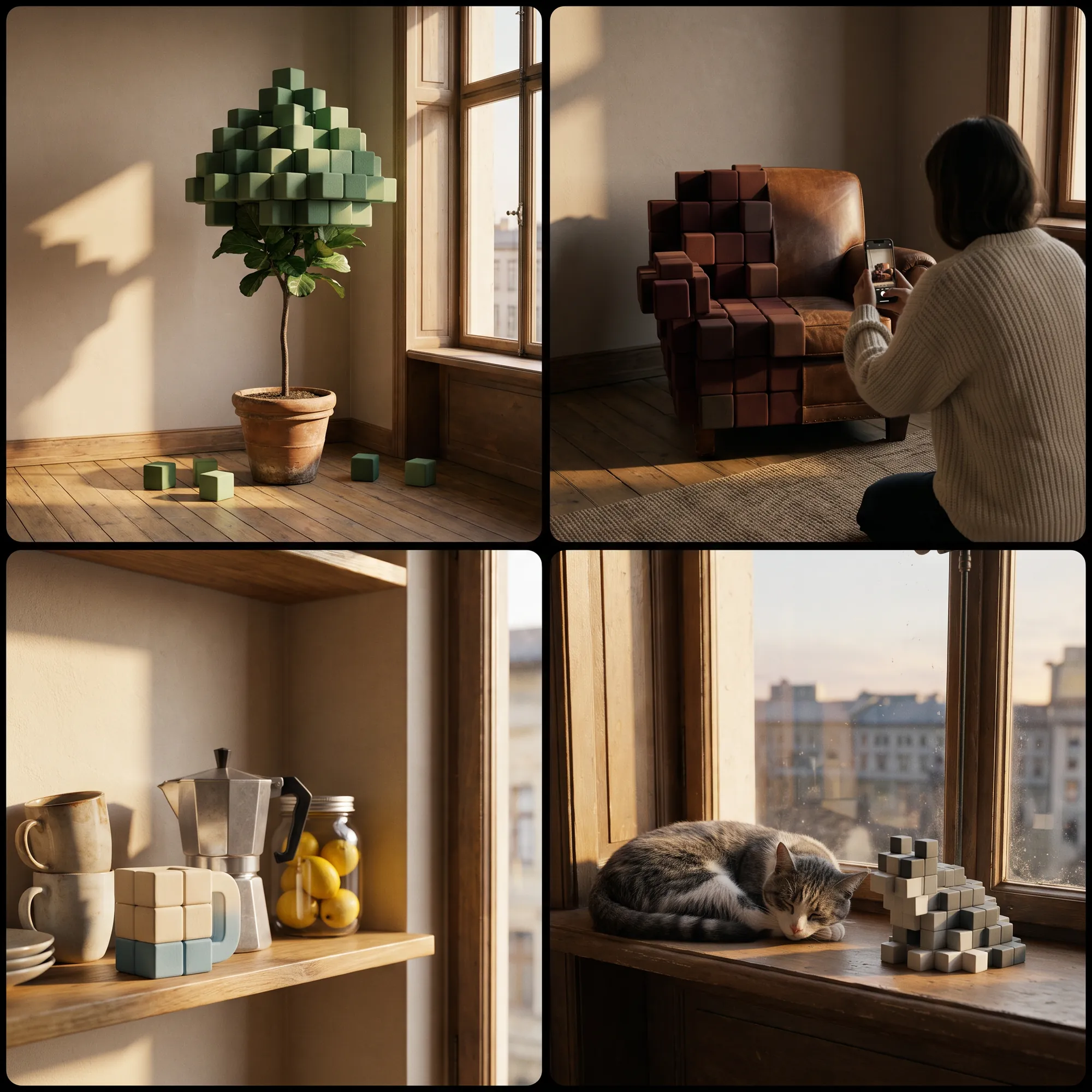
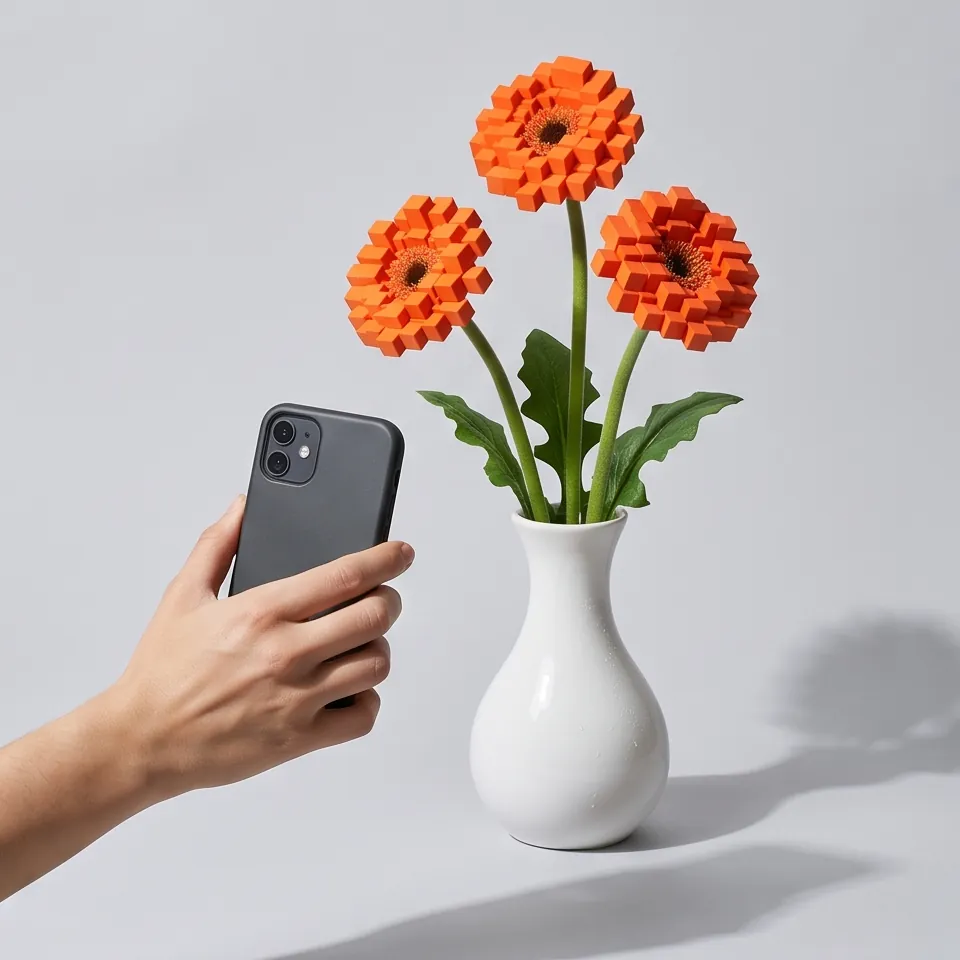
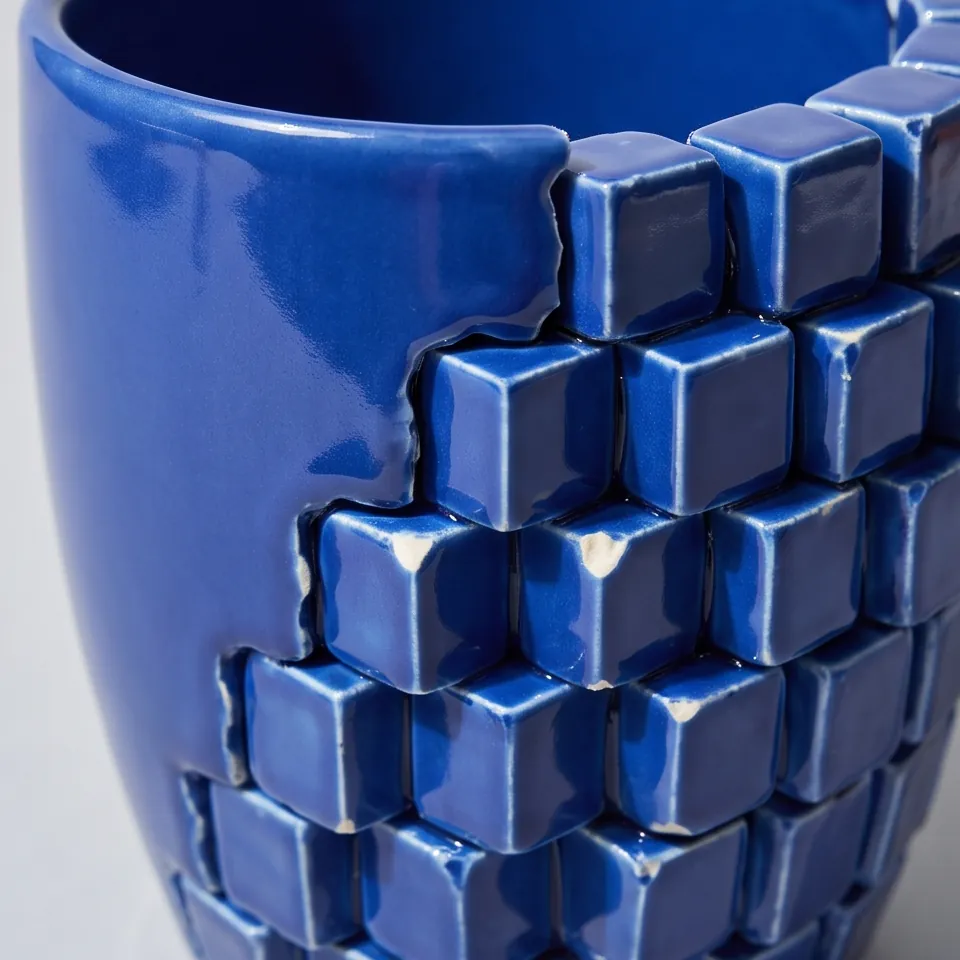
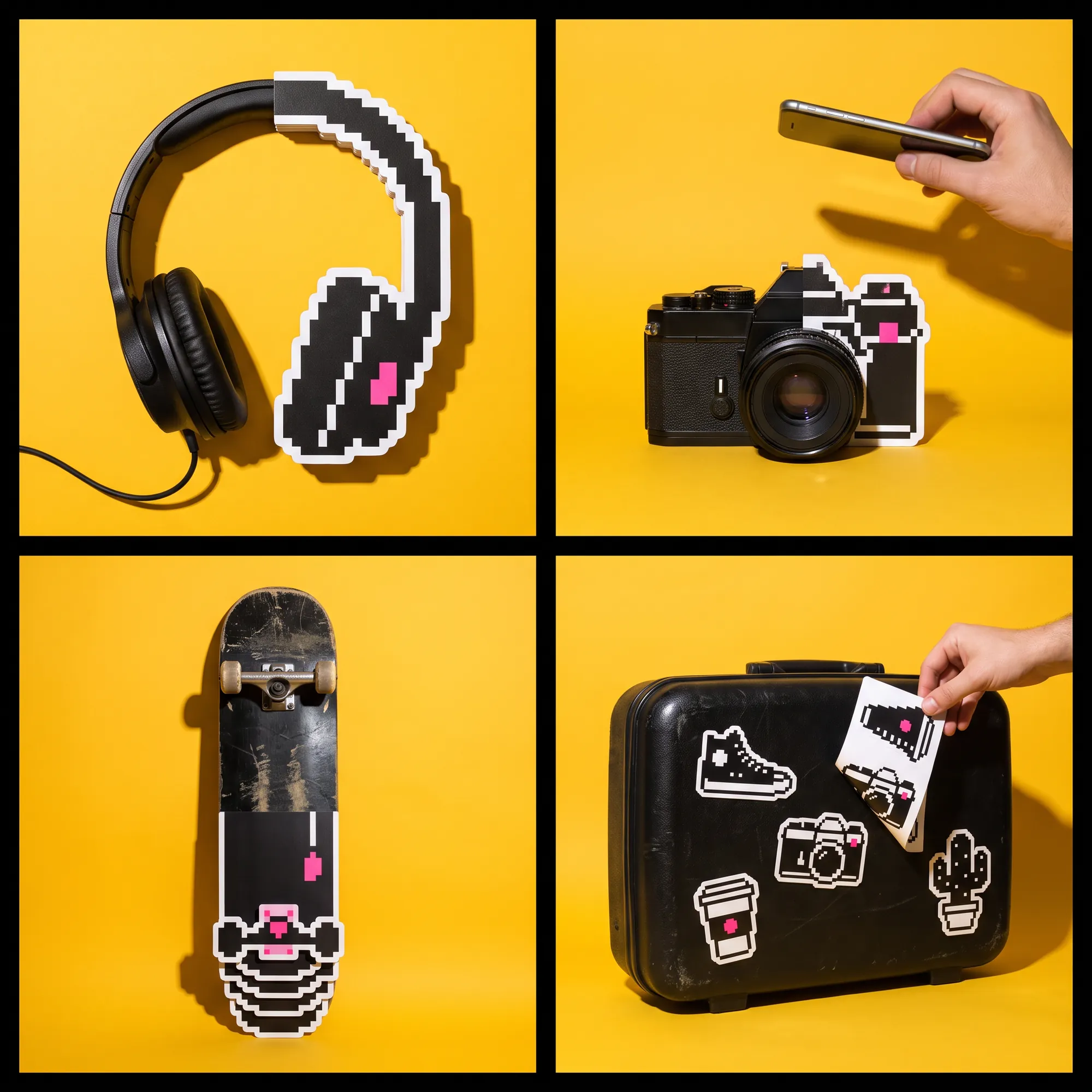
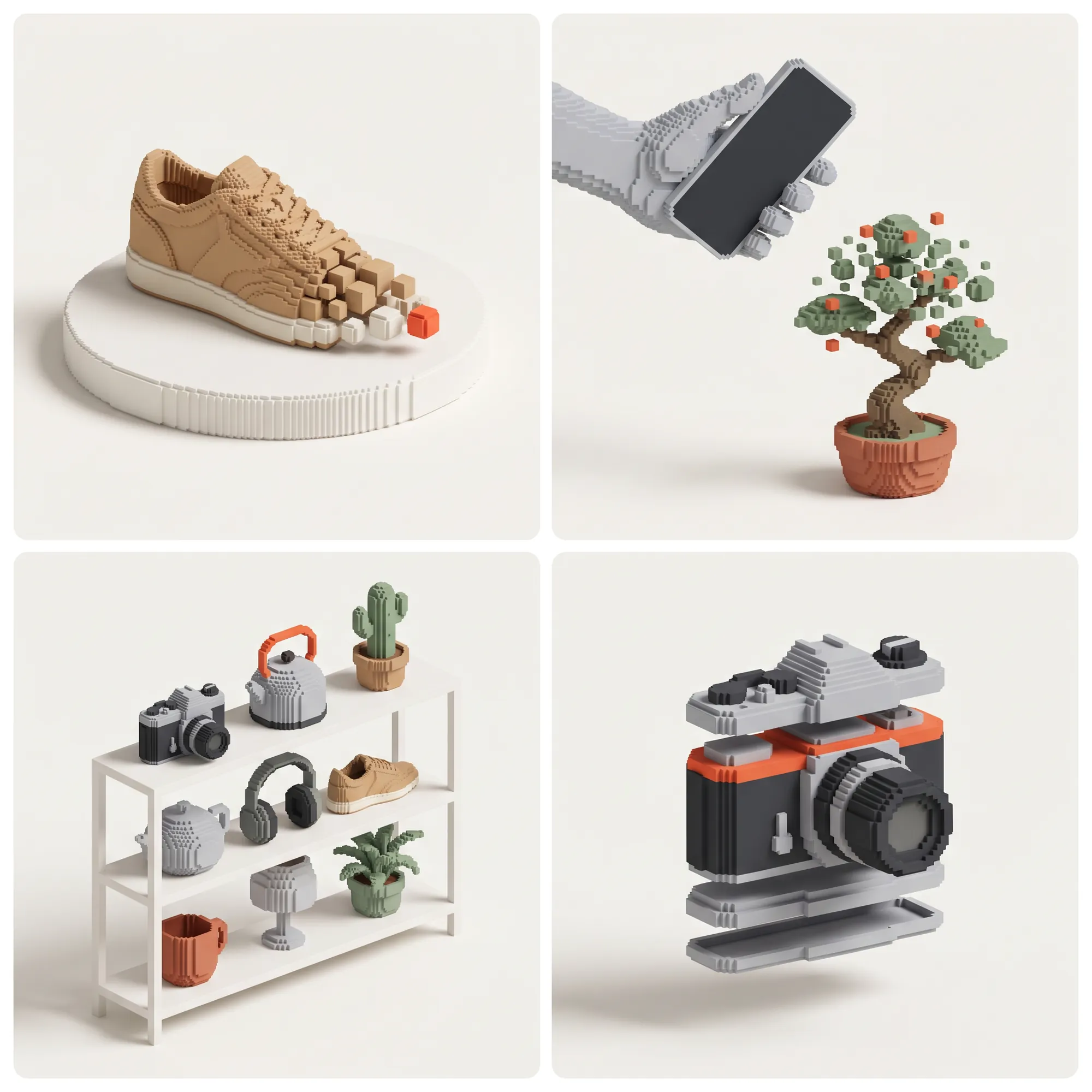
We drew four worlds as four-picture grids, each in a different medium, and built Kubo from two of them: the flat and its light from one, the cubes from another.
Half Real set things on a studio sweep with physical cubes cut from their own material. Sunroom made film stills of a lived-in flat in low May sun. Pixel Pop shot die-cut card pixels on sunflower yellow. Toy Voxel drew everything as clean 3D voxels.
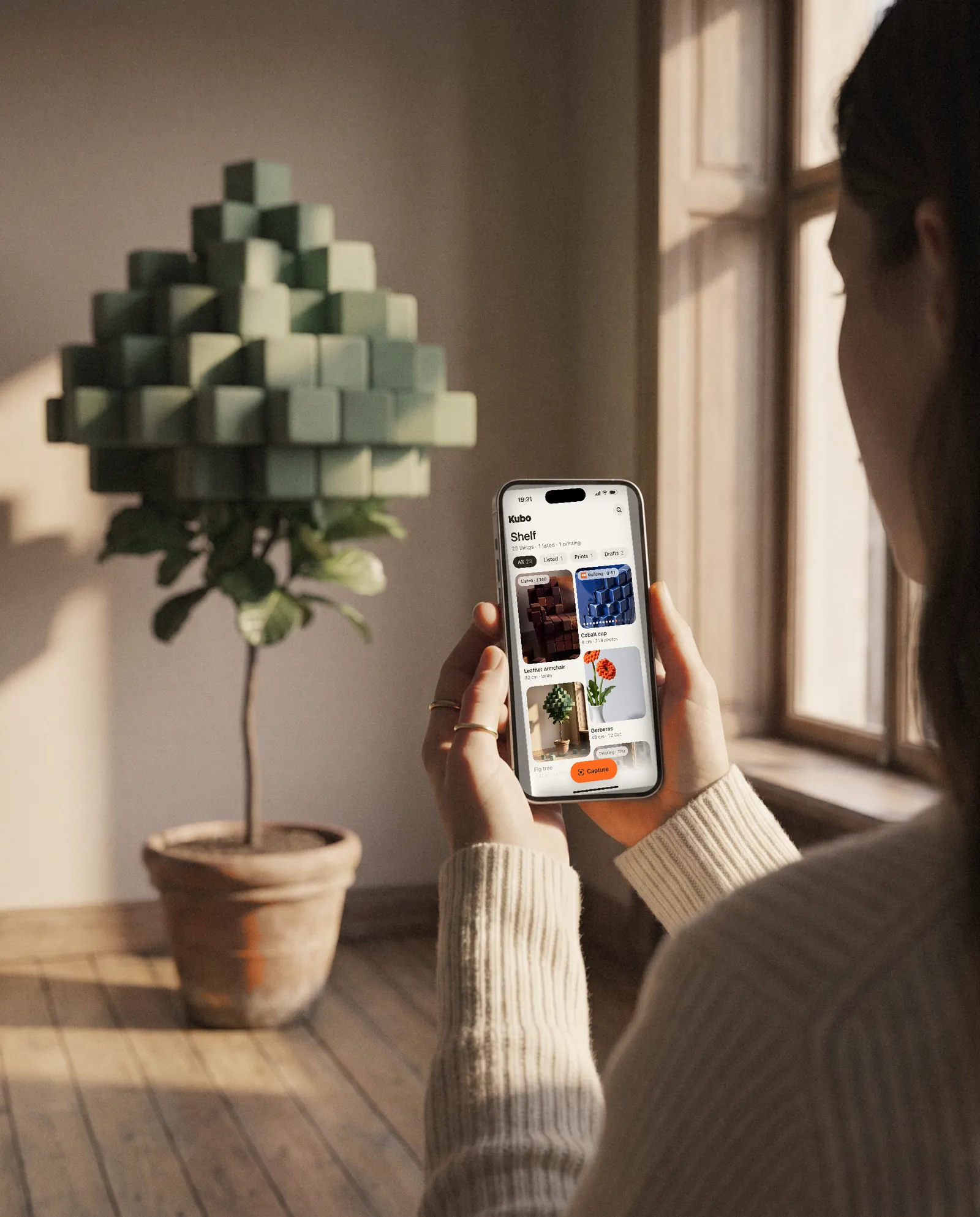
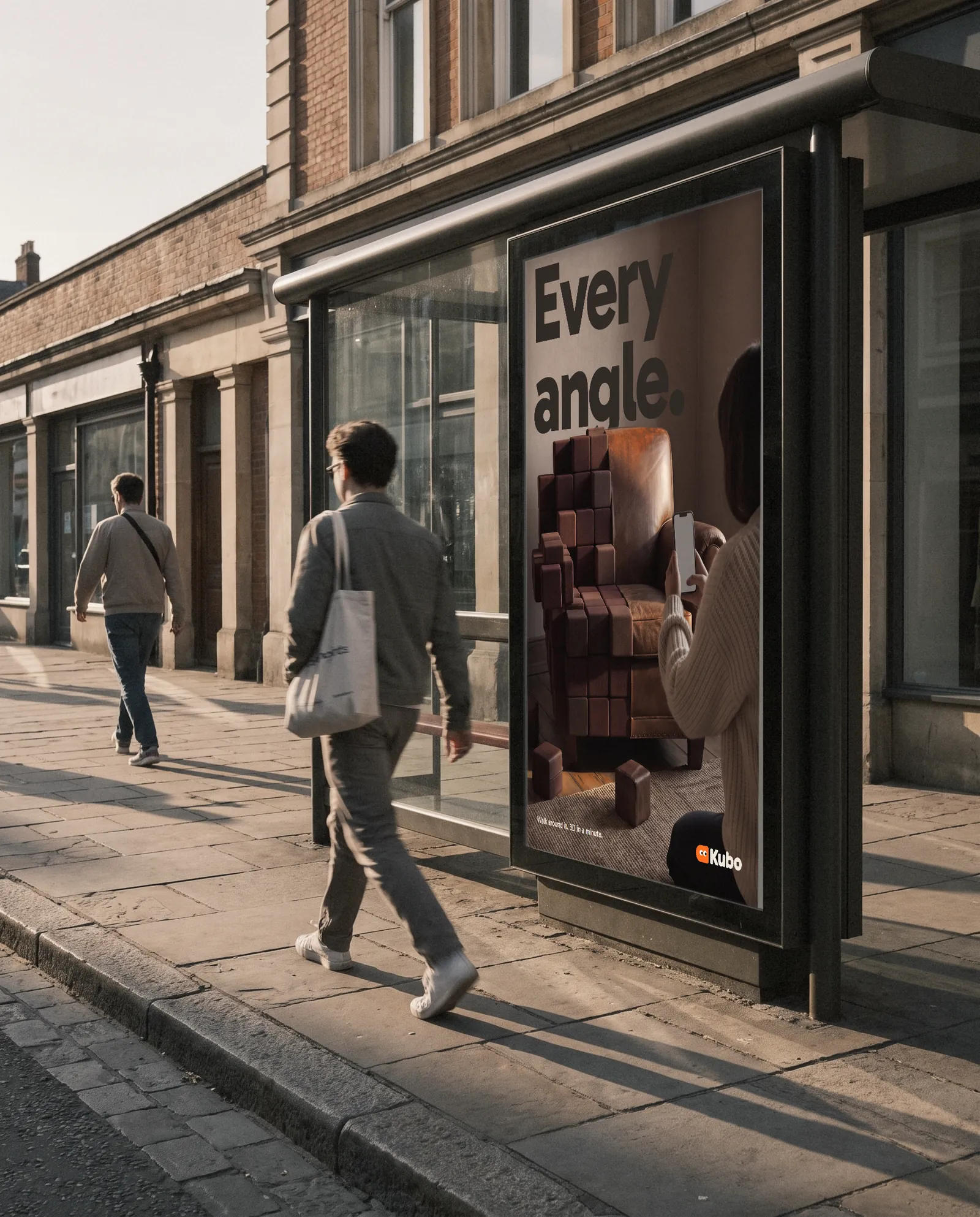
Ryan's note on the first two: "1 and 2 are cool." A second round merged them in one prompt and lost the idea, so the rule merges them instead: Sunroom's flat and light, Half Real's cubes, worn like the thing they are cut from. The key art is someone capturing a half-cube armchair, made at 4K with a flat grey phone screen so the real capture screen could be pinned in.
A soft cube with eyes
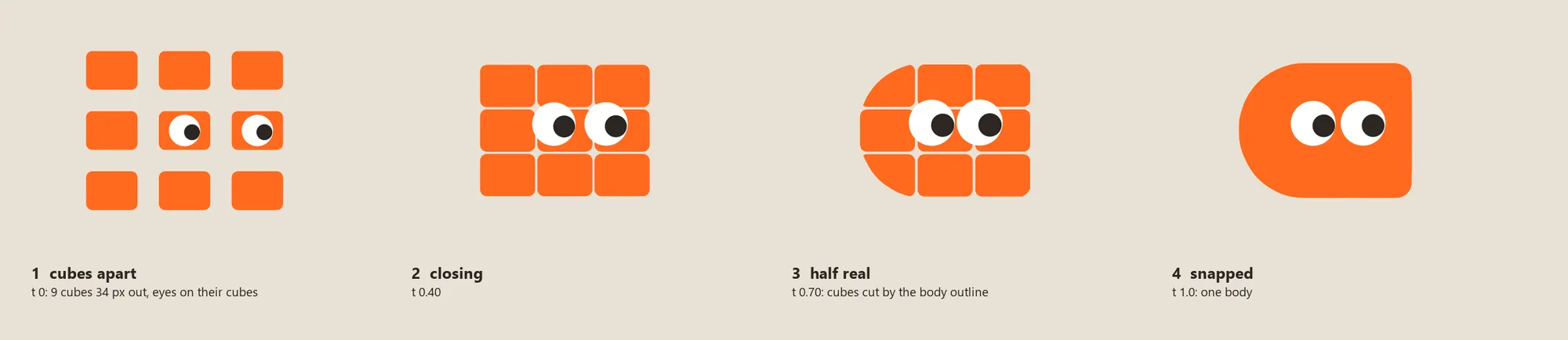
The mark is half round and half square, like a thing halfway through its capture. In motion it breaks into the same nine cubes every object does.
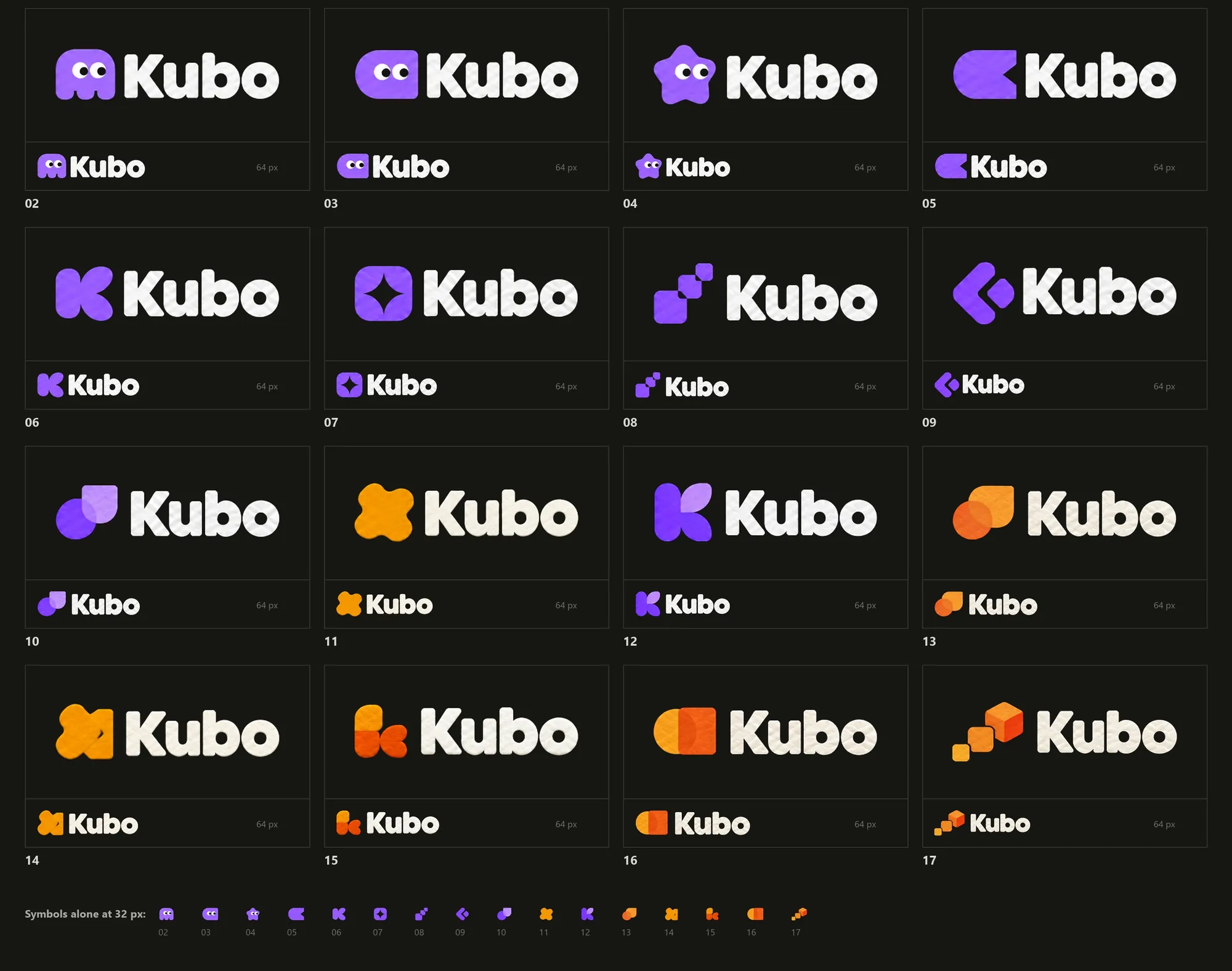
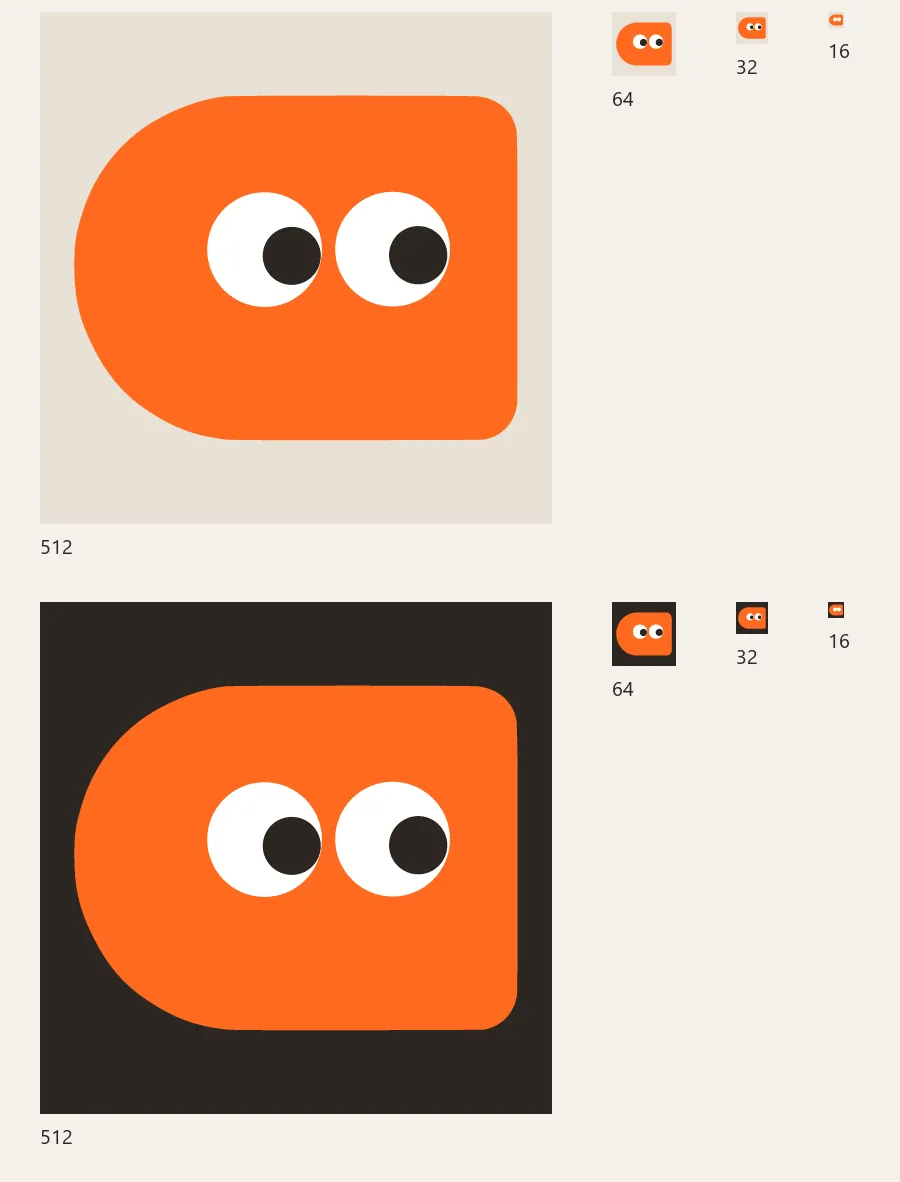
We drew 17 candidates, each one made from an earlier one, and set them on one sheet in the order they were made, at full size and at 64 pixels. Ryan narrowed it to 02 or 03, and we kept 03. It is traced as drawn, a 99.9% match to the drawing, with the four eye discs refit as true circles so they can move.
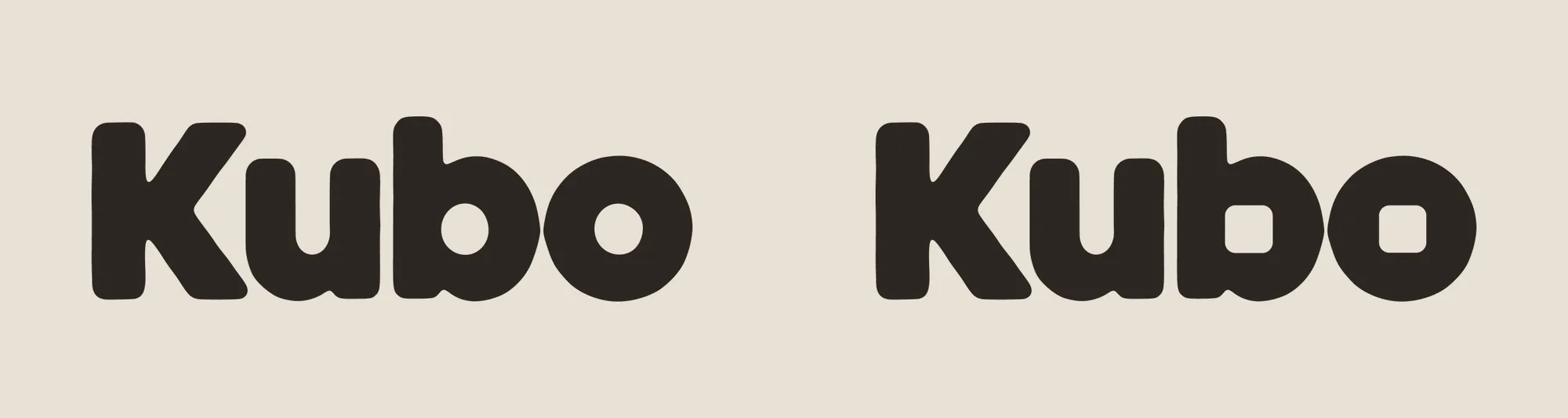
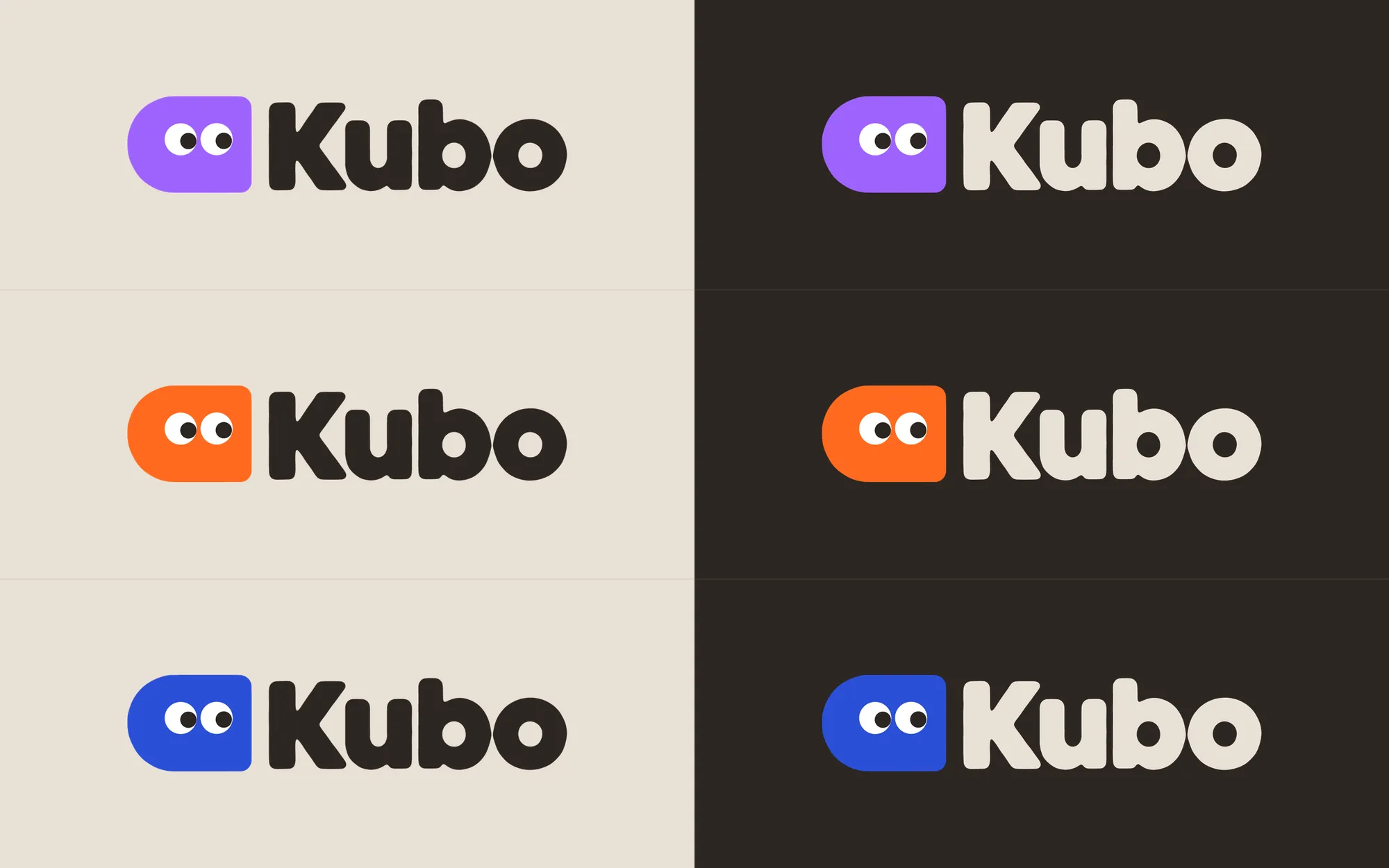
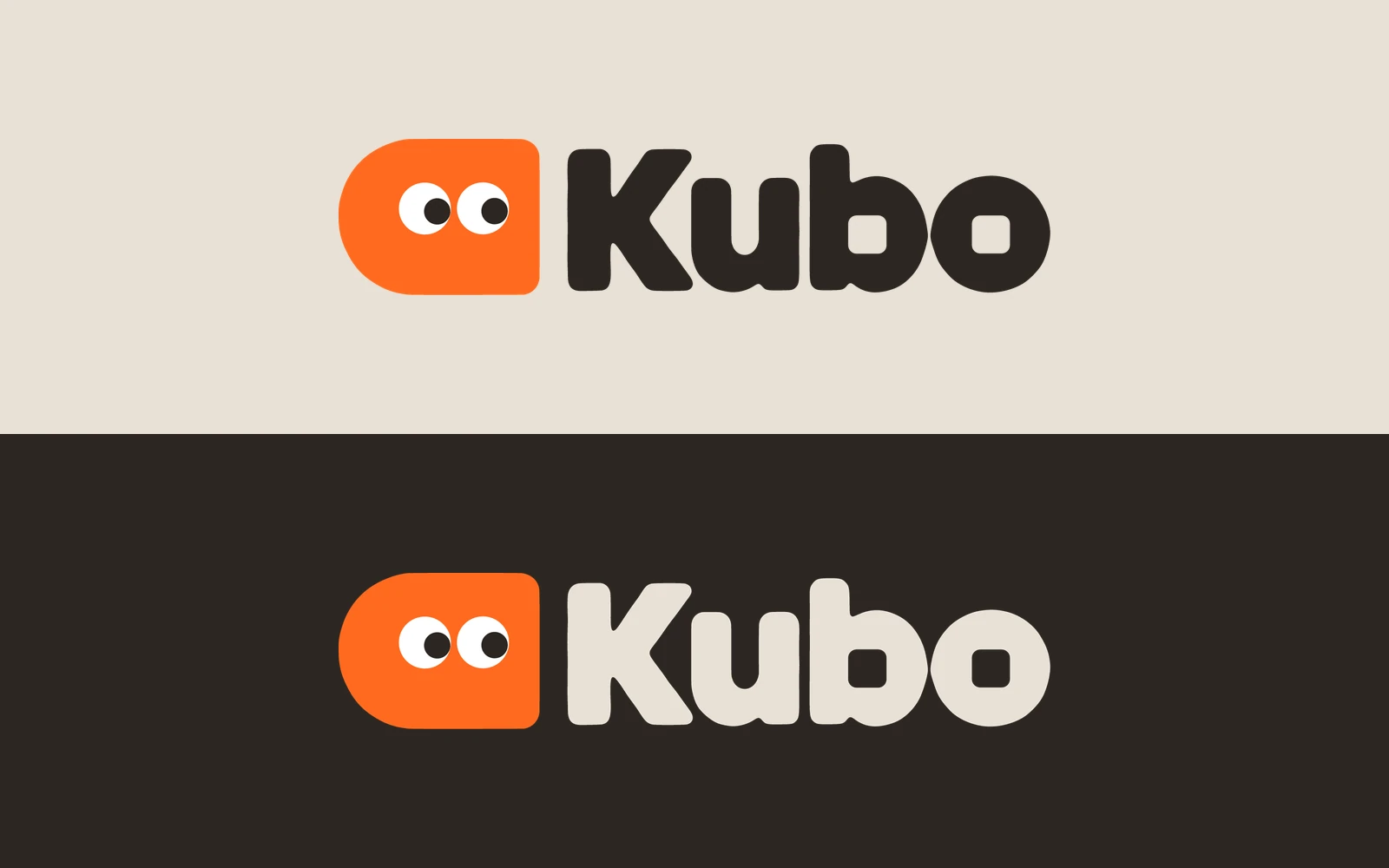
Then we made the letters ours: the counters of the b and the o became soft squares, a cube inside each. Of three colourways, purple, gerbera orange and cobalt, orange stayed. It is the only colour in the logo, and the letters are never orange.
The character
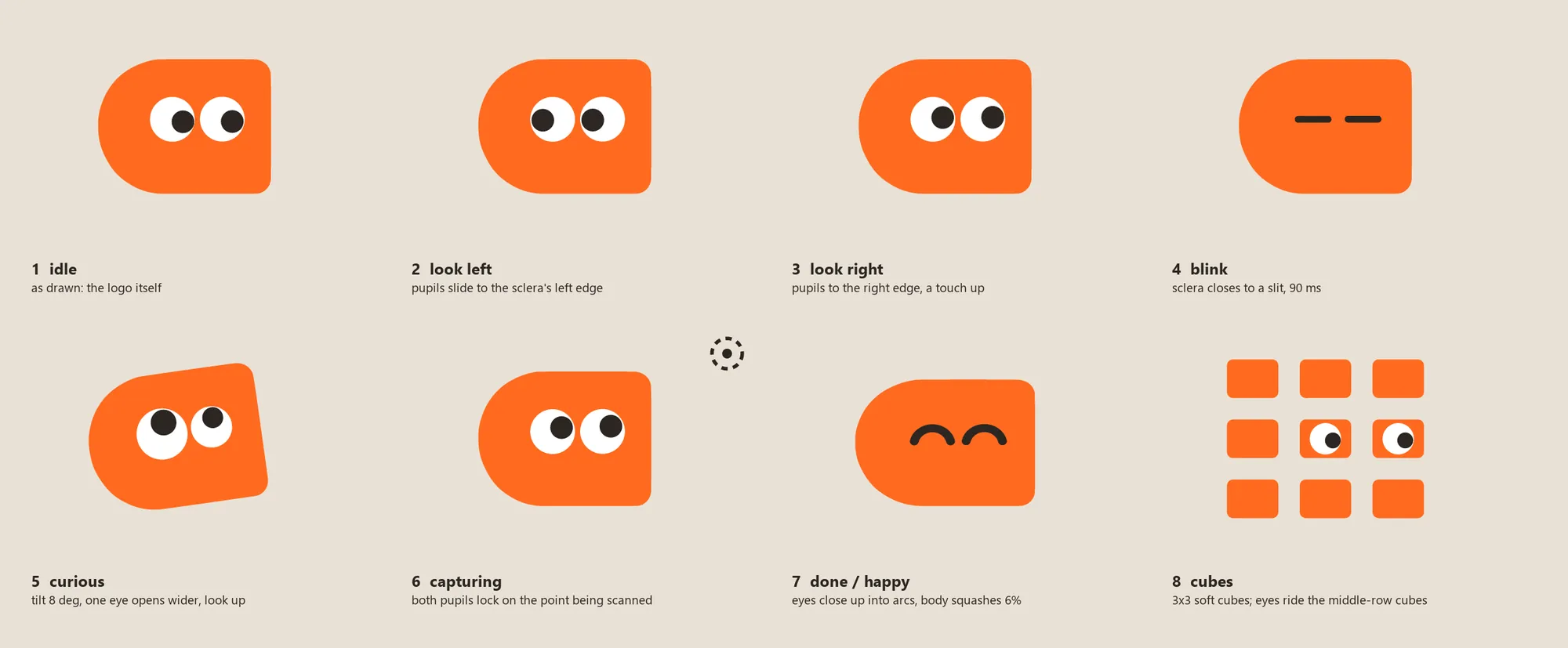
The mark is a character, and every pose is built from the logo's own paths: idle, looking left and right, a 90 ms blink, curious, capturing, happy, and broken into cubes. It is never redrawn, only posed.
Its signature move takes 700 ms: nine cubes close in, get cut by the body's outline and snap into one soft cube, eyes arriving last. Played backward, it is the capture.
The identity board, as a 10-second film
One idea runs the board: the thing being captured is half real and half cubes, in every cell.
It carries the key art with the live capture screen on her phone, the clip where the armchair's cubes fill back into leather, the capture screen itself, the posters and a bus shelter, the palette as cubes of real material, and the logo snapping together. A cube dissolve is the cut between cells. It's made for LinkedIn and X, so it loops.
Ryan scored it 8.5 out of 10, the best concept board to that day.
One job, written down before the screens
Walk round a thing, get a model in about a minute, then share it, sell it, place it or print it. Every screen, state and haptic of that flow was written down before it was drawn.
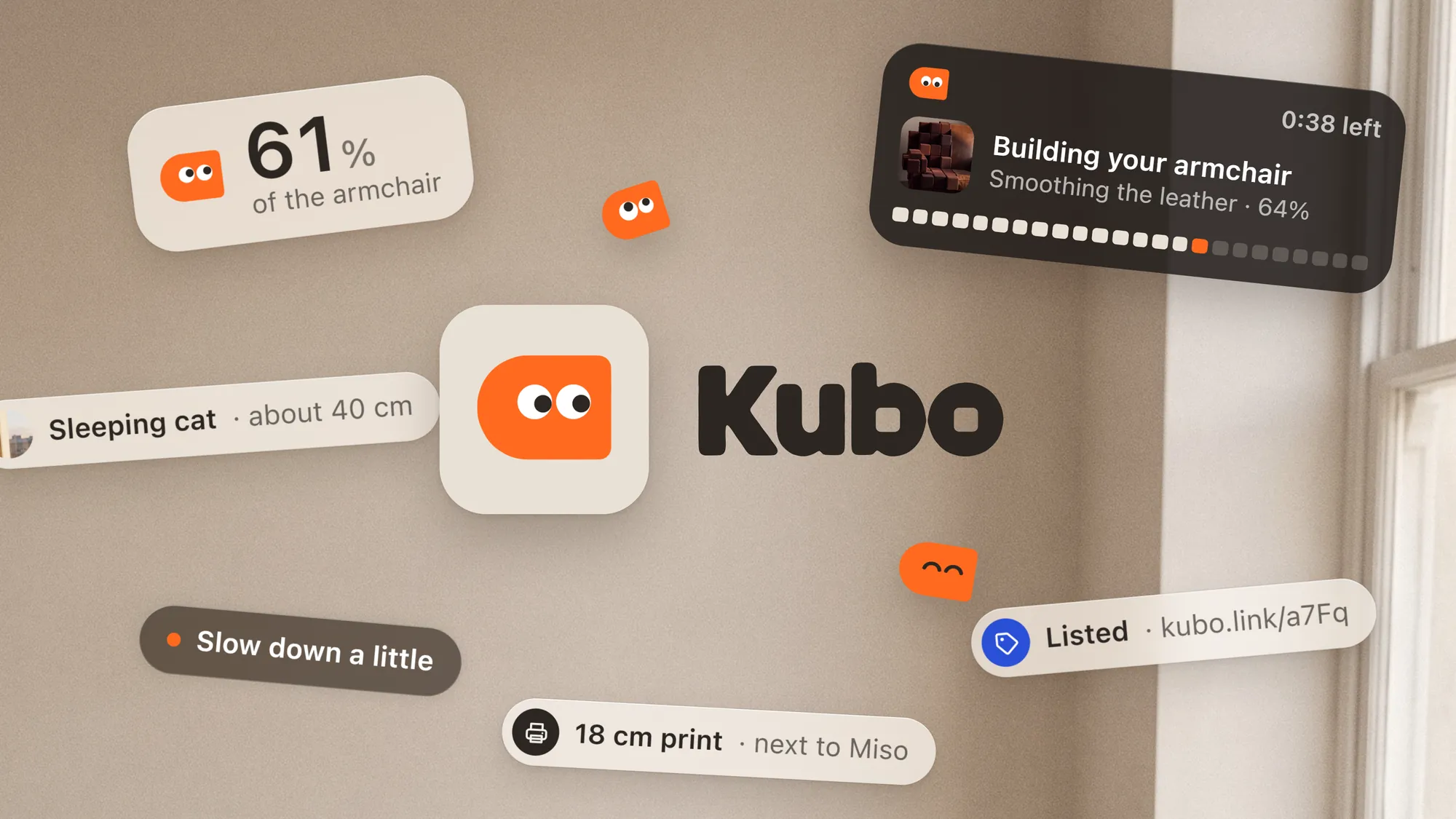
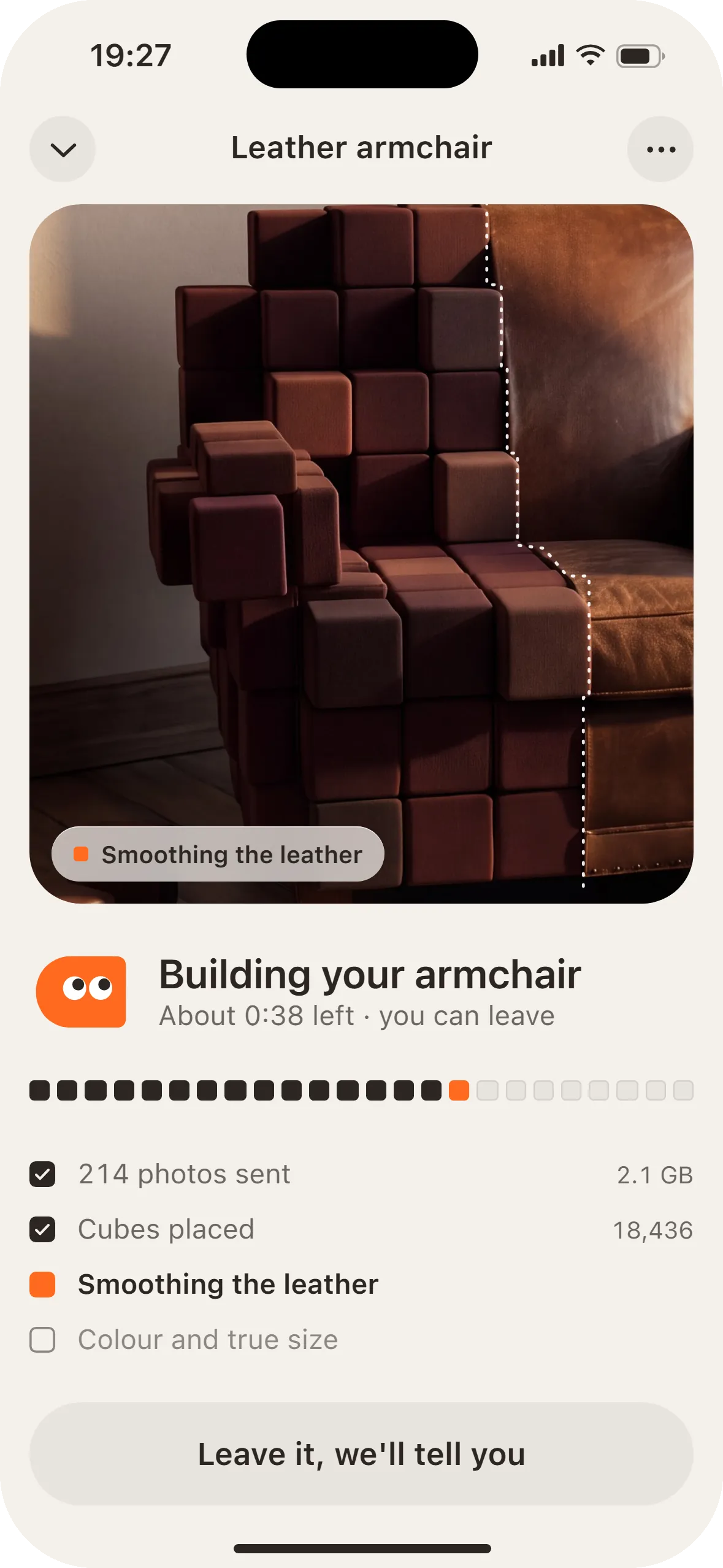
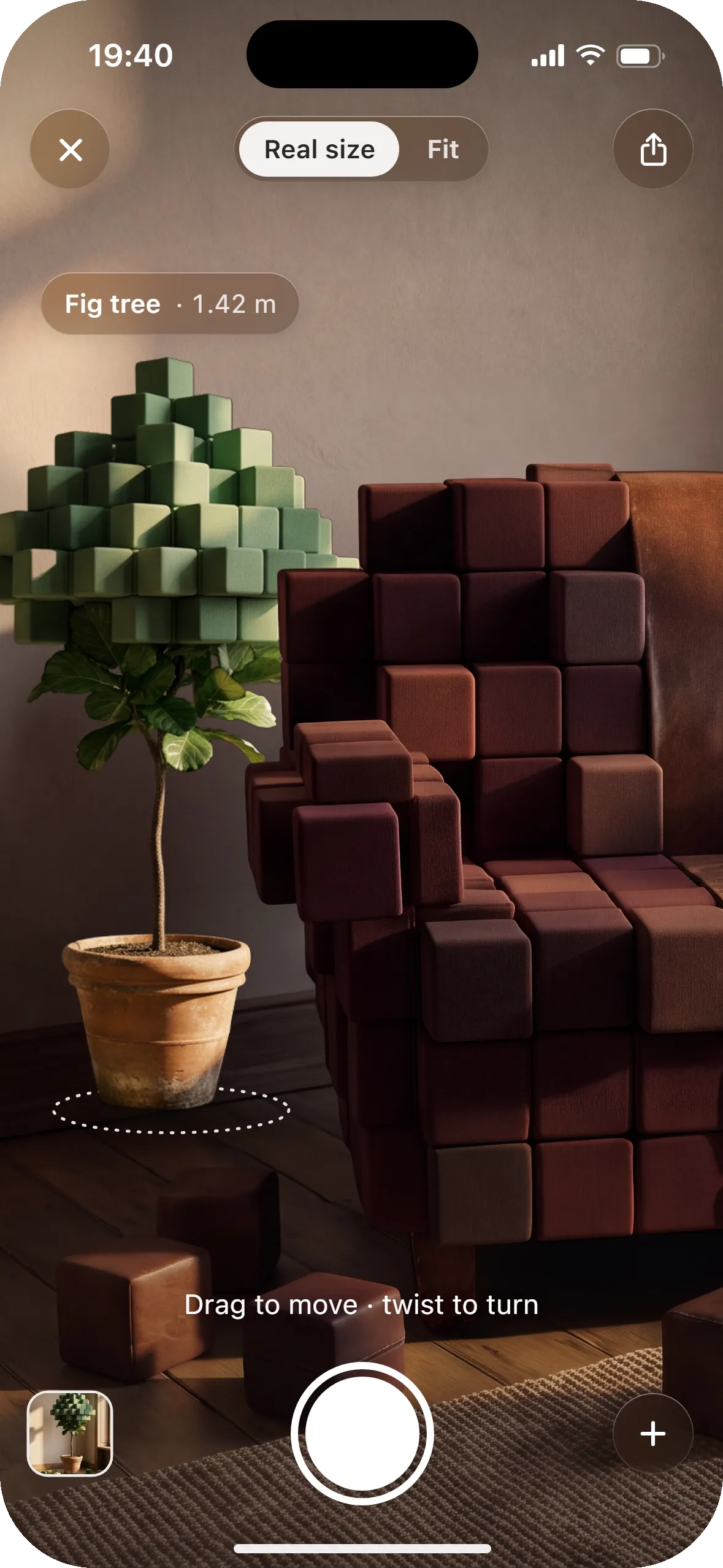
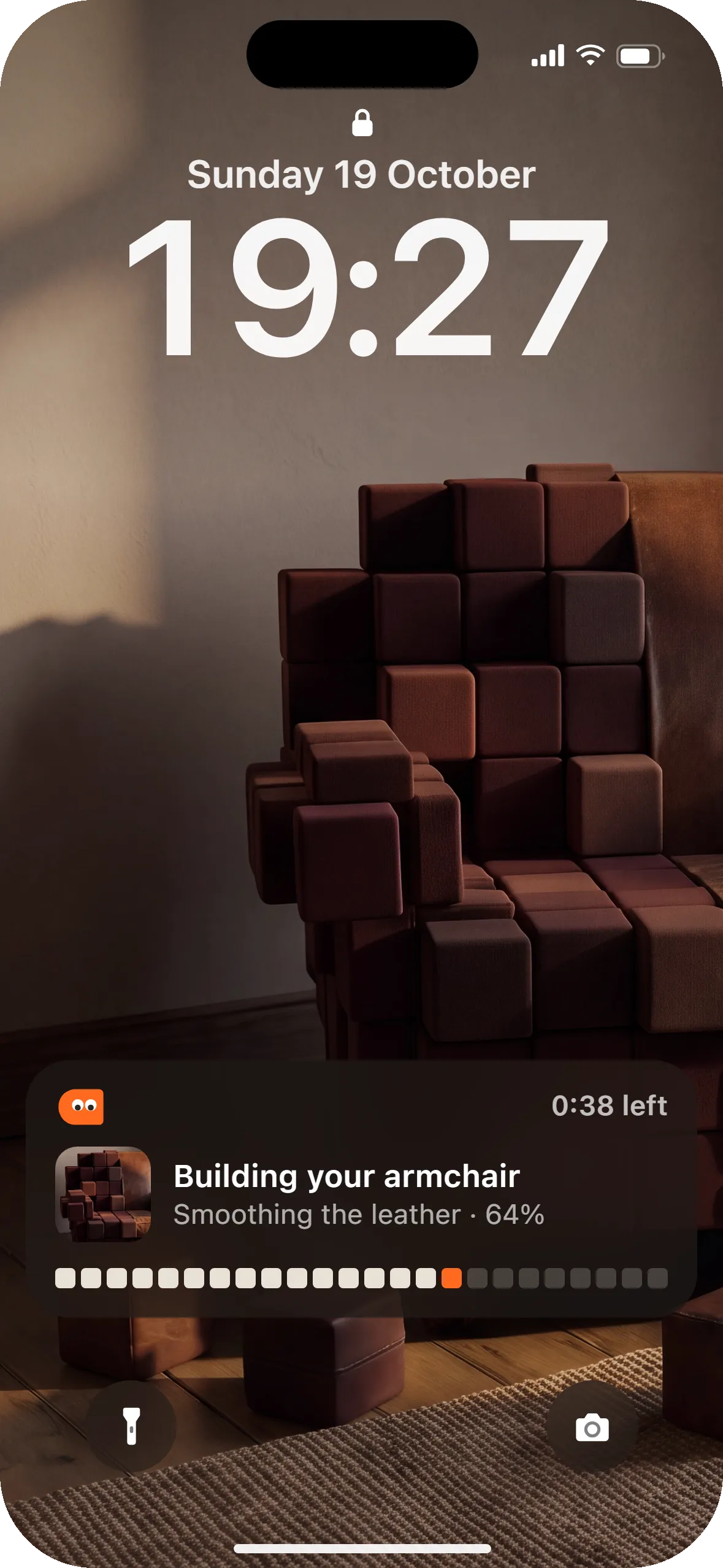
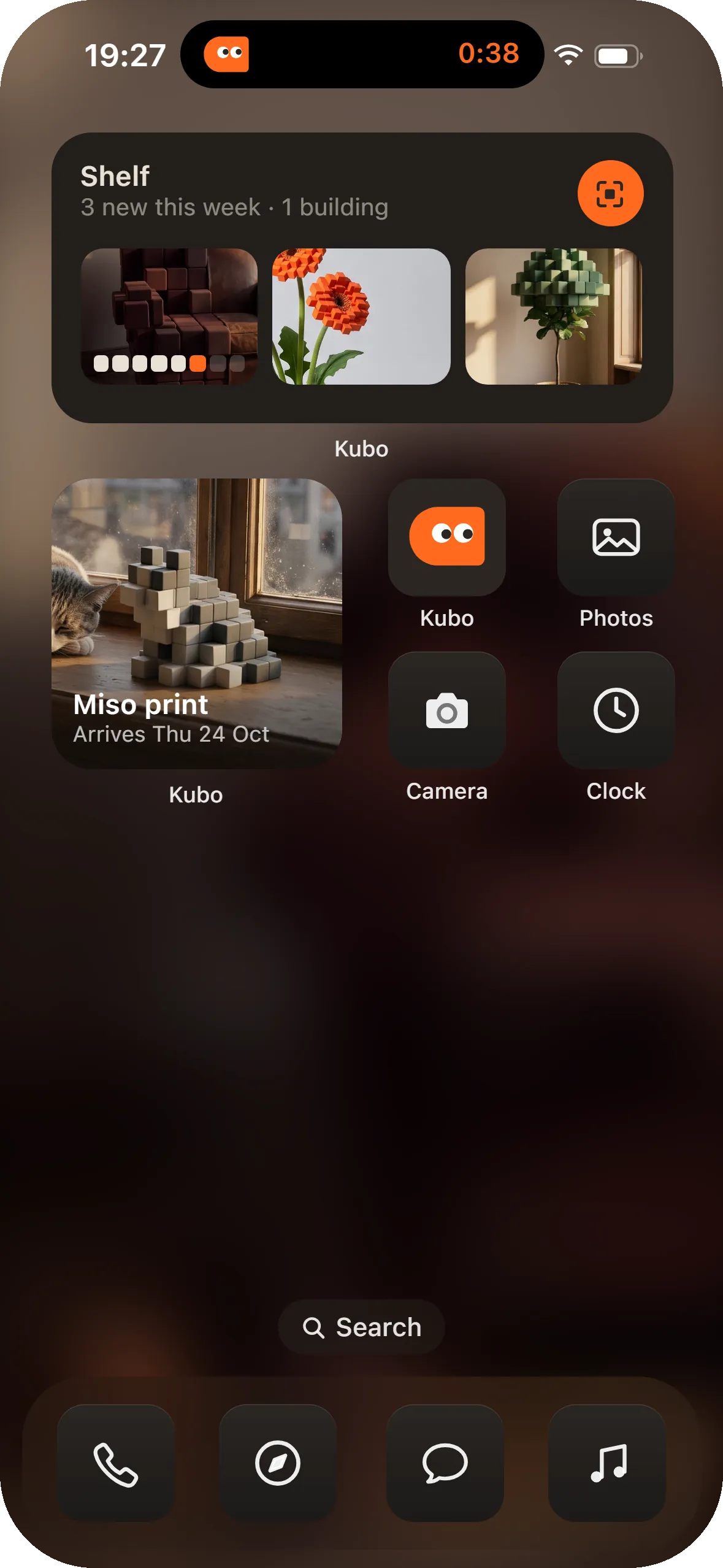
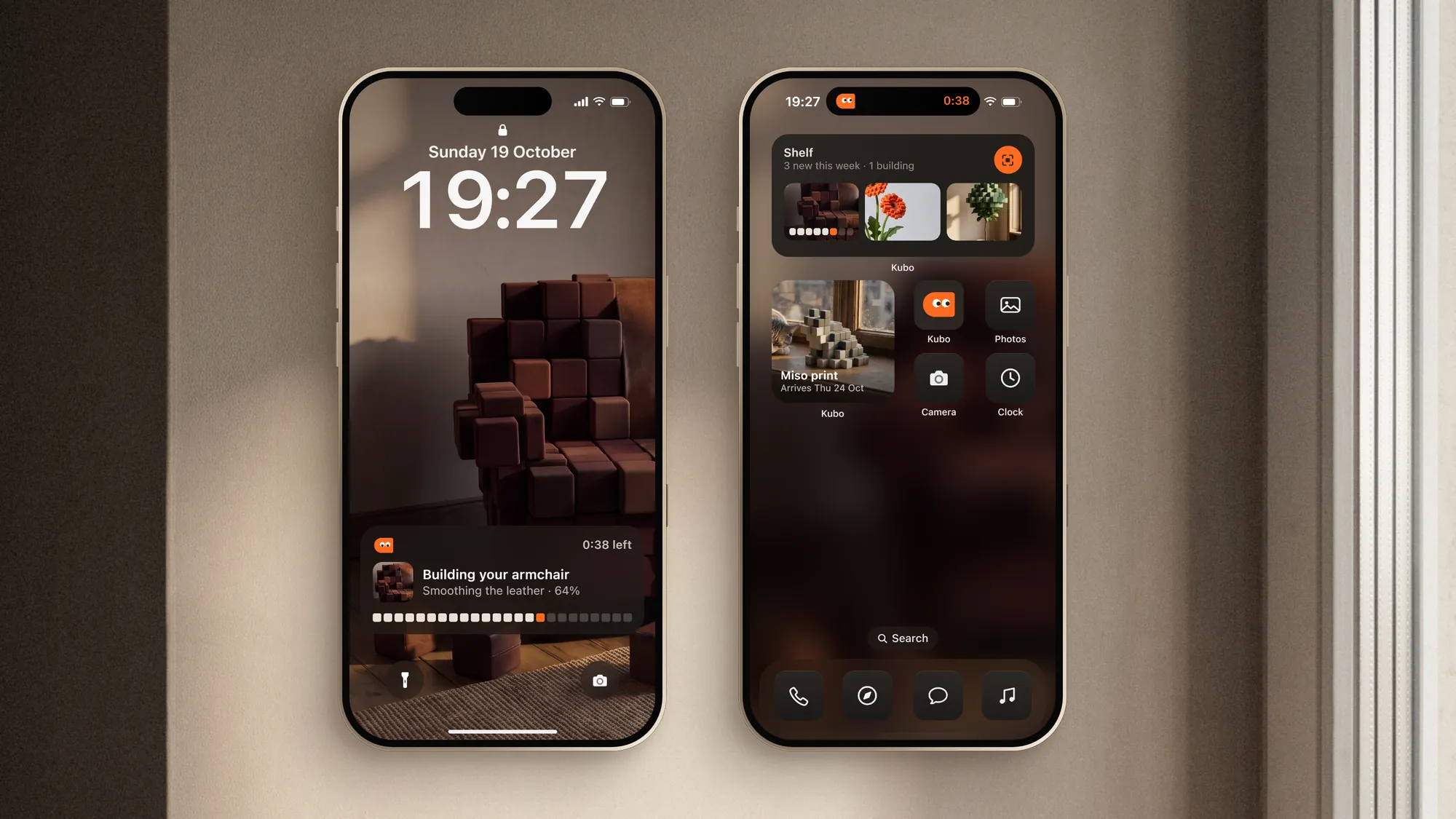
Eight screens carry the job: the Shelf, framing the thing, the capture, a second low ring, building, the model, selling, and placing or printing. Leaving the app doesn't stop it: a Live Activity on the Lock Screen and the Dynamic Island keep the count while the model builds.
Three rules hold throughout. One thing moves at a time, the object first and its label after. Exits run about 30% faster than entries. Every haptic has a twin you can see.
The capture screen speaks only when it has to
- Too fast
- "Slow down a little." The live cell stretches into a short streak, with one warning tap.
- Too dark
- "More light, or turn on the torch." The torch button pulses once.
- Too close or too far
- "Step back" or "Come closer." The outline's steps grow or shrink.
- Lost the object
- "Point back at the chair." The cubes dim to 40%.
- Lap closed
- "Low ring next: crouch and go round once more." A second ring appears below the first.
- Ready
- "Good to go." Finish turns solid.
- Paused
- "Paused · 214 photos kept." The feed dims and the cubes hold.
Three ways to show progress
We drew the key screen three ways on the same armchair, so only the interface changed.
D1, Floor dial: a ring of 72 ticks lies on the floor round the chair, hidden by the chair where it should be.
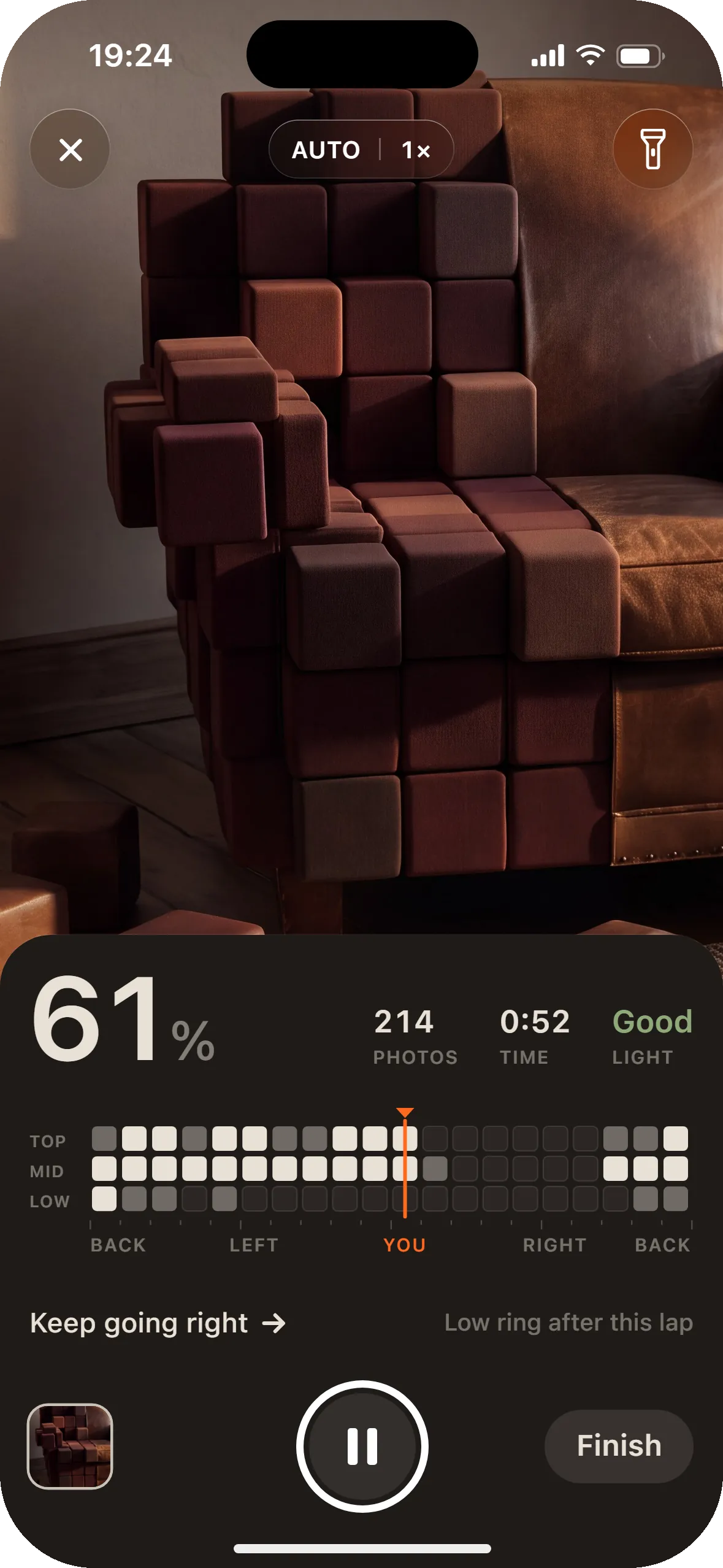
D2, Instrument: a clean feed over a warm-black panel with the share covered, photos, time, light and a 360° tape in three rings.
D3, The object is the progress: a big number over the wall, a dotted seam where the cubes stop, the next cube filling in and one chip that says which side is next.
D3 went forward, because it puts the brand's one idea to work. Jev leaned the same way on the written descriptions, by a little: 0.44 against 0.39 and 0.37.
Plaster, oak and one orange
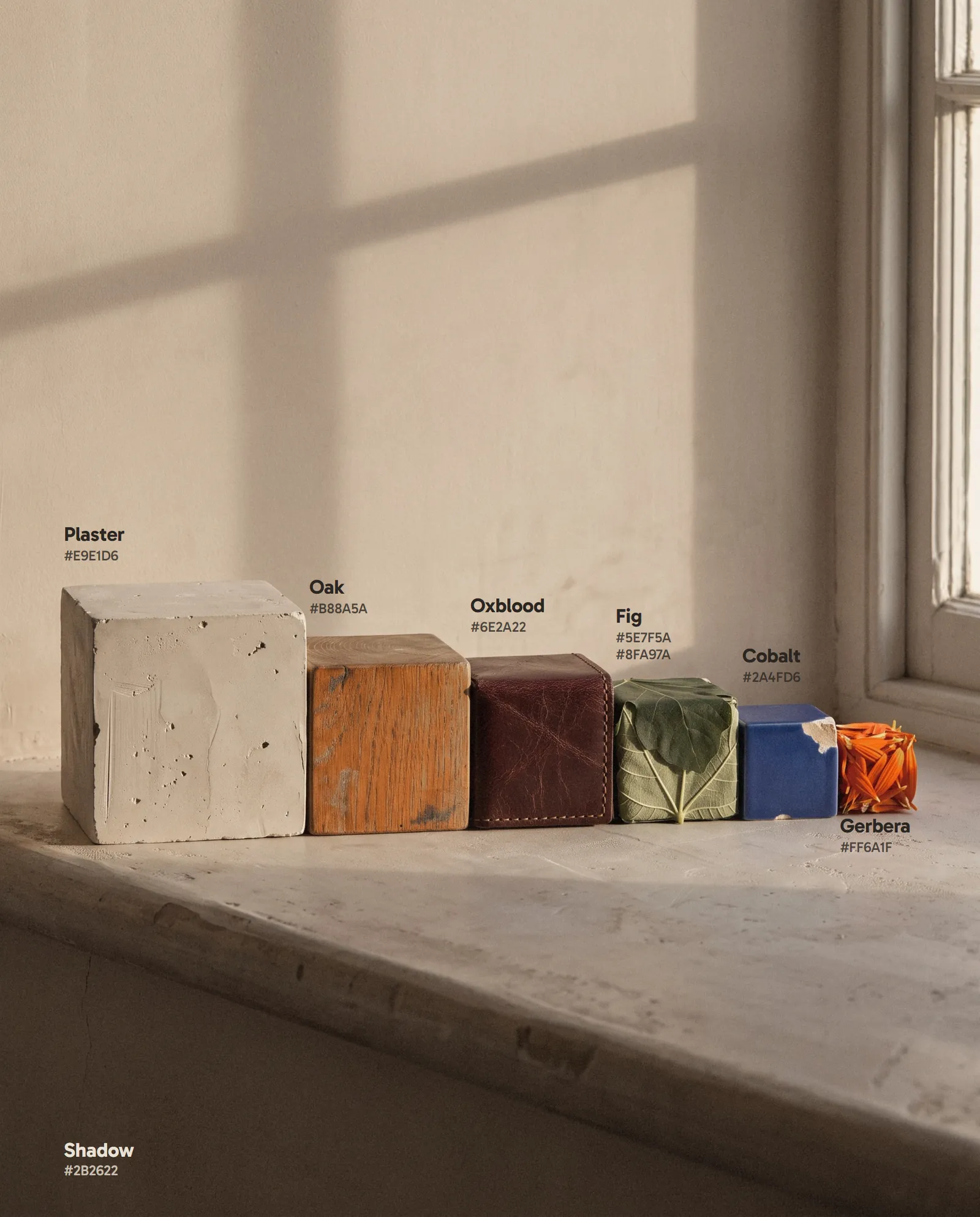
Plaster, oak and low May sun for the world. Shadow for type. Gerbera orange marks one thing per frame, and only on something real.
SF Pro runs the app at three weights, on a scale from 84 points for the capture number down to 11 for tags, with tabular figures on every number. Spacing runs on 8 points. Gabarito sets the posters and the board, and the name is only ever the wordmark.
Contrast is measured: ink on plaster 13.2 to 1, white on cobalt 6.6, ink on orange 5.2. White on orange is 2.9, so it is never used.
- Plaster #E9E1D6The walls of the flat, the app's ground
- Oak #B88A5AFloors, sills and shelves
- Shadow #2B2622Type, the letters of the lockup, the dark ground
- Oxblood #6E2A22The armchair's leather
- Fig #5E7F5APlants and their cubes
- Gerbera #FF6A1FThe character and the capture button, once per frame
- Cobalt #2A4FD6The second signal: the List button and the cup's glaze, never beside orange
Ten screens and the Lock Screen
The capture screen does what the brand says: the object is the progress bar.
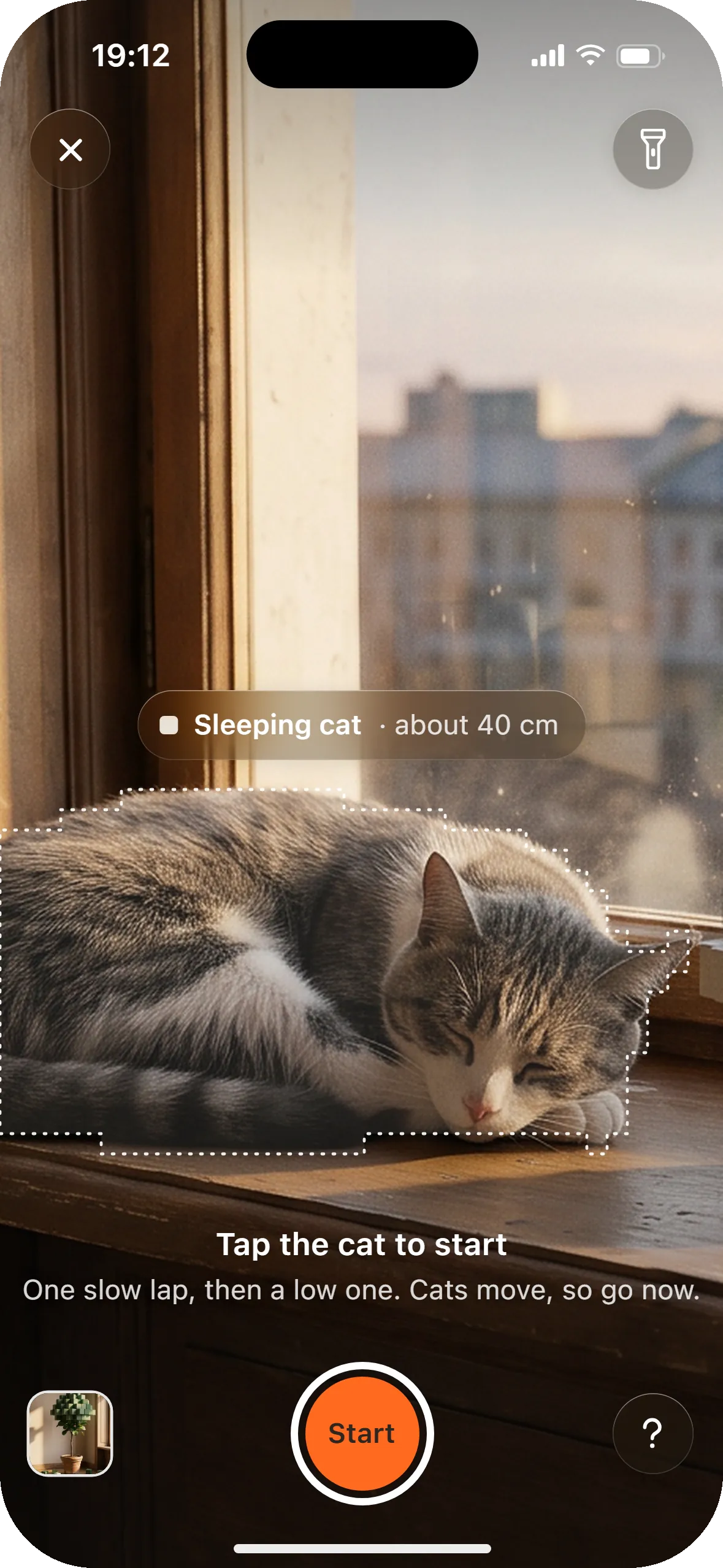
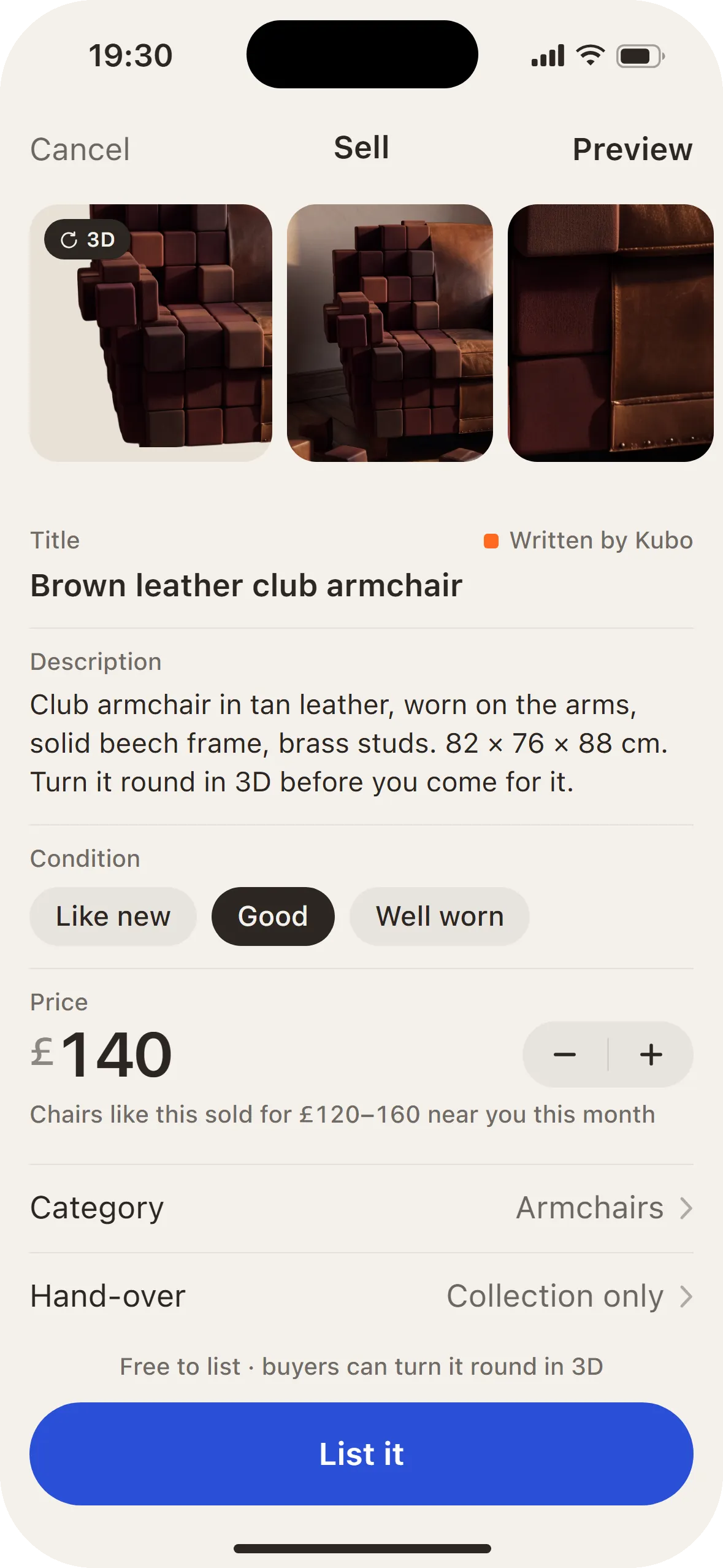
On the Shelf, each card shows its model's cubes in one corner. Starting a capture frames the thing in an outline that follows its own steps. Building has no spinner: the photo gives way to cubes, then to a smooth model. The model sits on its photo, so you can drag the seam and check one against the other.
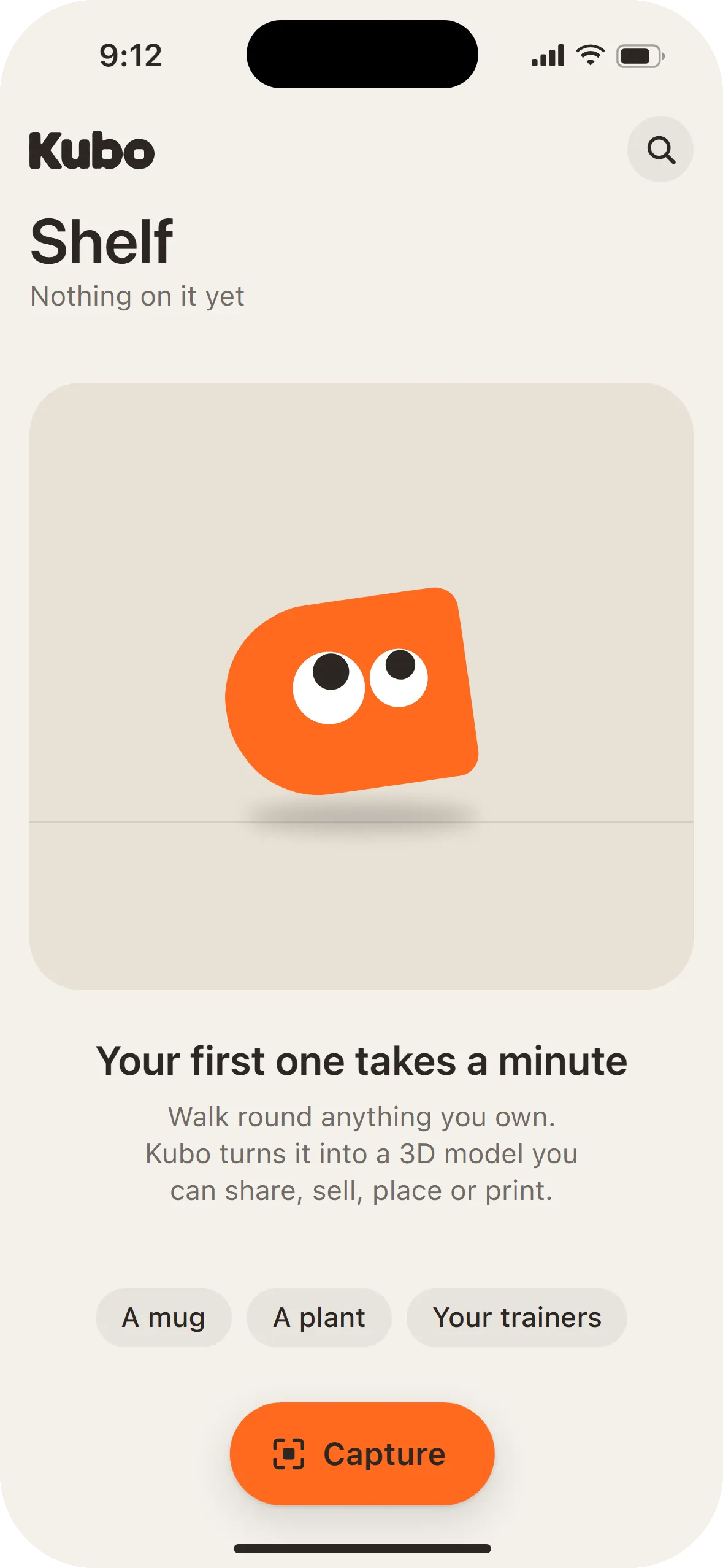
Sell writes the listing from the capture, with the model as the first photo and the only cobalt button in the app. Print starts from a size, not a mesh. The states are drawn too, from the empty shelf to a capture that's going too fast.
Every tick has something to see
The product films show the interface at work, and two clips move the world's own pictures.
A cube fills in: in three stepped frames the cell takes the photo's own cube, a haptic tick lands with a ring you can see, and 61 rolls to 62, only the changed digit. Then Building grows into the finished model on a spring, the chair holding its place in the photo all the way.
Two clips move the world. The armchair's cubes fill back into leather as the capture on her phone finishes, and cube gerberas open into real flowers, one head at a time.
On the street, and on a carry-on
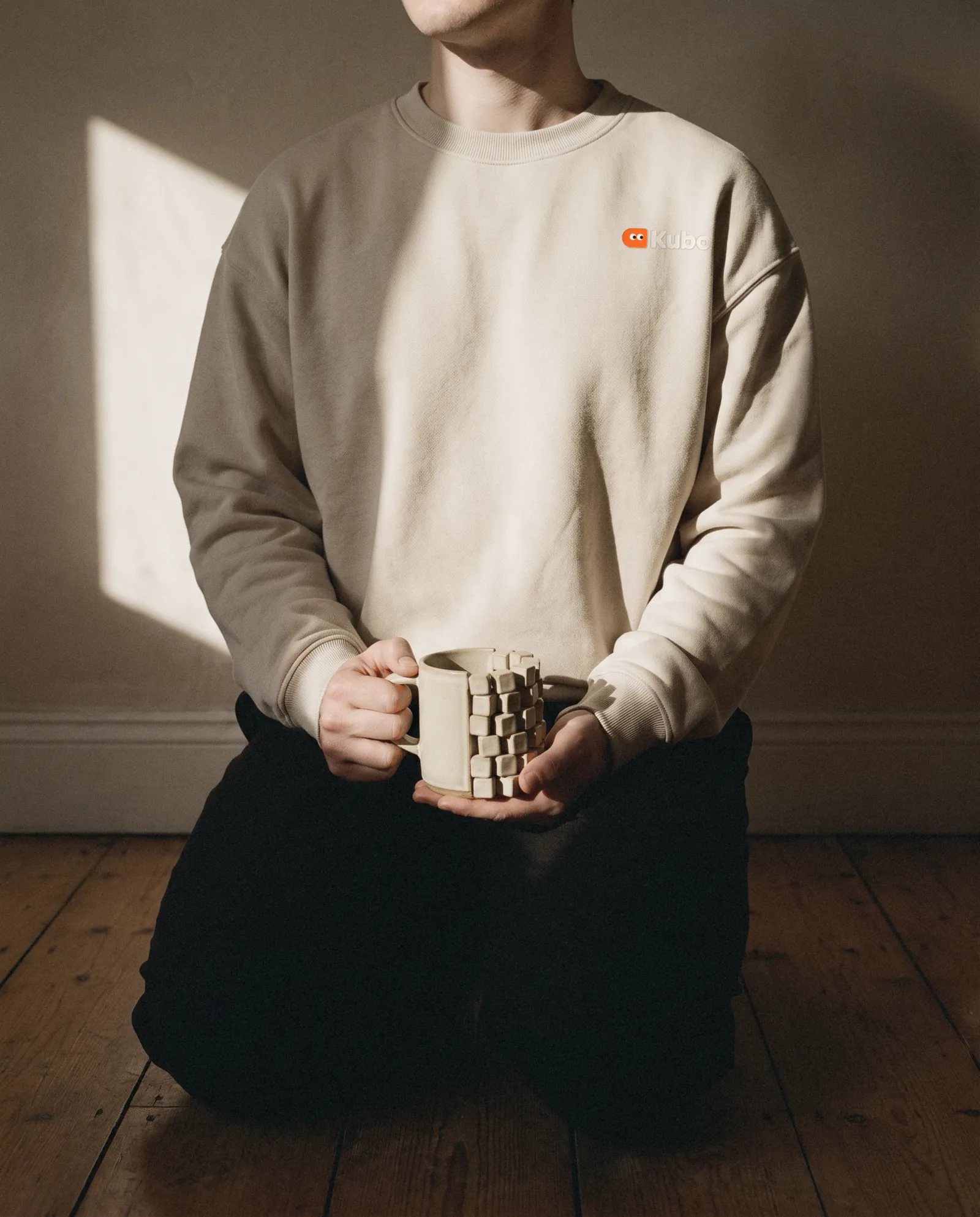
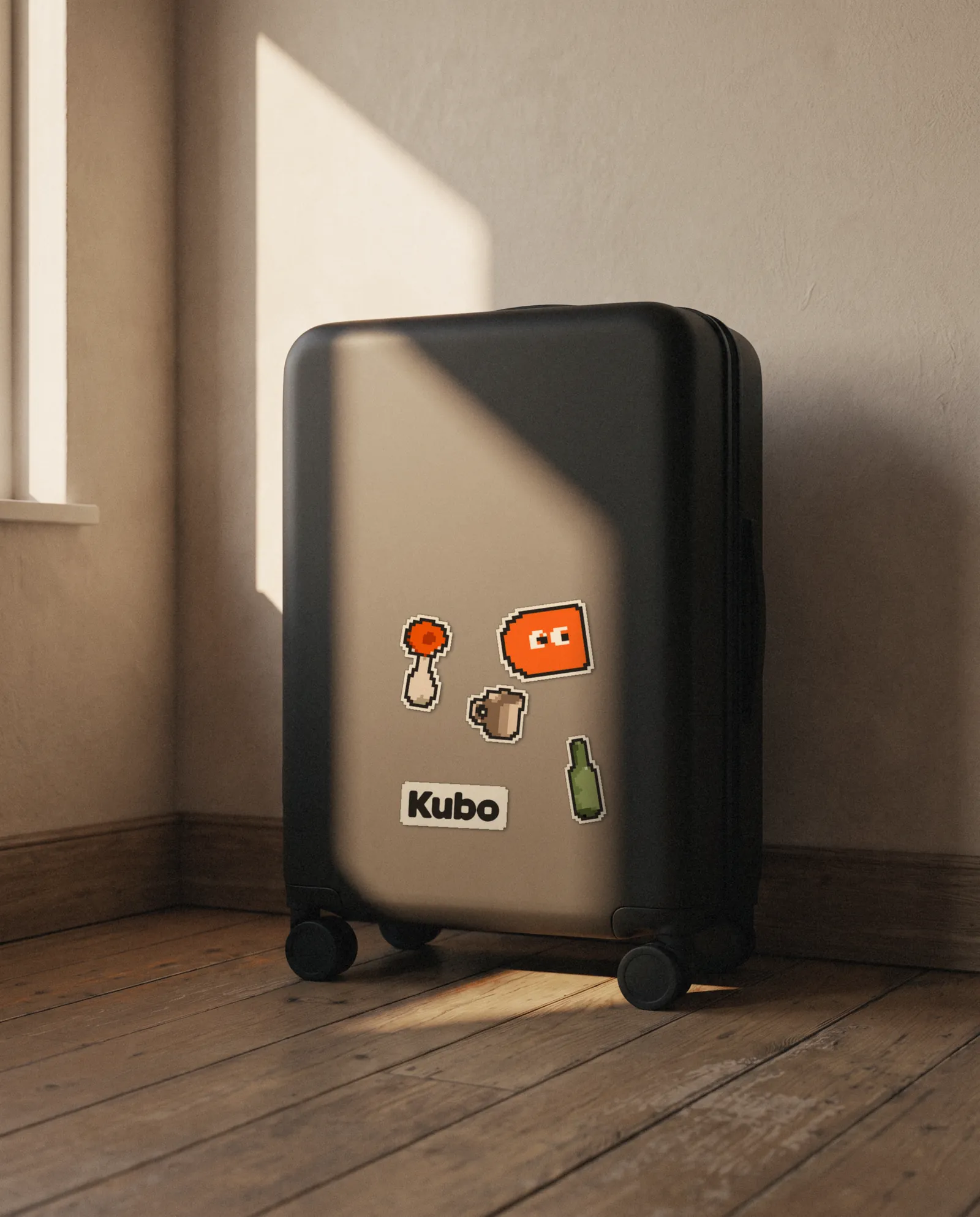
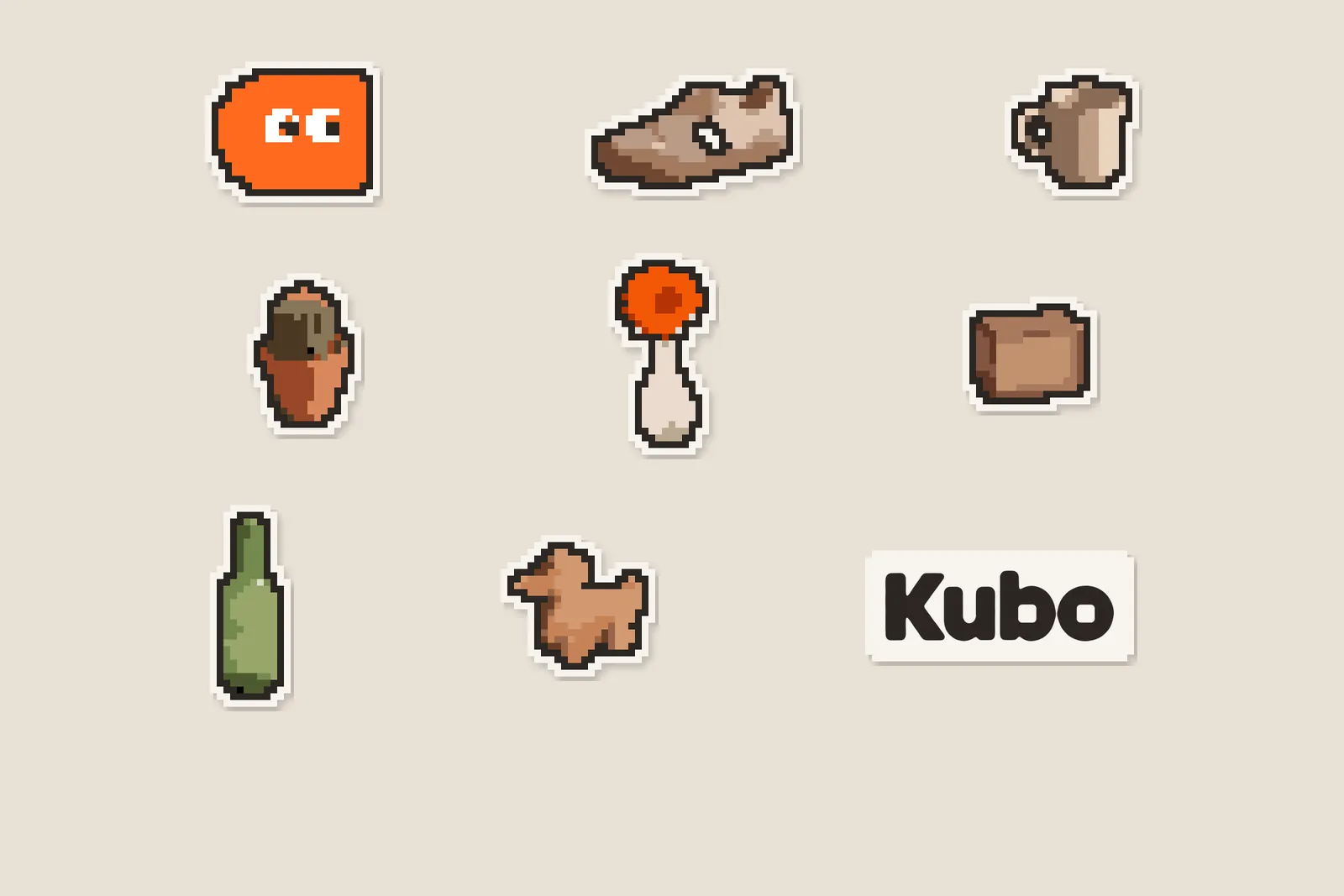
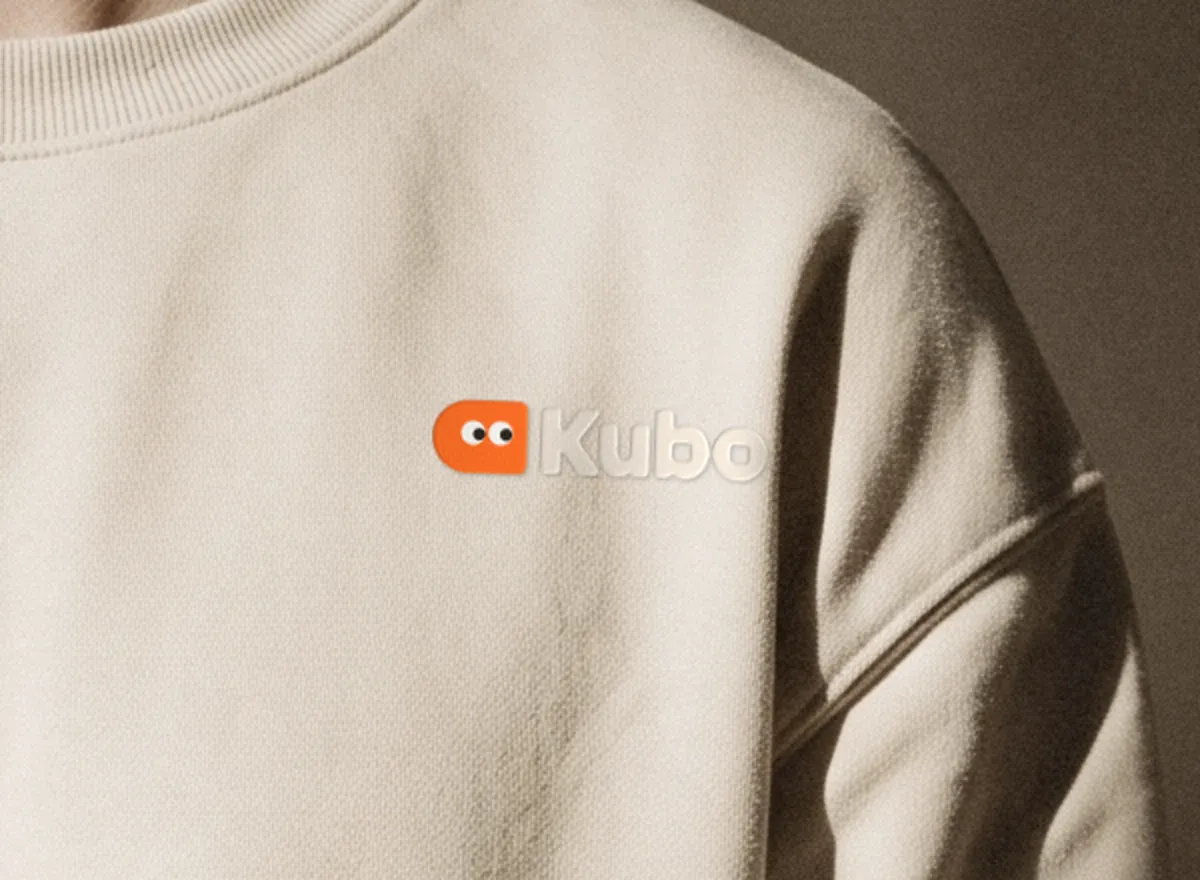
Three posters in the world's own light, a bus shelter, a crewneck and a sheet of pixel stickers.
Credits and how it was made
Brand, product and launch, made by the Alterra Studio team on 19 and 20 October 2026.
Ryan picked the world and narrowed the logo to two. The worlds, the key art, the logo candidates, the photographs and the two clips started as generated images and video, then were chosen and finished by hand; the logo was traced. Every screen and product film is drawn in code from one tokens file, so the interface is real and renders at any size, and the board is built in code from the finished pieces.
Who did what
- Strategy and research
- The brief, three buyer doubts, and an audit of 9 funded 3D capture homepages
- Identity
- Four worlds, the key art, 17 logo candidates and the trace of the one we kept, the letters, three colourways, the character's eight states and its snap
- UX
- The core flow on iOS, written down screen by screen with every state, haptic and transition
- Product design
- Three directions for the capture screen, 10 screens, the Live Activity, the Dynamic Island, widgets and the app icon
- Motion
- The board, the product moment and two interface demos, and two clips that move the world
- Launch
- Three posters, a bus shelter, a crewneck, a sticker sheet and the X profile
- Tools
- Imagine (our in-house design app), Nano Banana Pro, GPT Image, Seedance and HyperFrames
The category audit
We scored 9 funded 3D capture and image-to-3D companies on our startup homepage benchmark. They beat the average, and all nine miss the same three things.
Each homepage was scored on 12 criteria, 0 to 2 each, at 1440 and 390 pixels wide. The group averages 15.6 out of 24, above the 14.1 of our wider benchmark: 8 of 9 look established and 7 of 9 keep a tight type and colour system. Only 9 companies met the sample rule, so the audit has 9 rows, not 10.
The gaps are on the first screen. None shows a phone capturing a real thing, none names its buyer there, and none says what the model is for: selling it, placing it in a room or printing it. Only 3 of 9 say what they do in five seconds at both widths. Kubo's key screen answers all three: a real armchair mid-capture, with Share, Sell, Place and Print under the finished model.
- Company A19
- Company B18
- Company C18
- Company D16
- Company E16
- Company F14
- Company G13
- Company H13
- Company I13
- Benchmark average, 100 startups14.1
Alterra Studio startup website benchmark 2026. Companies are anonymised.
What we'd ship
For a real consumer AI app, this is Brand + Product design.
- Brand
- Name check, world and key art, the soft-cube character and its eight states, the wordmark, app icon, palette and type, and the rule for orange
- Product
- The capture app's core flow on iOS: shelf, capture, building, the model, place, sell and print, with every state, haptic and transition written down, plus the Live Activity and widgets
- Launch
- The animated board, the capture film, three posters, a bus shelter, a crewneck, a sticker sheet and the X profile
- Next build
- A homepage whose first screen is the capture itself, at desktop and phone width
What's next
- Build the homepage with the capture on the first screen, and score it on the same 12-criteria benchmark as the nine we audited.
- Test the capture screen with five people who sell on resale apps, timing a first capture from tap to model.
The thinking behind it.
Guides on the decisions behind work like this, written by the team that did it.
All insights- Brand5 min read
How we turned our logo into a type family
We measured the Alterra wordmark, traced its five letters, and grew it into three display weights and a text companion. The grid, the rules and what we'd do differently.
- Brand9 min read
Startup brand identity examples, and why they work
10 startup brand identity examples from Linear, Vercel, Stripe, Figma, PostHog, Perplexity and more: the one specific choice each makes, why it works for its buyer, and how to brief your own.
- Brand8 min read
Is your brand ready for a Series A? A pre-raise checklist
Is your startup brand ready for a Series A? A pre-raise checklist across clarity, credibility, consistency and conversion, with research on first impressions and a timeline.
Want this for your company?
Book 30 minutes. We'll tell you what we'd change first in your brand and on your first screen, and what it would cost.
Book a call, get a price rangeCurious how your site compares?  Run the same audit on your site →
The brand in the feed
A mockup of how the brand would run on X. Not a live account.
Kubo
@getkubo
Walk around anything with your iPhone. About a minute later it's a 3D model to share, sell, place in a room or print.
kubo.linkJoined October 2026
74 Following5,316 Followers
Pinned
Kubo @getkubo · Oct 19
Meet Kubo. Walk around it. 3D in a minute.
2813194052K
Kubo @getkubo · Oct 20
Every side you've walked past turns to cubes, so you can see what's missing before you tap Finish.
146352027K
Kubo @getkubo · Oct 22
Posters are up.
63131015K