
Leftly: one photo of your fridge, three dinners from what's left, the missing item at your door
Book a call, get a price rangeLeftly is an iOS app for people who cook on weeknights and throw food away. Photograph your open fridge and it names what's inside, offers tonight's three dinners from what's already there, tops up the one thing you're missing in a single swipe and runs the timers on your lock screen. We designed the product first: 22 screens and states in night and light, a 20-second interaction demo and the App Store set. Then the brand around it: the name, a matte 3D night kitchen lit only by the fridge, the bitten-disc logo, and the launch on a tee, a magnet set and a bus shelter.
- Project
- An Alterra Studio project: we built the company's brand, product and launch from scratch
- Stage
- Consumer food app, seed stage
- Services
- Product research, the iOS app in night and light, every edge state, an interaction demo, App Store screenshots, naming, world and key art, logo and app icon, merch, a magnet set, out-of-home, animated board
- Tools
- HTML screens timed to SwiftUI springs, Nano Banana Pro, GPT Image, Seedance, HyperFrames
Dinner starts at the open fridge
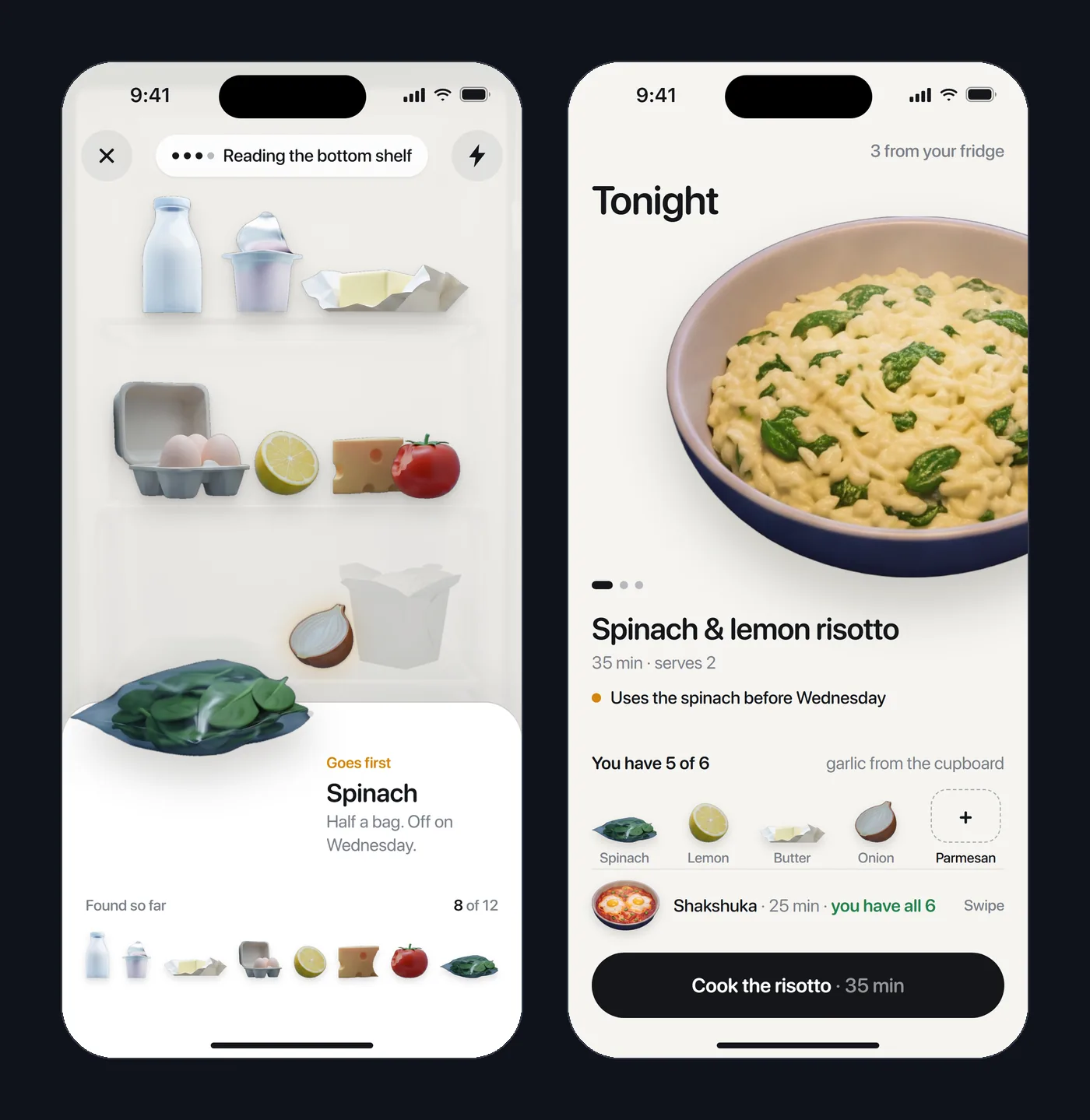
Leftly is an iOS app for people who cook on weeknights and throw food away. One photo of the open fridge, and it offers tonight's three dinners from what's already there.
It names what's on each shelf, tops up the one thing you're missing in a single swipe and runs the timers on your lock screen. Before something goes off, it tells you.
The brief, in a founder's words: "Our app turns what's already in your fridge into tonight's dinner, but our homepage shows a pretty plate like every food app, so a busy cook who bins food every week can't see it starts with their own shelves."
of all the food wasted in 2022 was wasted at home: over 1 billion meals a day.
of food a year is thrown away by the average UK household of four. That's £20 from a typical weekly shop.
Source: WRAP, 2026
a day, roughly, is how long Americans spend deciding what to have for dinner, in a survey of 2,000 adults.
What 10 funded food apps show on their first screen
- A daylight kitchen
- 8 of 10 open on cream, white, pastel or a bright kitchen. Leftly opens at night, lit only by the fridge.
- A plate of food
- 5 of 10 lead with food photography or illustration instead of the app. Leftly's first screen is your own fridge being read.
- A slogan
- 9 of 10 headline a promise like "made easy" instead of the job. Leftly says the job: dinner from what's left.
- Your own fridge
- 0 of 10 offer to cook from what's already in it. That's where Leftly starts.
Three doubts a cook brings, and the screen that answers each
- "It'll suggest recipes I have to shop for."
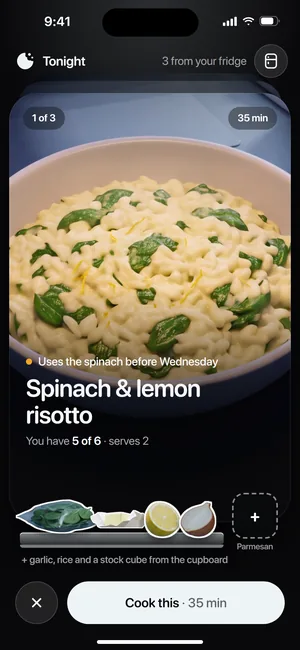
- Tonight ranks three dinners by what you have. The one missing thing is a dashed slot in the recipe, and one swipe brings it.
- "I don't want a camera in my kitchen."
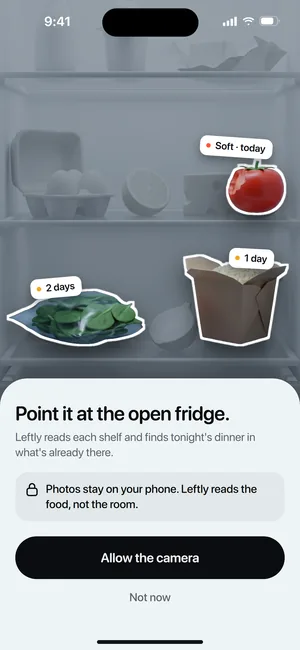
- Before iOS asks, Leftly says what it does with the camera: "Photos stay on your phone. Leftly reads the food, not the room."
- "I don't have time to scan every night."
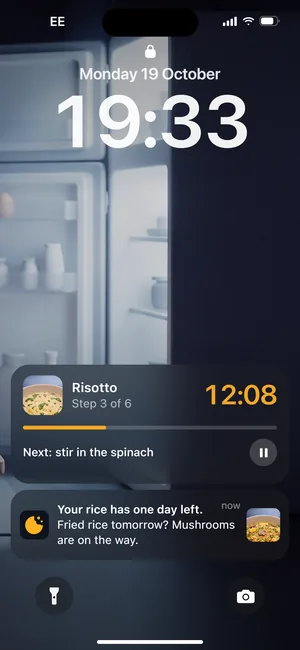
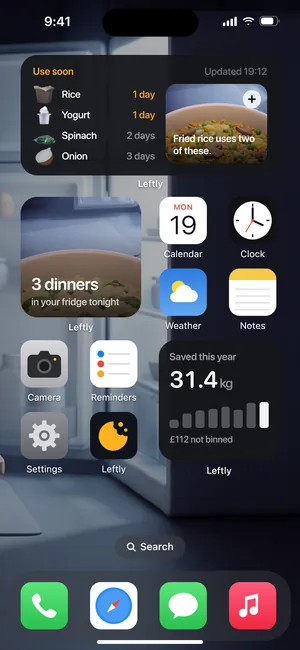
- One scan, then Leftly comes to you: a widget with tonight's dinners, a nudge before the rice goes off, the timer as a Live Activity.
A night kitchen, lit by the fridge
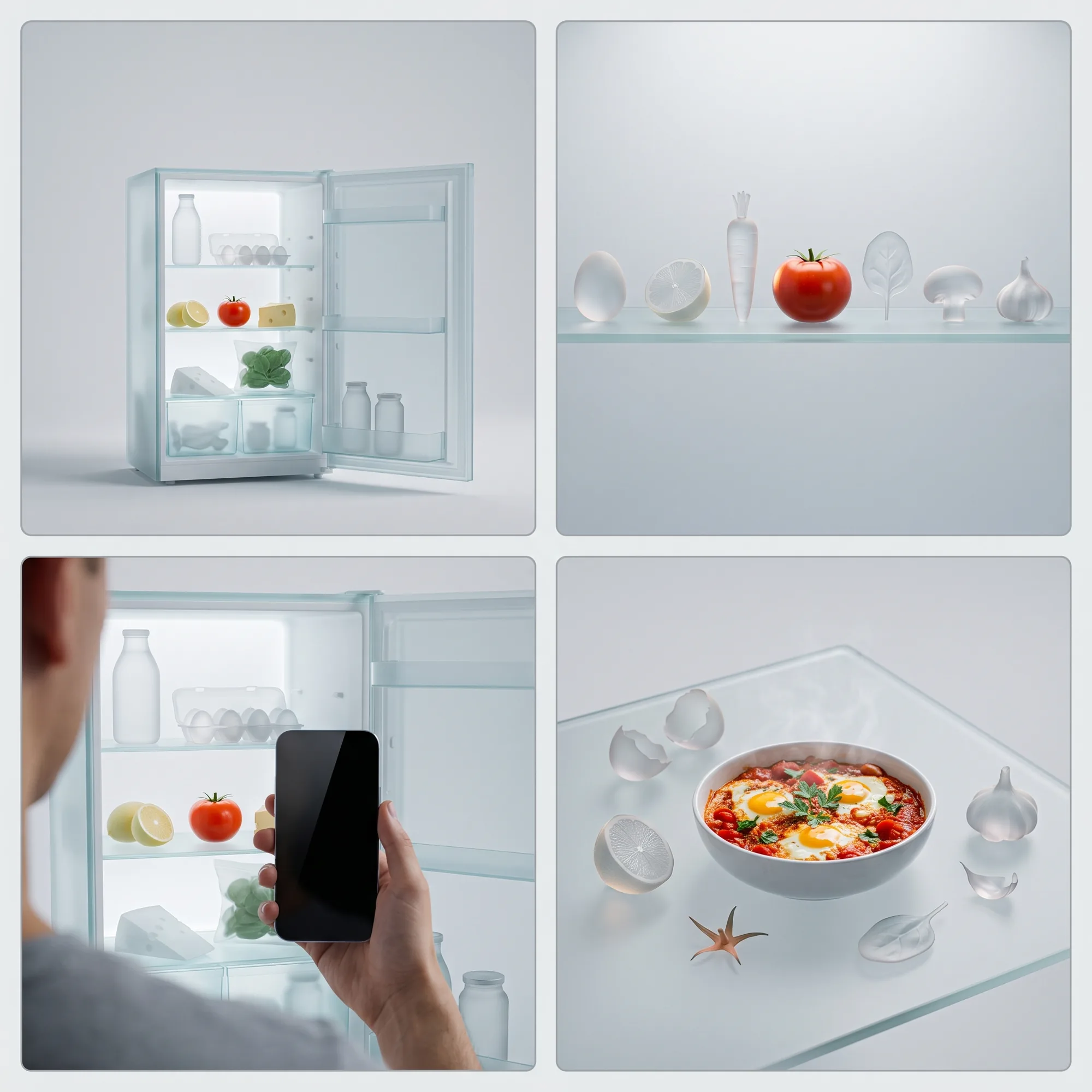
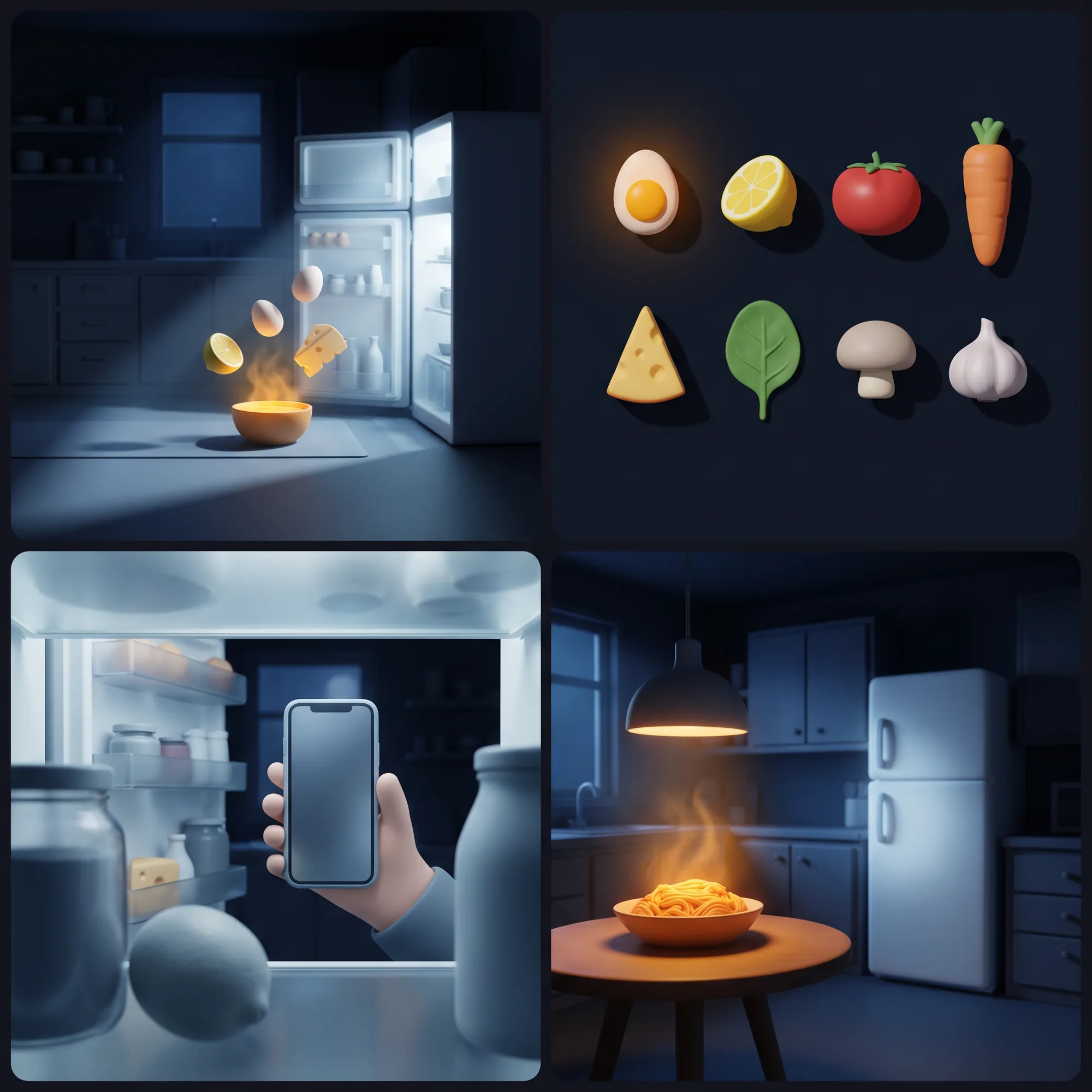
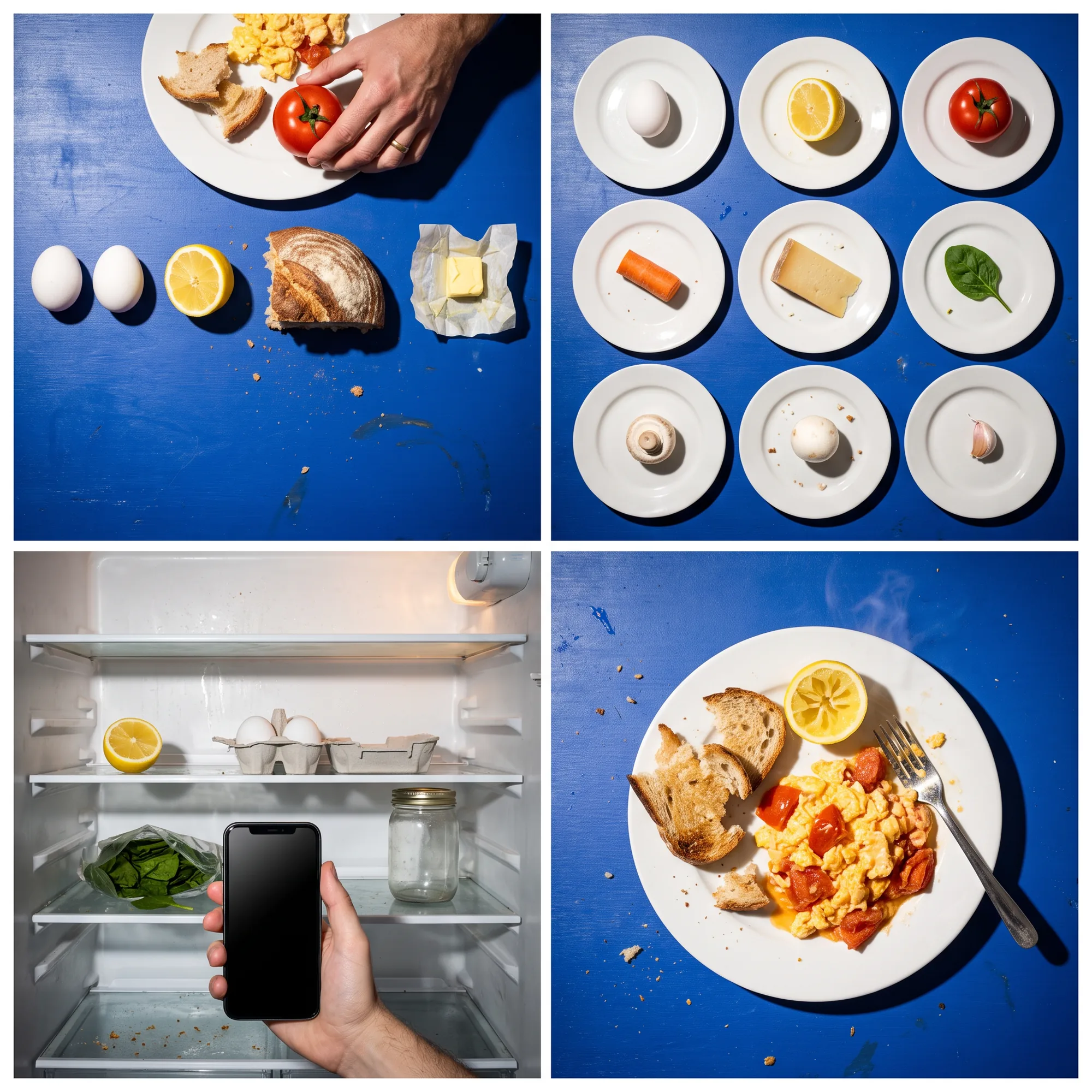
We drew three worlds for Leftly as four-picture grids: the key art, the ingredients, the scan and a dinner, in each one's own light.
Frost put one real ingredient among frosted glass. Fridge Light made a matte 3D kitchen at night, lit only by the open fridge. Hard Flash shot it as an editorial flash photo on cobalt.
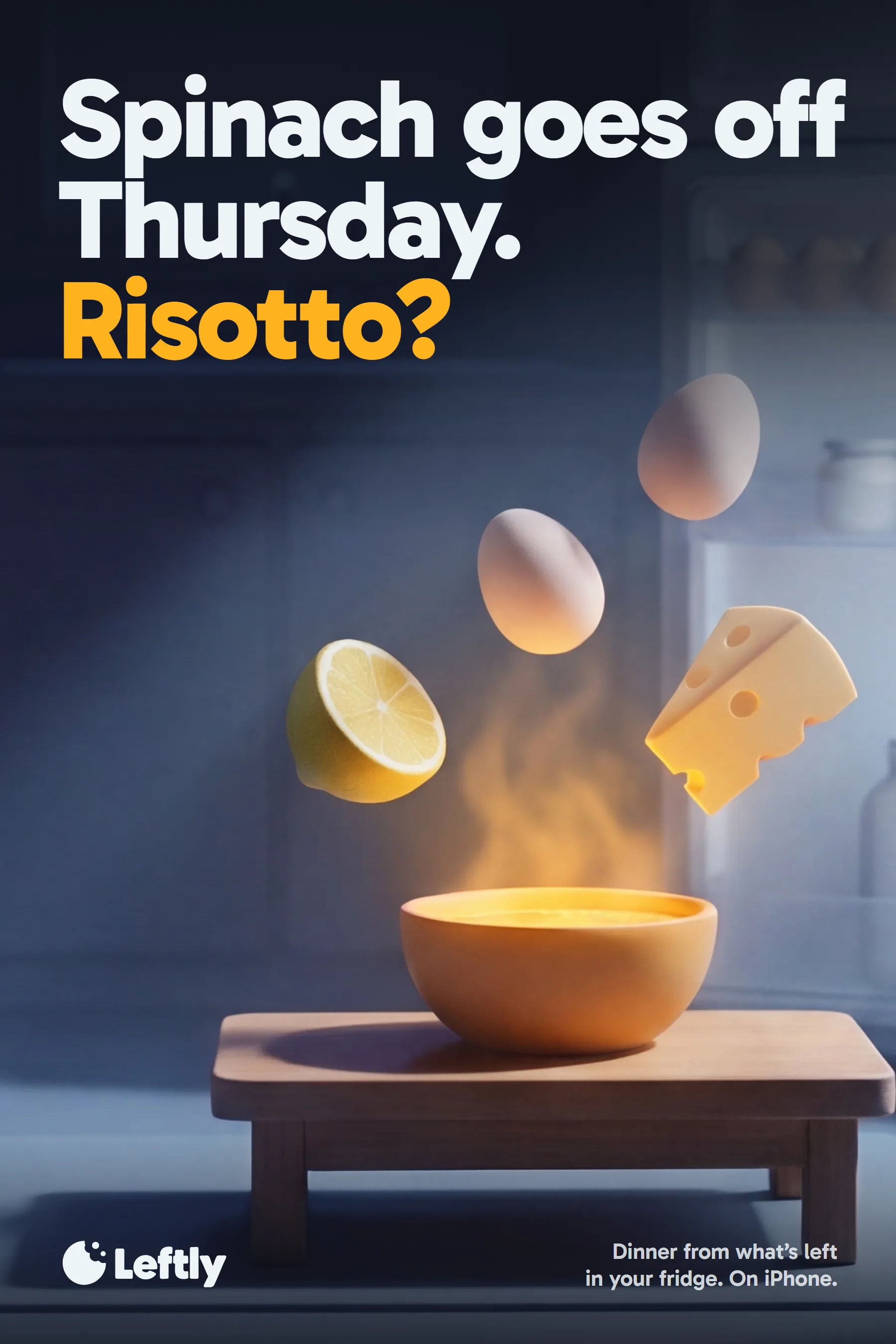
Ryan picked Fridge Light. The key art is that kitchen with the leftovers falling out of the fridge light into a glowing bowl, and a short film lets them land.
The last bite
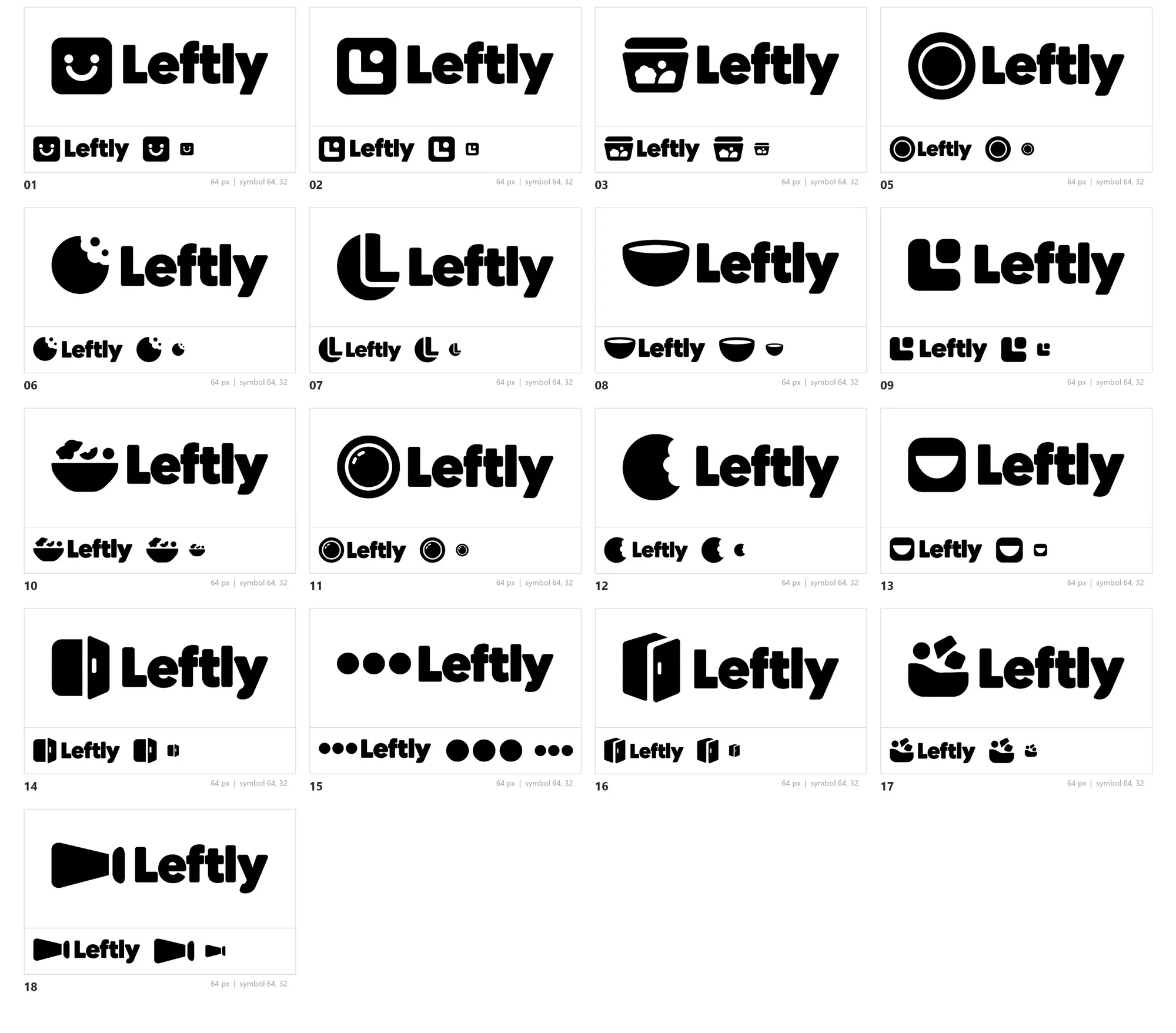
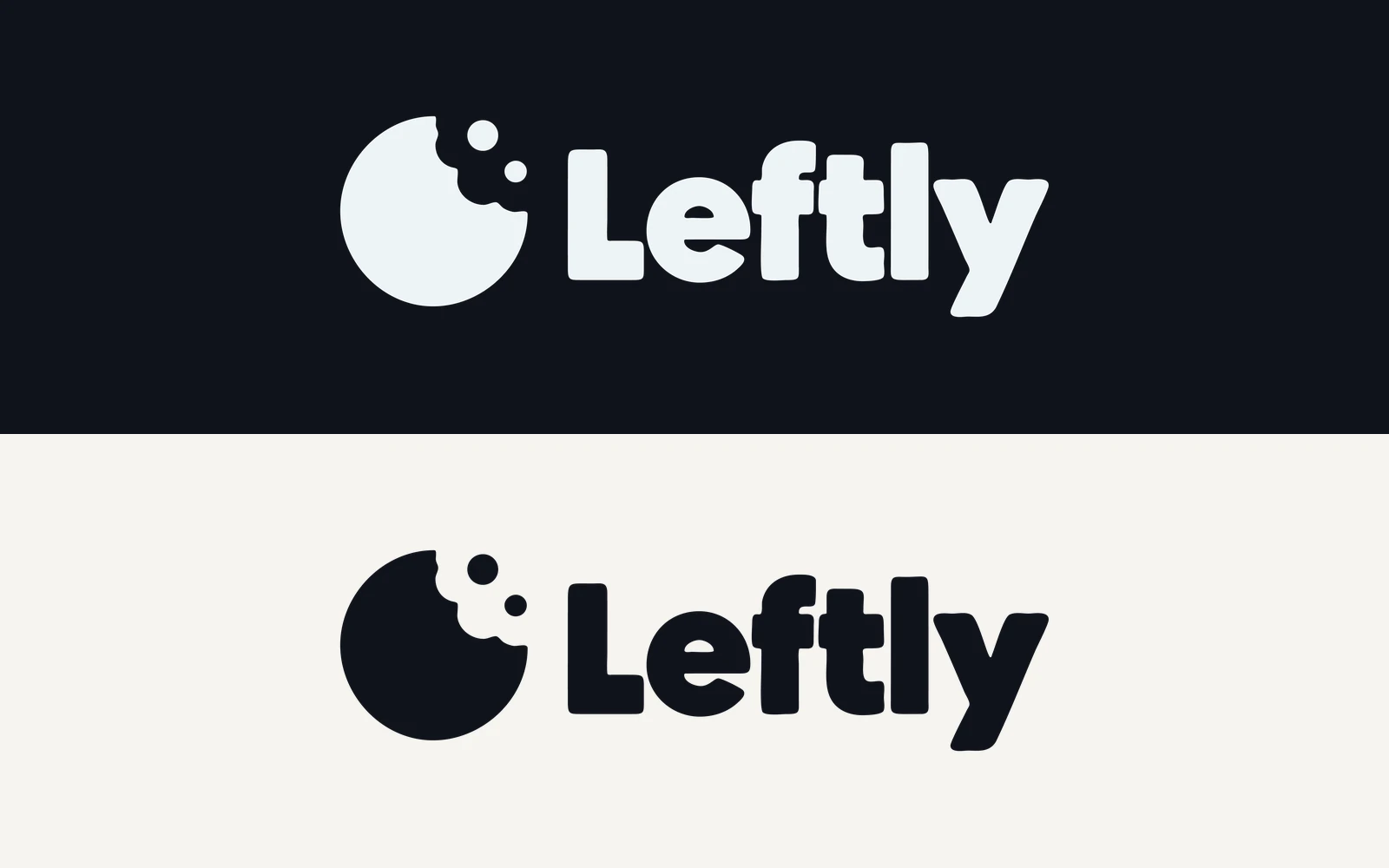
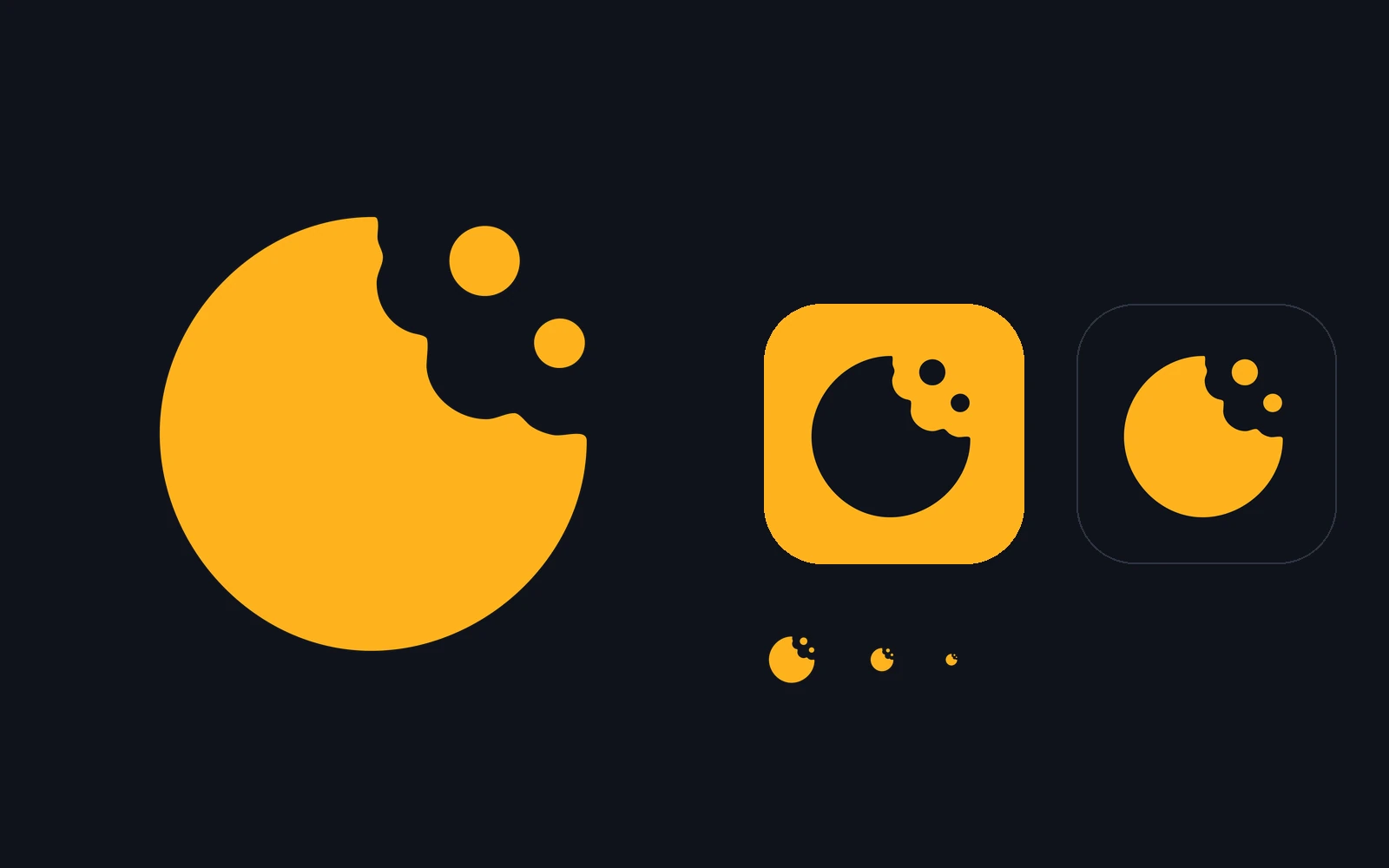
The mark is a disc with a bite out of it and two crumbs: what's left of something good.
We generated 18 lockups, each from an earlier one, and set 17 on one sheet in the order they were made (one was a near repeat). Each sits at full size, at 64 pixels, and as the symbol alone at 64 and 32, the app-icon test.
Ryan picked 06. We traced it to vector, matching the drawing to 99.2%, and built the lockup, the mark and the two app icons from that trace. It reads at 16 pixels, in yolk or night.
The identity board, as a 10-second film
Five of the board's seven cells show the product: the flow from scan to recipe, the lock screen, the scan in a hand, the home screen and the app in night and light.
The other two are the key art and the launch. Every swap goes through the mark's own shape, a bitten-disc iris or a bite edge sweeping across the cell, in 0.45 seconds. It loops without a seam.
Ryan scored the app, the demo and this board 8.9 out of 10, joint best with Kubo. The first board's interface was, in his words, "extremely vibe coded". This one is the redo.
One job and one number per screen
Before drawing again, we wrote the loop down: open the fridge, point the phone, pick a dinner, top up the gap, cook, and get nudged before the next thing goes off.
Each screen got one job and the one number that does it. The copy talks like a kitchen: name the food, the day and the number. Never "items", "ingredients detected" or "AI".
The first pass looked generated, so we started again from research. We broke down shipped-app demos frame by frame and wrote down the tells of a generated app. The final screens pass 25 of them.
shipped-app demos broken down frame by frame.
tells of a generated app, written down. The final screens pass 25.
screens and states, in night and light.
The screens, their jobs and their numbers
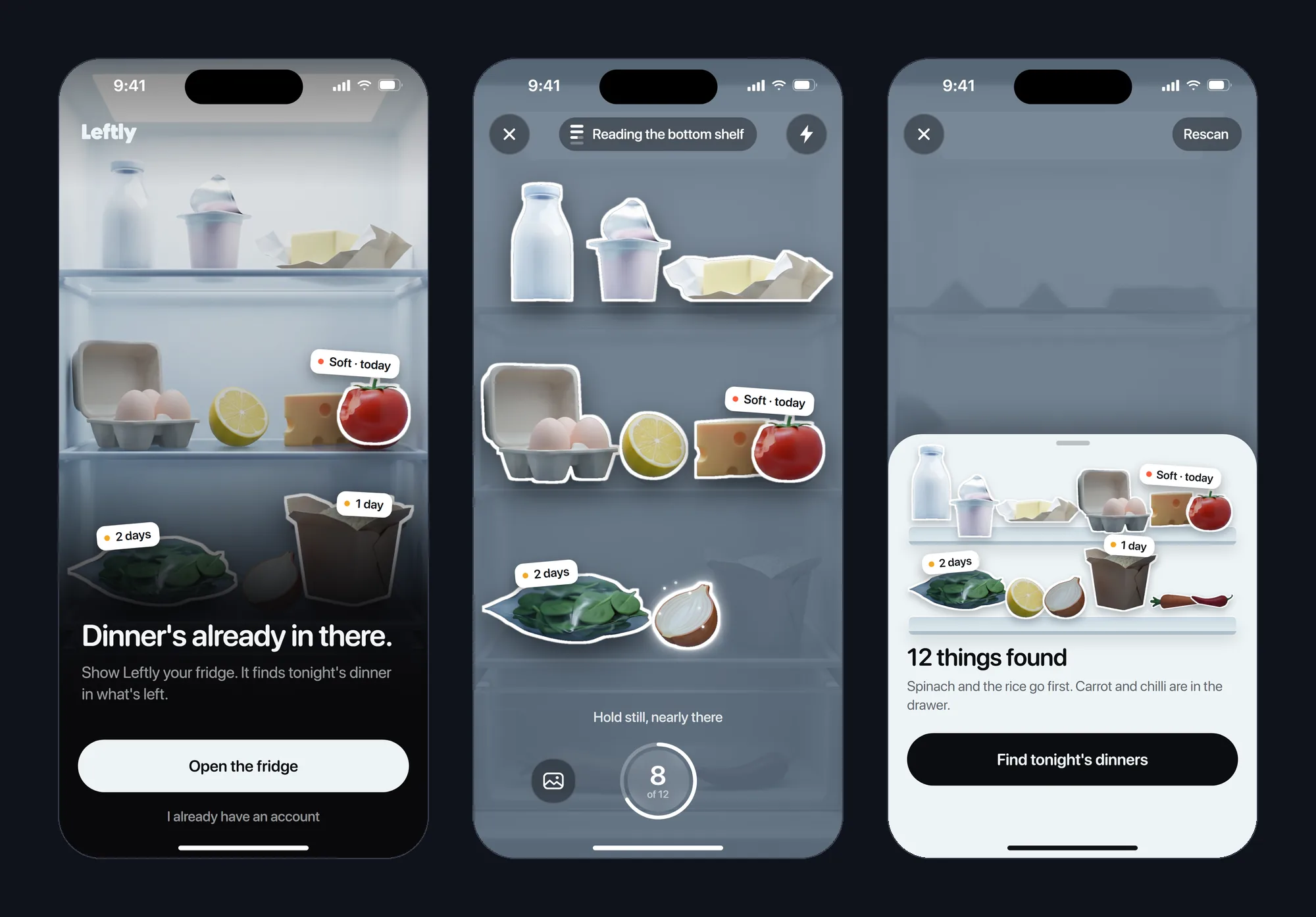
- Scan
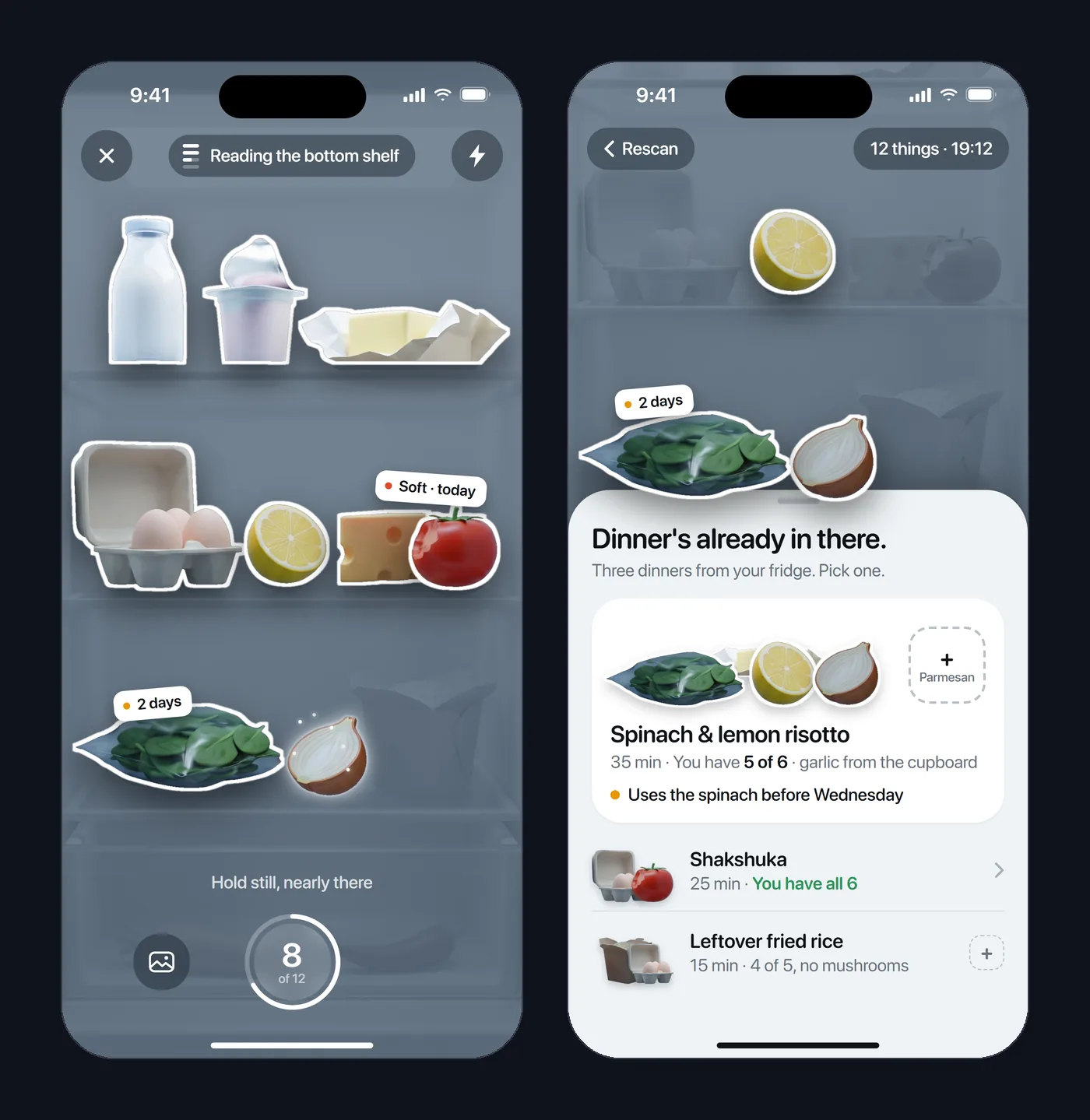
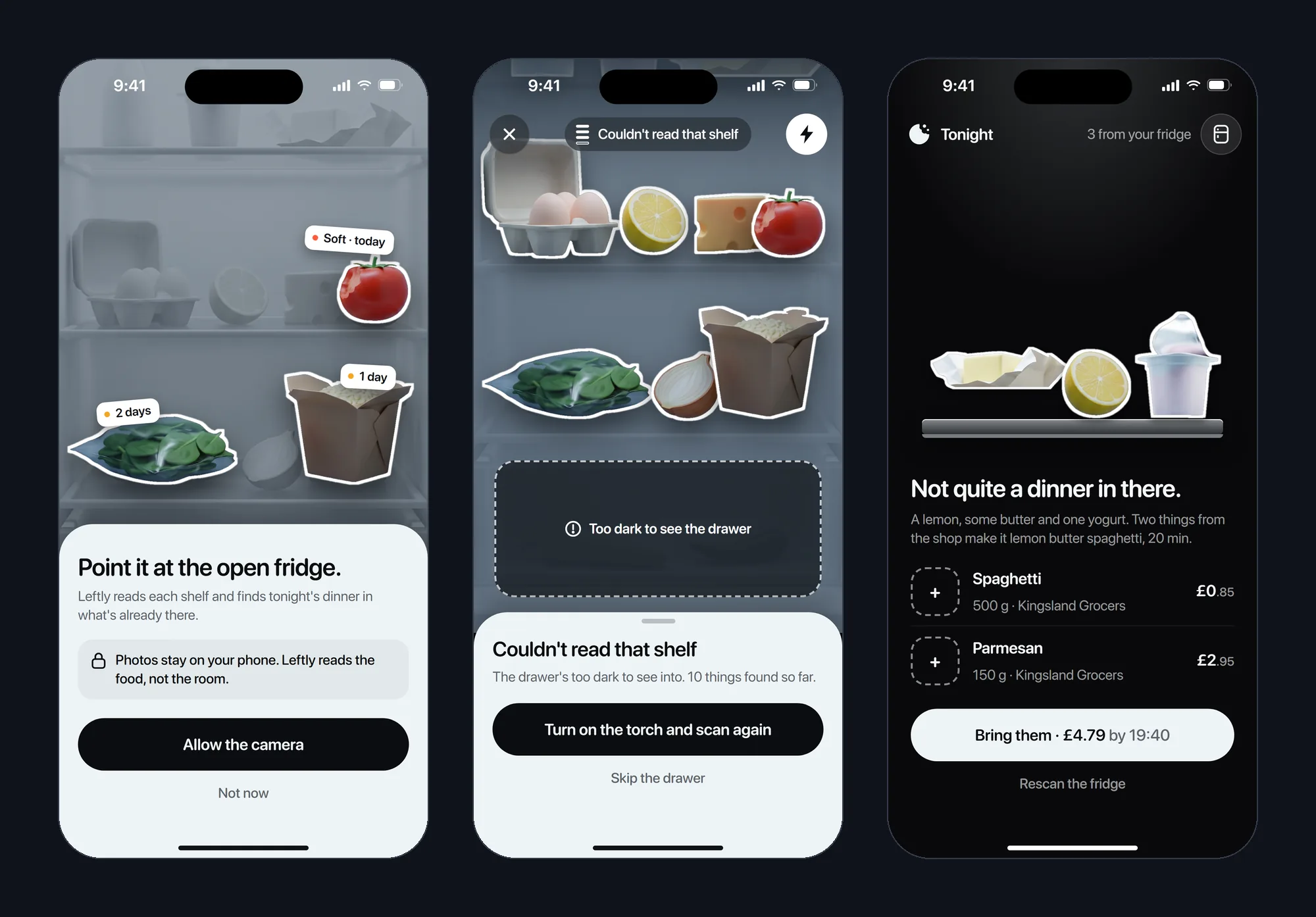
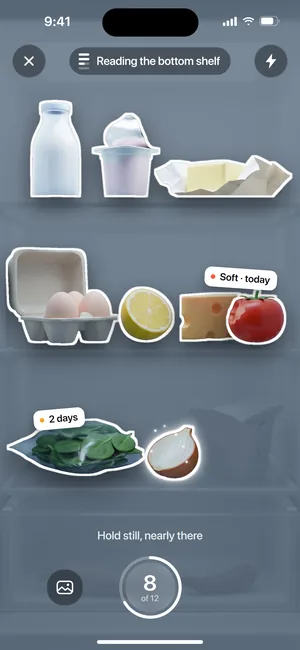
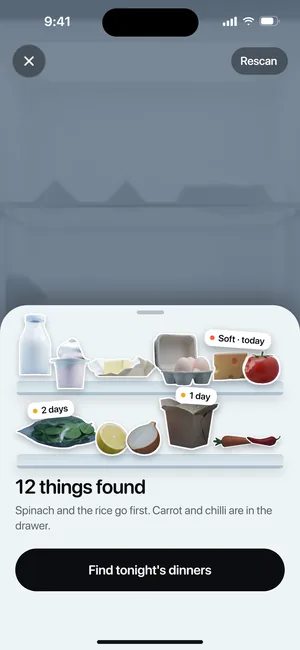
- Confirm what's in there. 12 things found, shelf by shelf.
- Tonight
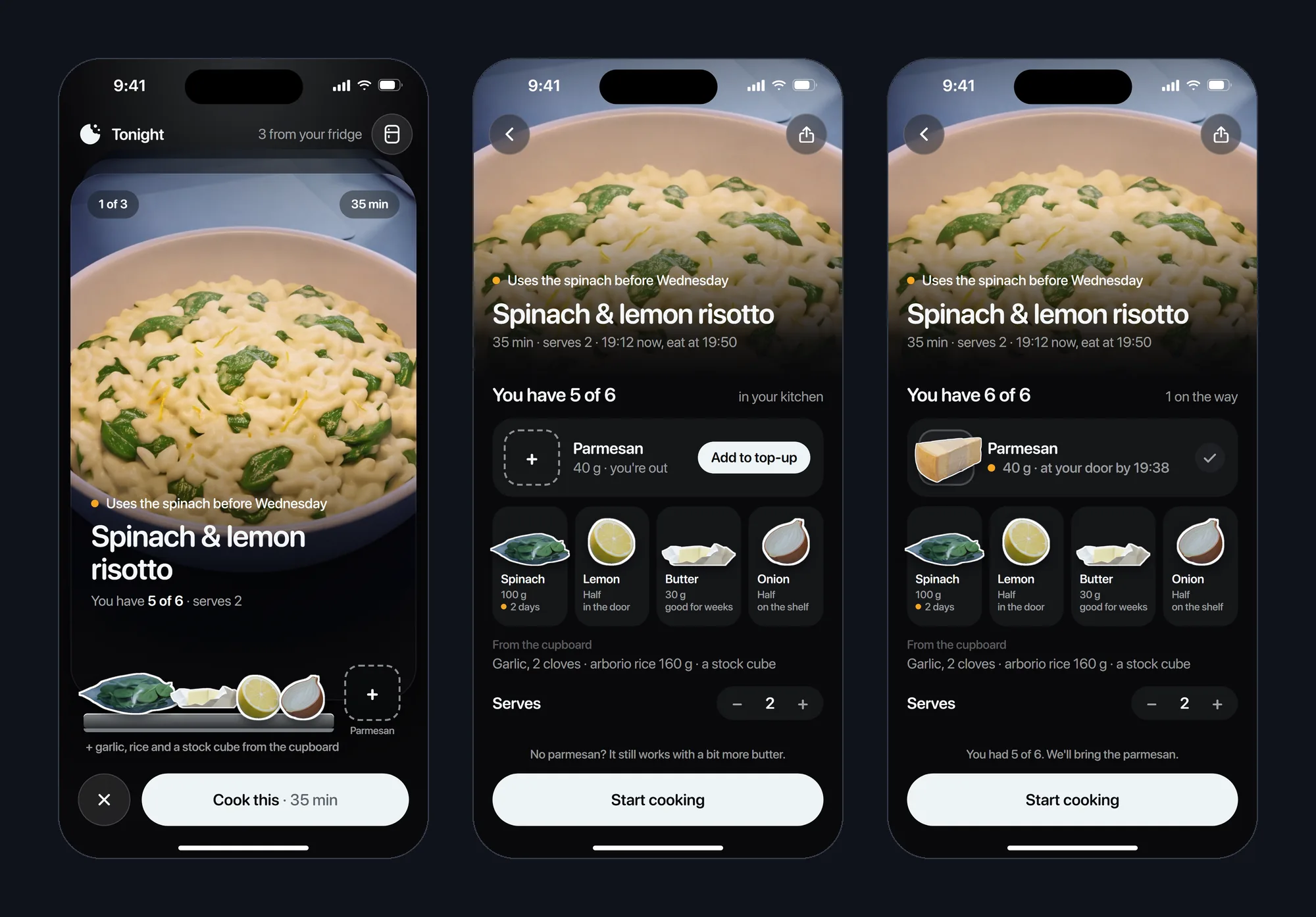
- Pick tonight's dinner from 3, ranked by what you have.
- Recipe
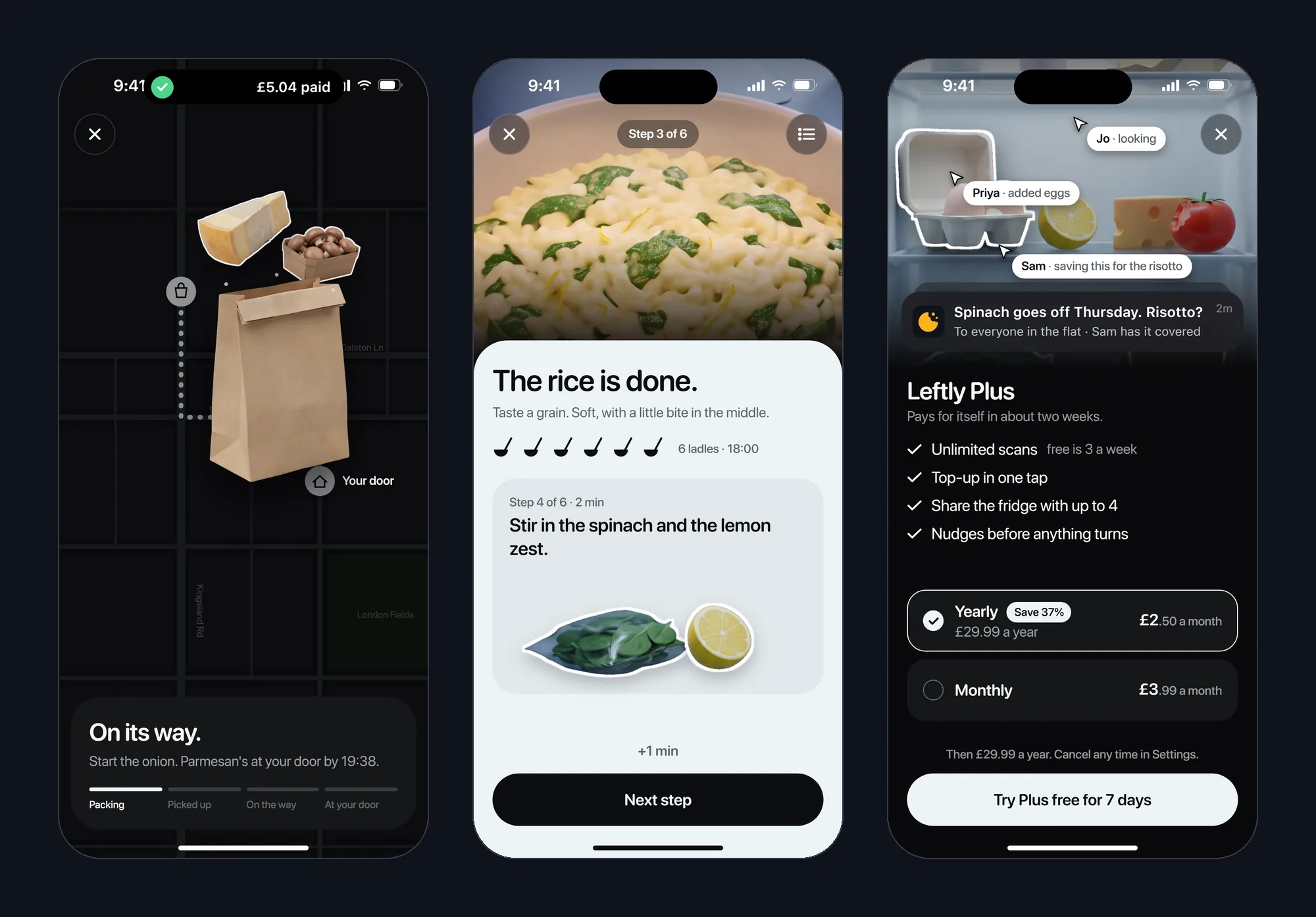
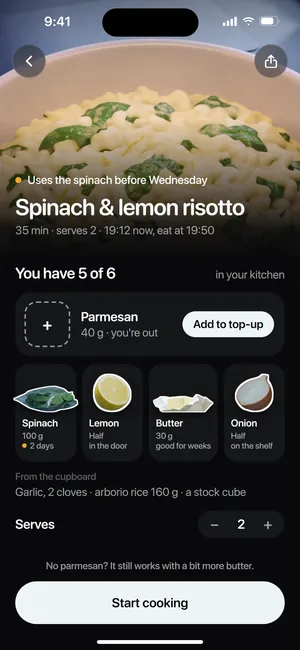
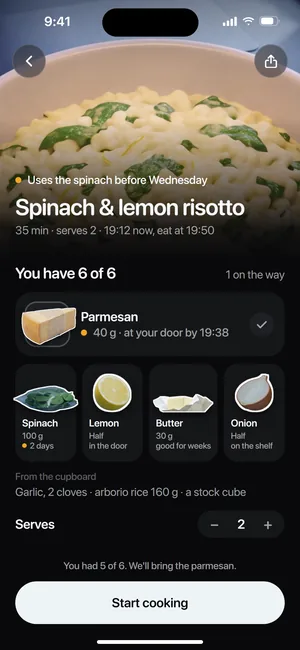
- See what you have and fix the gap: 5 of 6.
- Top-up
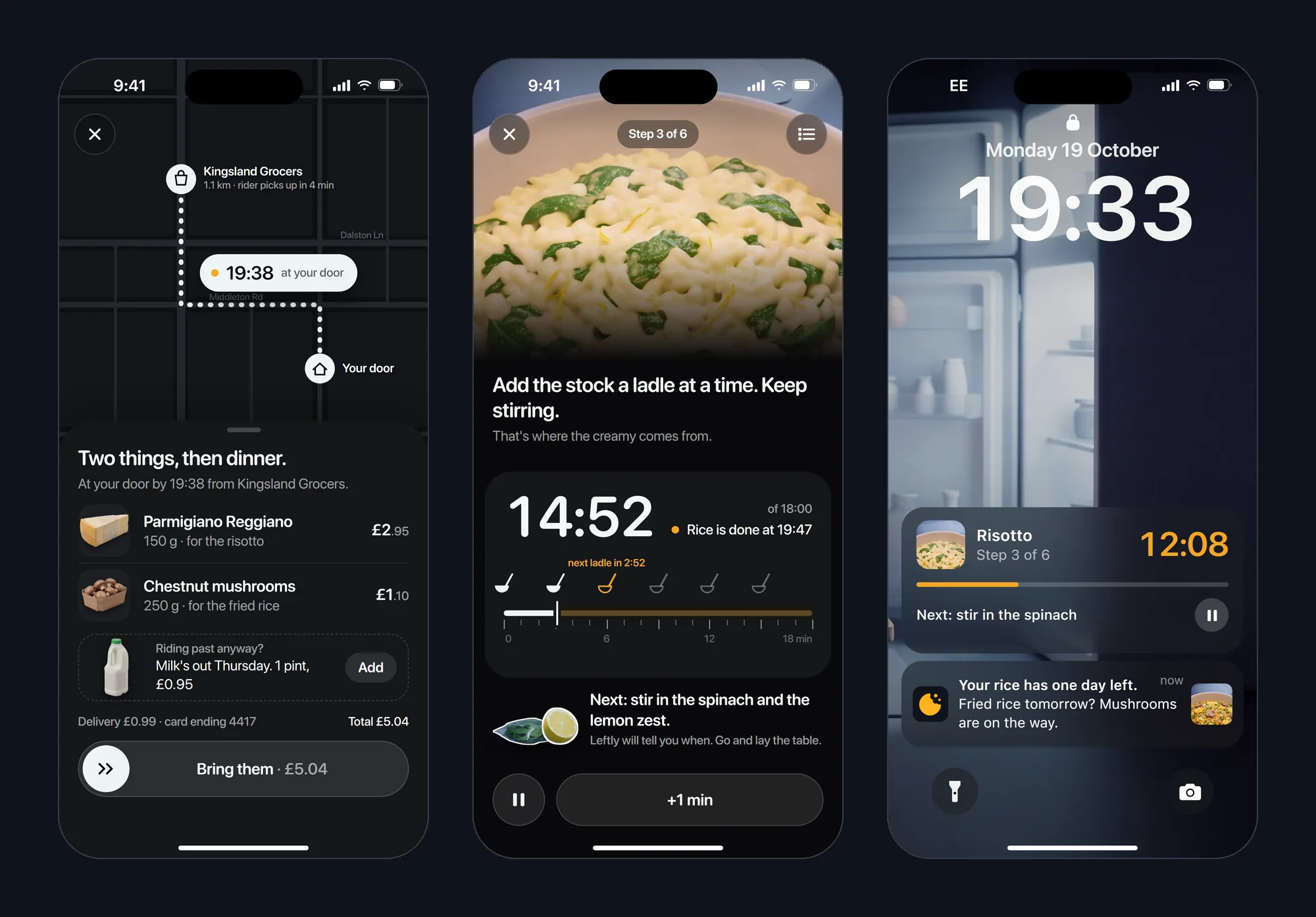
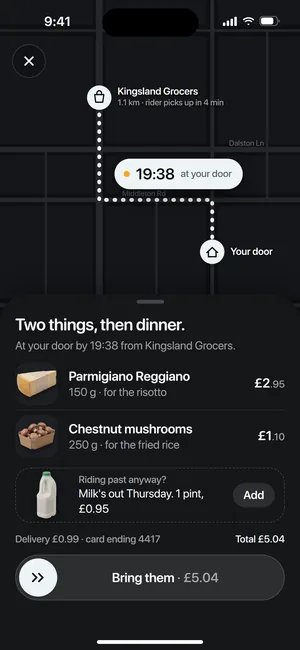
- Confirm the basket. At your door by 19:38.
- Cook
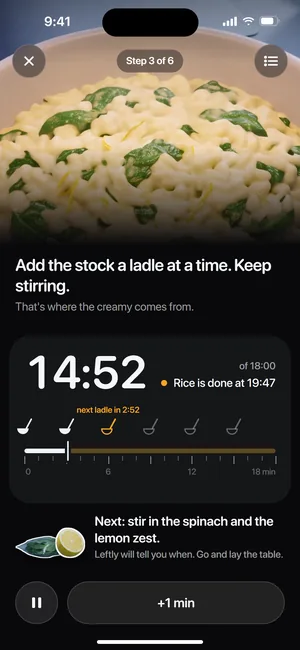
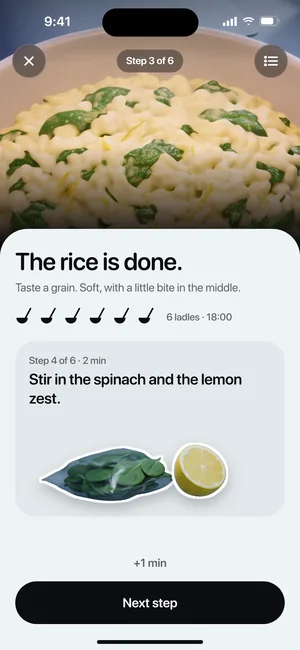
- Do this step. 14:52 left on the stock.
- Lock screen
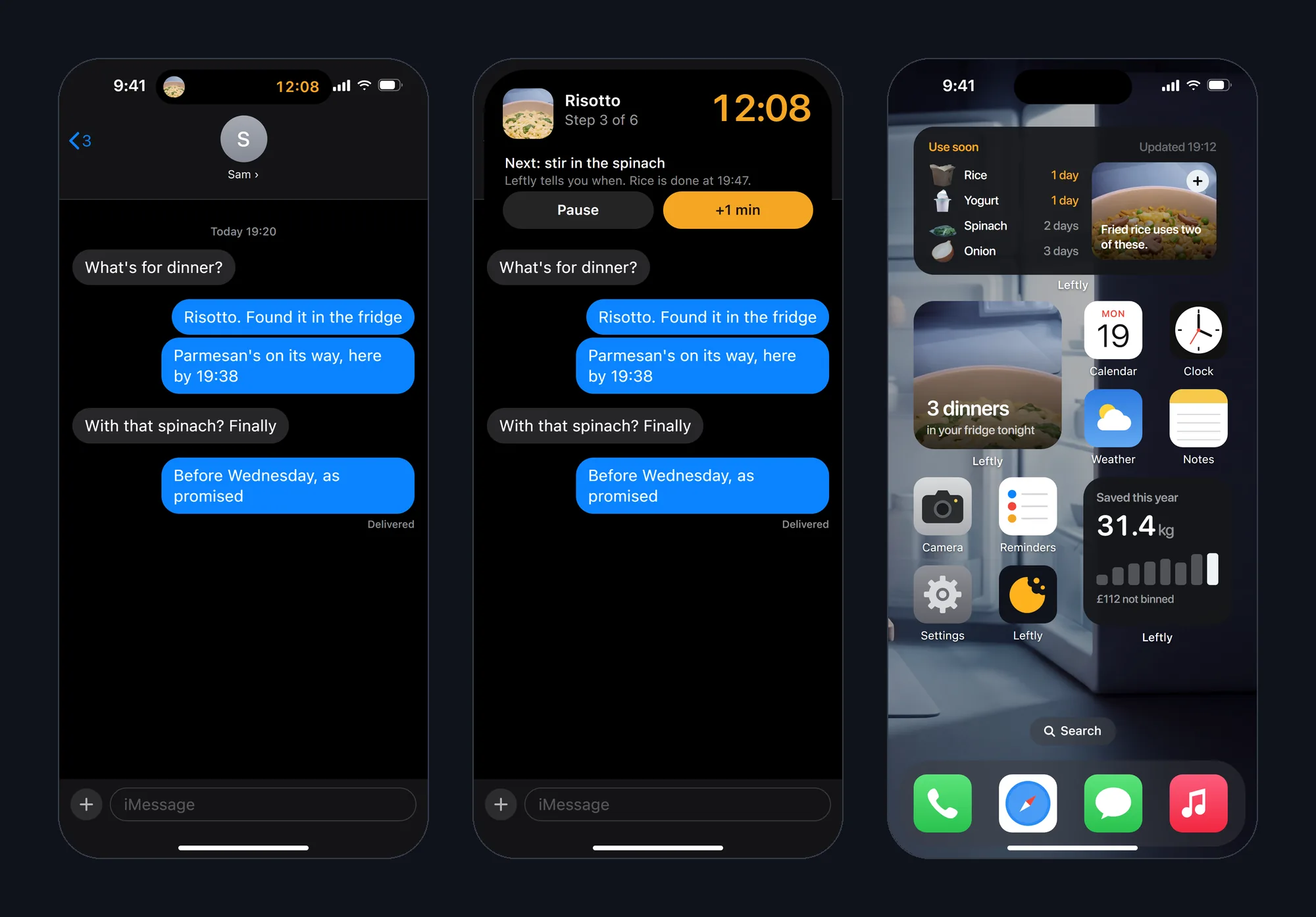
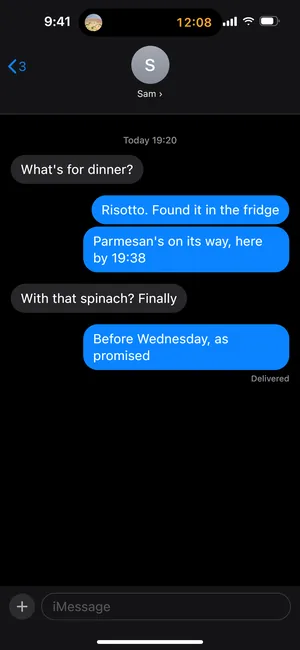
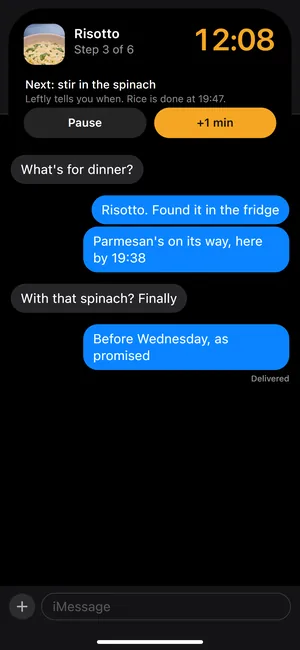
- Keep cooking with the phone locked: 12:08 in a Live Activity.
- Widgets
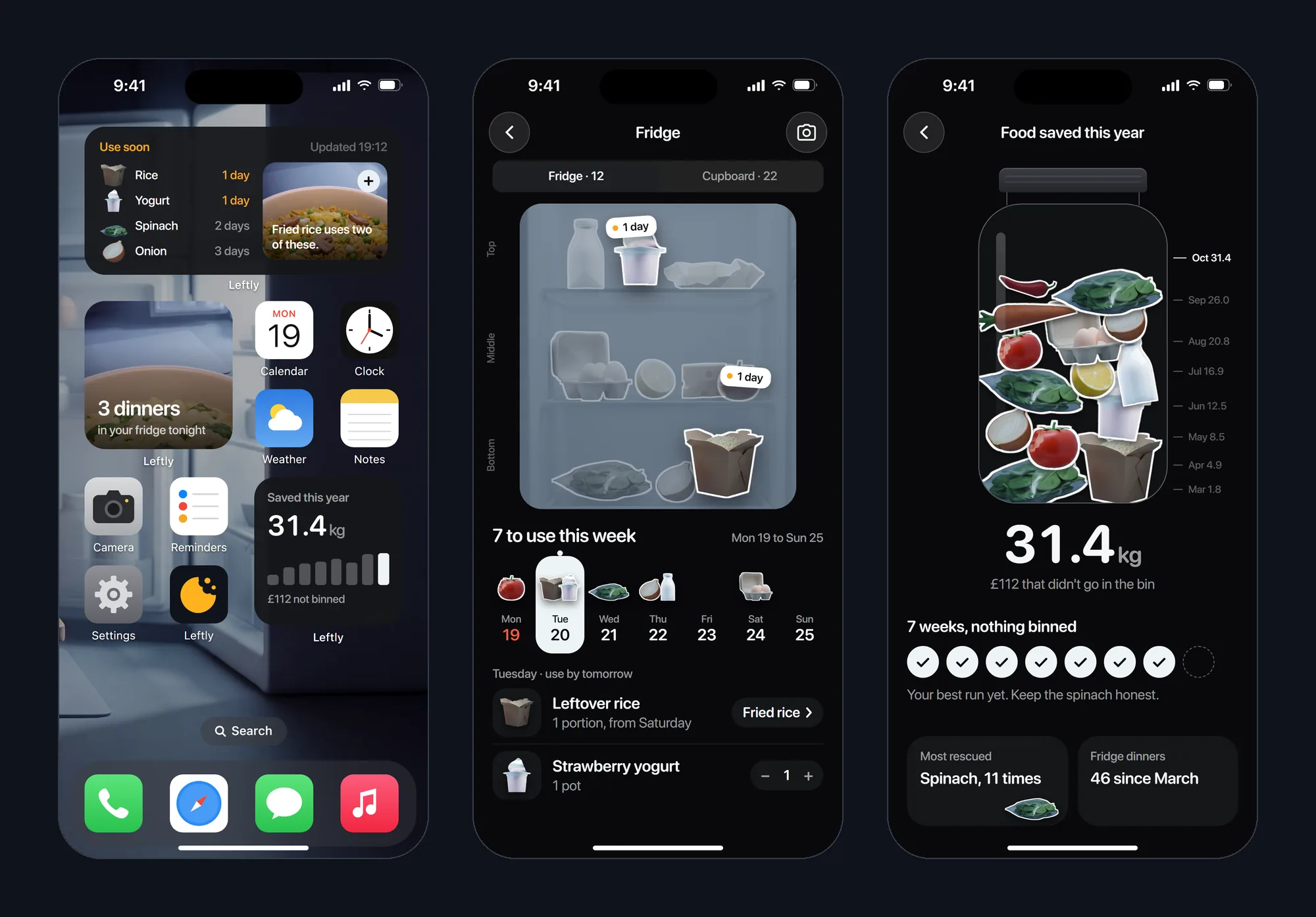
- Dinner at a glance: 3 dinners, rice has 1 day.
- Fridge
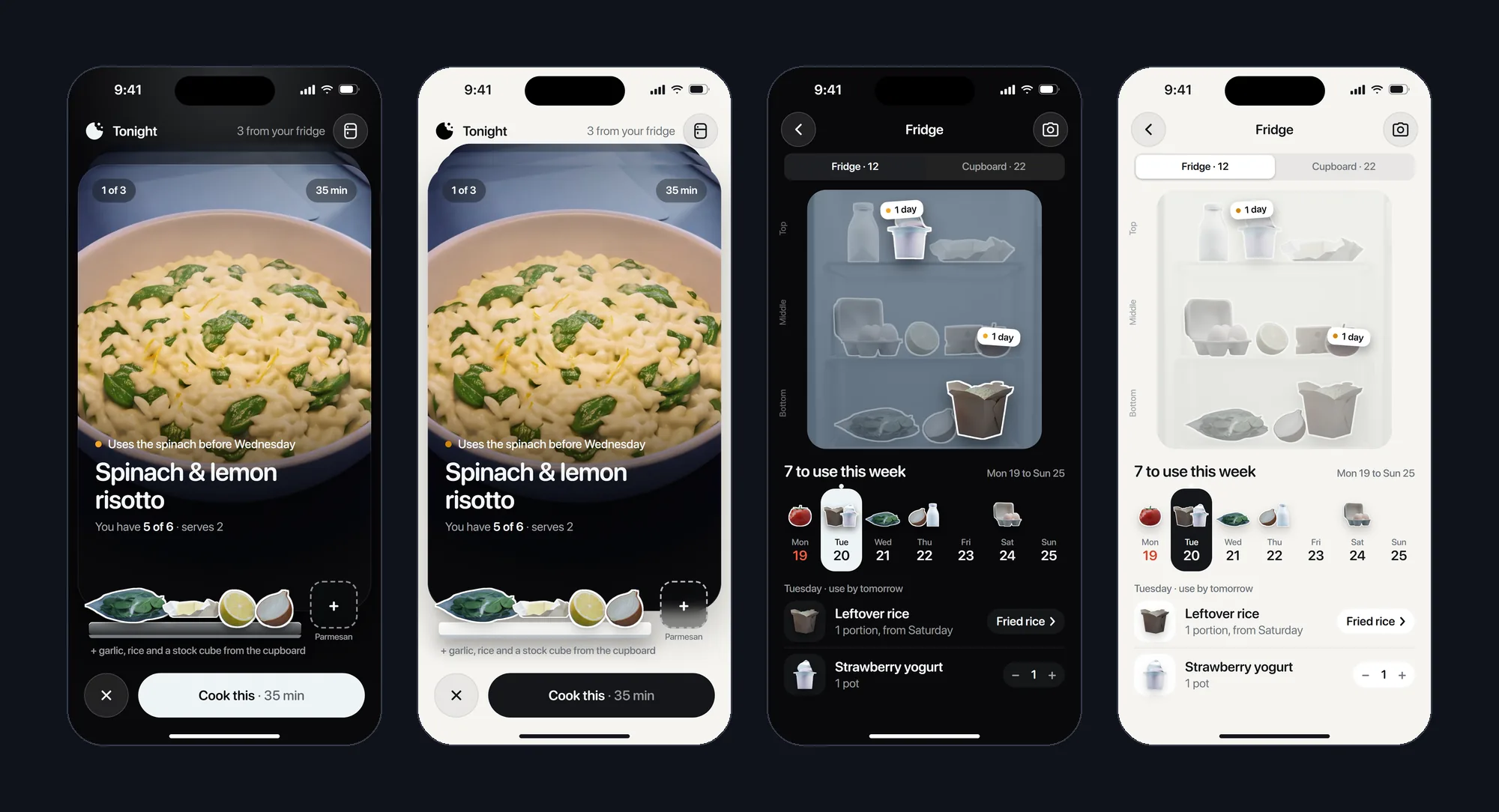
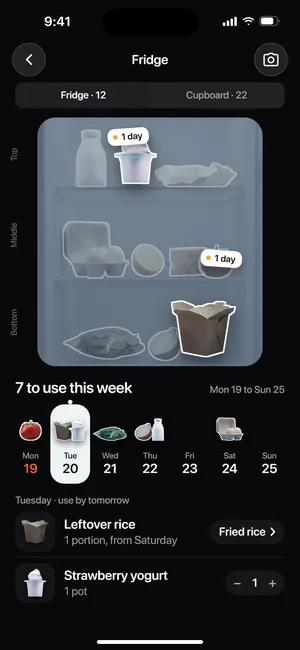
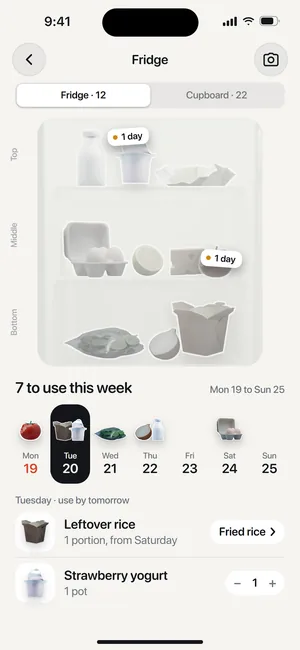
- Know what goes first: 7 to use this week.
- Saved
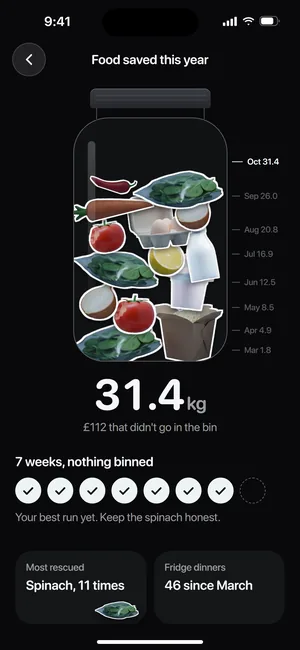
- Feel the progress: 31.4 kg saved this year.
- Welcome and Plus
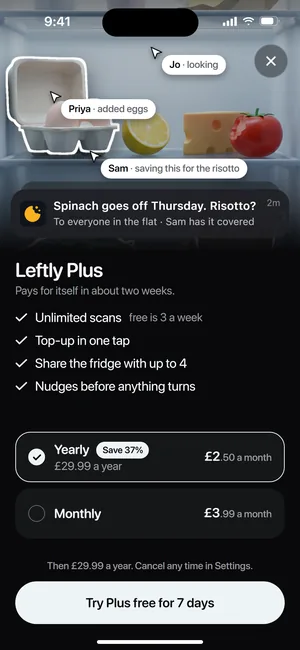
- Start, and upgrade at £2.50 a month, billed yearly.
Three directions, then one app
We drew the scan and Tonight three ways, all from the same fridge photo and the same cut-out food.
A, The fridge is the screen: your own fridge photo stays the ground, and the food lifts out of it.
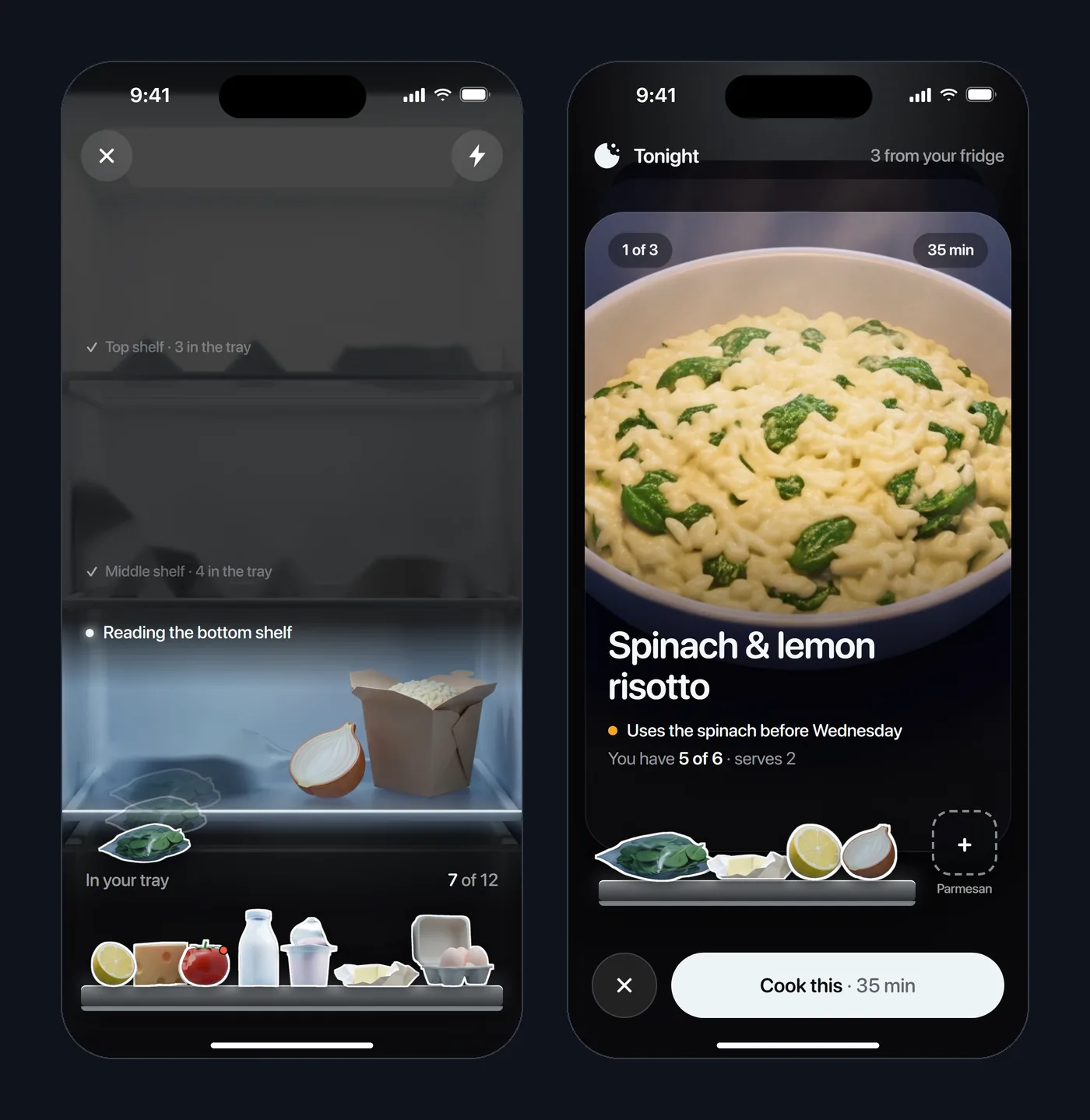
B, Dinner is the screen: Tonight is a deck of full-bleed dinners, your food rides along on a glass-shelf tray, and the fridge light is the only light.
C, Light kitchen: a calm daylight app, with night kept for cooking.
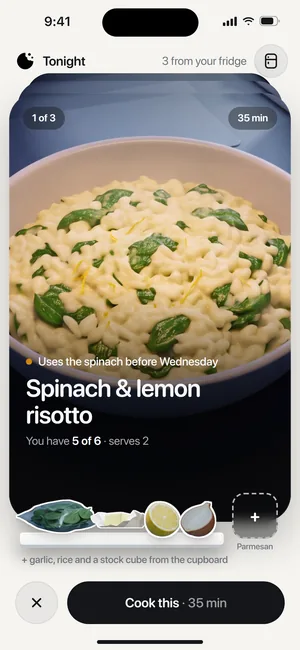
Ryan liked all three. The app takes A's scan and its dashed Parmesan slot, B's night deck and tray, and C as light mode.
Your own food, on every screen
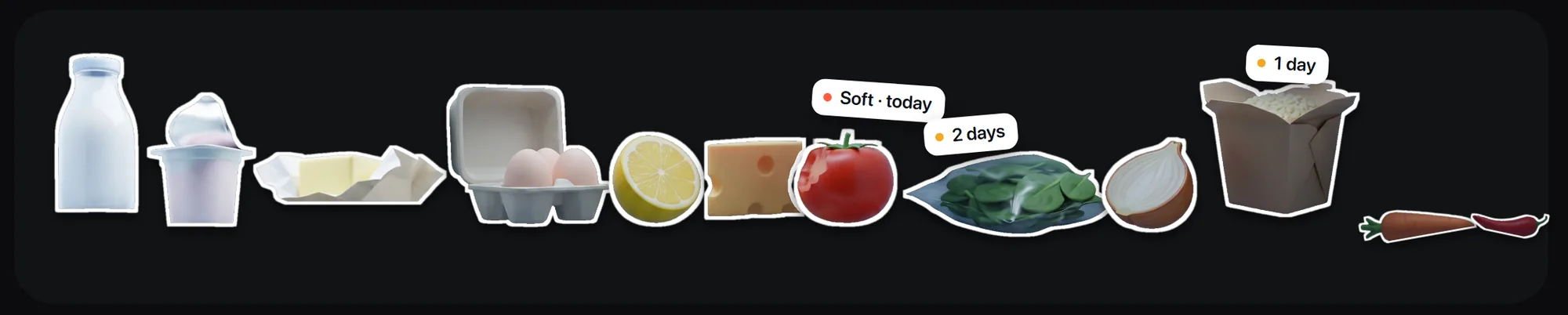
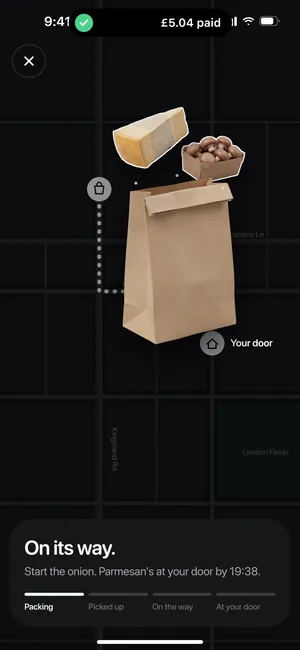
The app has no icon set for food. The pieces are cut out of your own fridge photo, and the same ones travel from the scan to the tray, the recipe, the basket and the widgets.
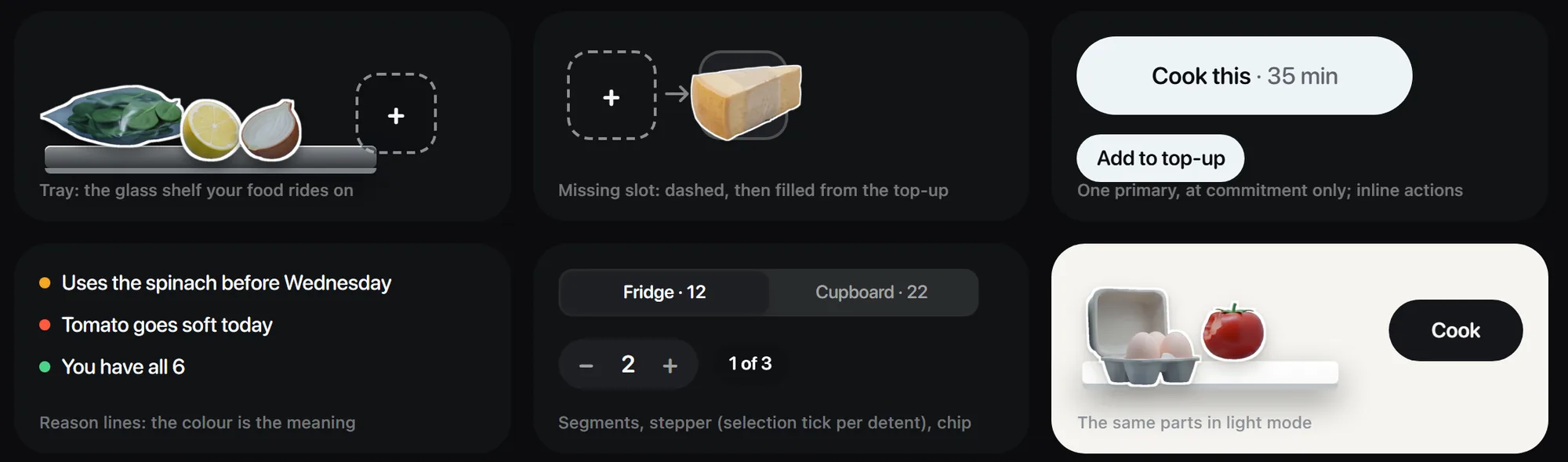
Colour means one thing each. Amber is time left, red is use it today, green is you have it all. The one primary button is fridge light, and it appears only where you commit.
The app is set in SF Pro Rounded in three weights, so it sits in iOS like a shipped app, and system surfaces use SF Pro as Apple does. The brand's own voice goes into the wordmark, and into Gabarito on the App Store set, the tee and the poster.
- Kitchen #09090BThe app at night
- Surface #151619Panels and sheets at night
- Fridge light #EEF4F6Lit surfaces and the one primary button
- Time #F5A623Time left on a timer or a dish
- Today #FF5A3CUse it today
- Have #4CD38AYou have everything for this dinner
- Night #10131CThe brand world: key art, board, posters
- Yolk #FFB21EThe mark, the app icon, launch headlines
- Daylight #F5F4F0Light mode's ground
Motion rules for every screen
- One thing moves at a time
- Plus at most one idle element per screen, like the Parmesan slot breathing.
- The object lands first
- Its words follow 0.04 to 0.25 seconds later. Exits run about 30% faster than entries.
- Every haptic has a twin you can see
- A lift, a detent, a fill or a colour change, so the demo shows what the phone would feel.
- The same cut-outs all the way
- Scan, tray, recipe tiles, cook step, the jar and the widgets. Never swapped for an icon mid-flow.
22 screens and states, night and light
The core flow, in order: scan the fridge, pick a dinner, fill the gap, cook, and let the lock screen carry the timer.
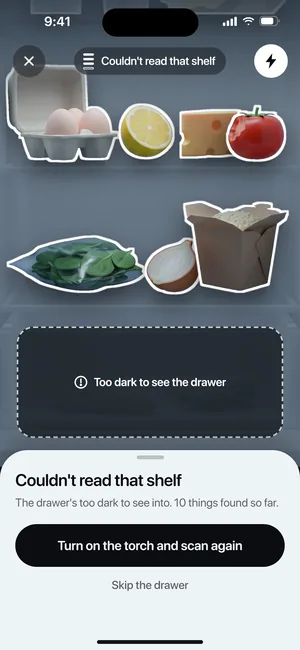
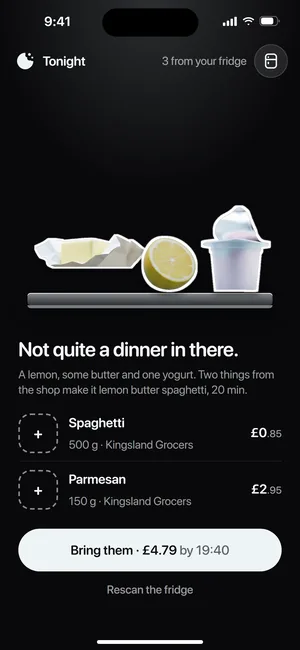
The edge states are drawn too: the camera pre-prompt, a scan that fails on a dark shelf, a fridge with nothing to cook, the top-up on its way, the timer done and Leftly Plus. Fridge and Saved open from Tonight's header, so there's no tab bar.
The app in motion, tap by tap
A 20-second demo runs the whole flow on one phone, and loops without a seam.
It's built from the screens' own code, posed frame by frame, with every move timed to iOS springs. Each tap shows its haptic as a ring and a small tick of the phone. The camera pushes in on the moment that matters and never past 1.2 times, so the interface is only ever scaled down.
Out of the app
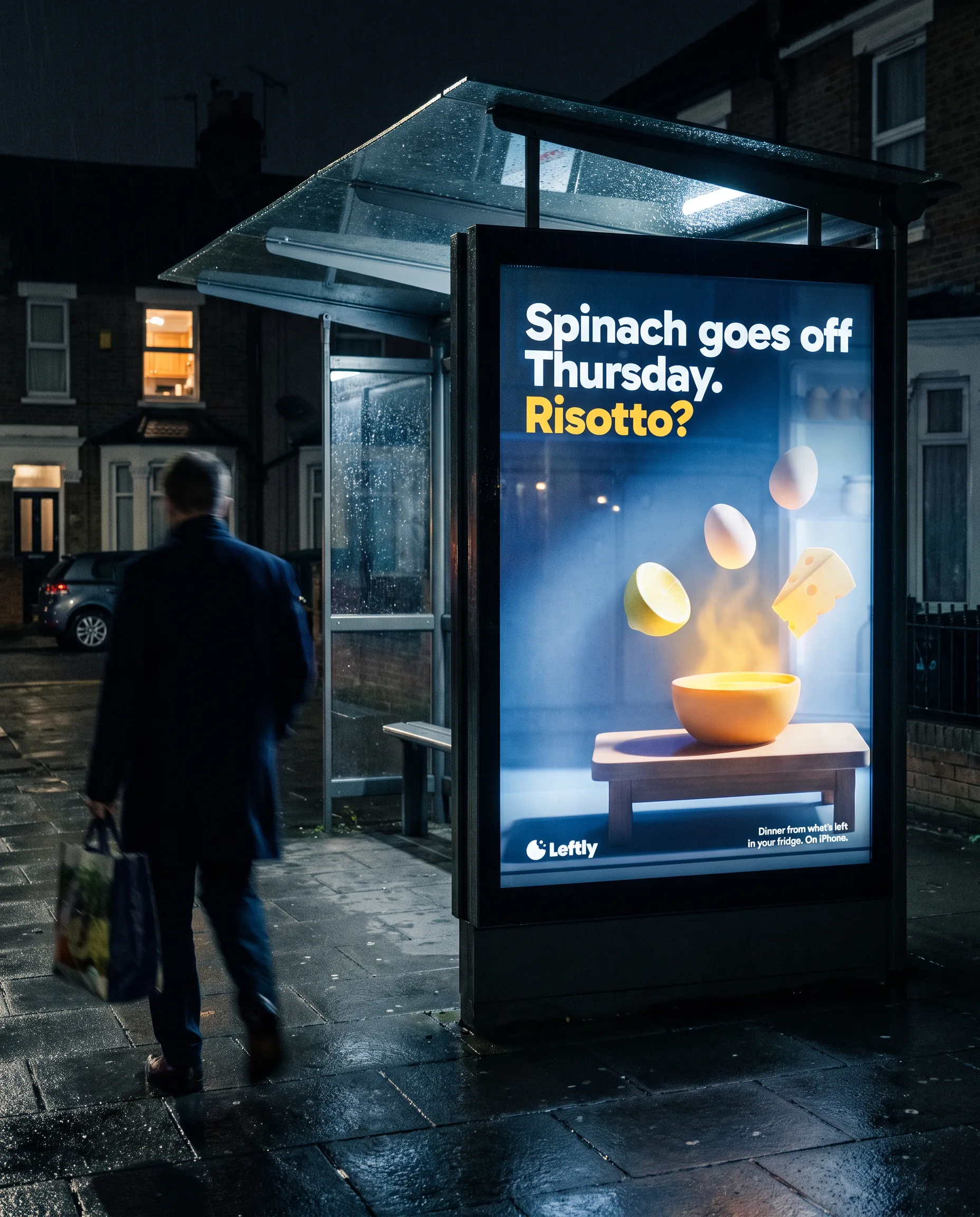
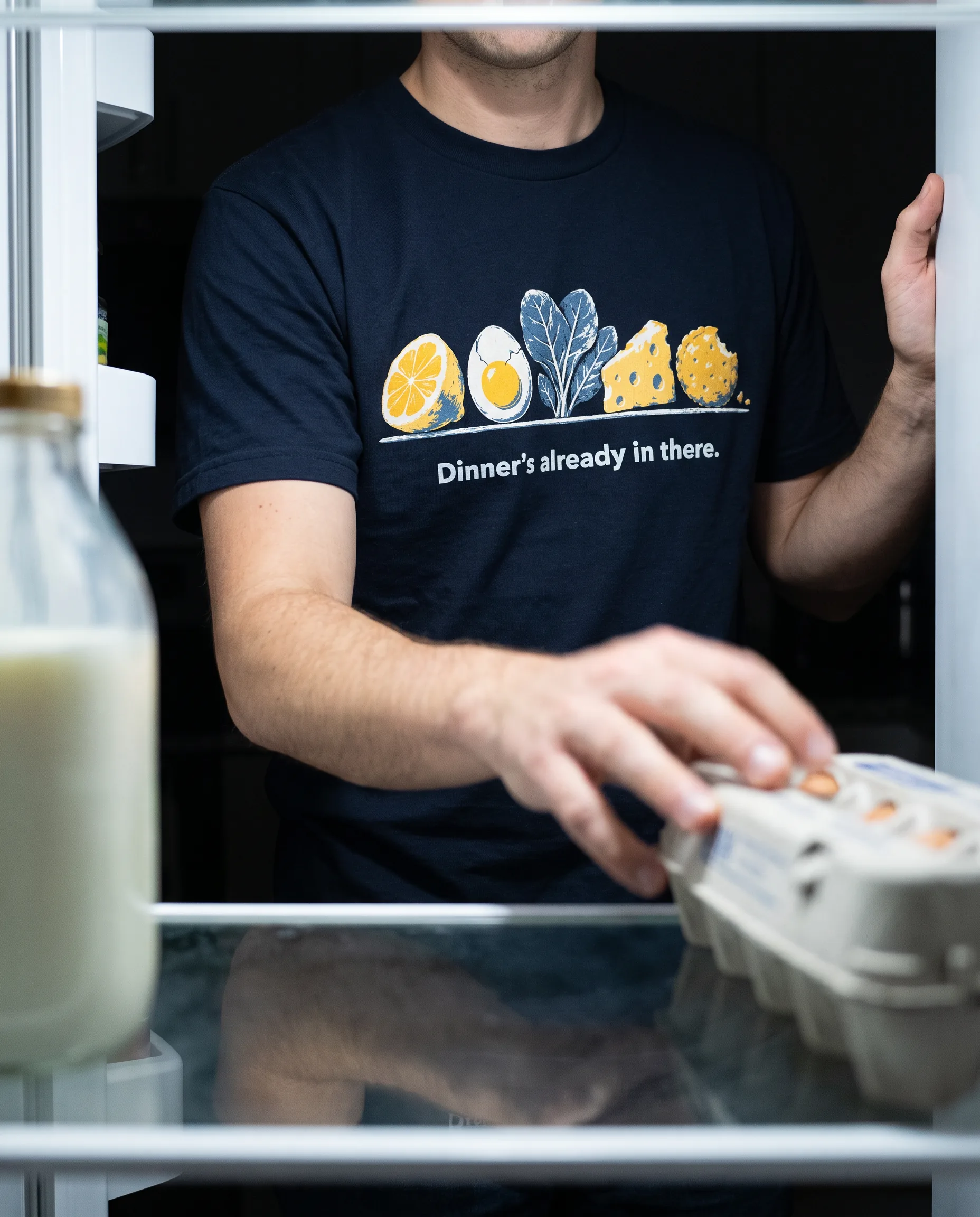
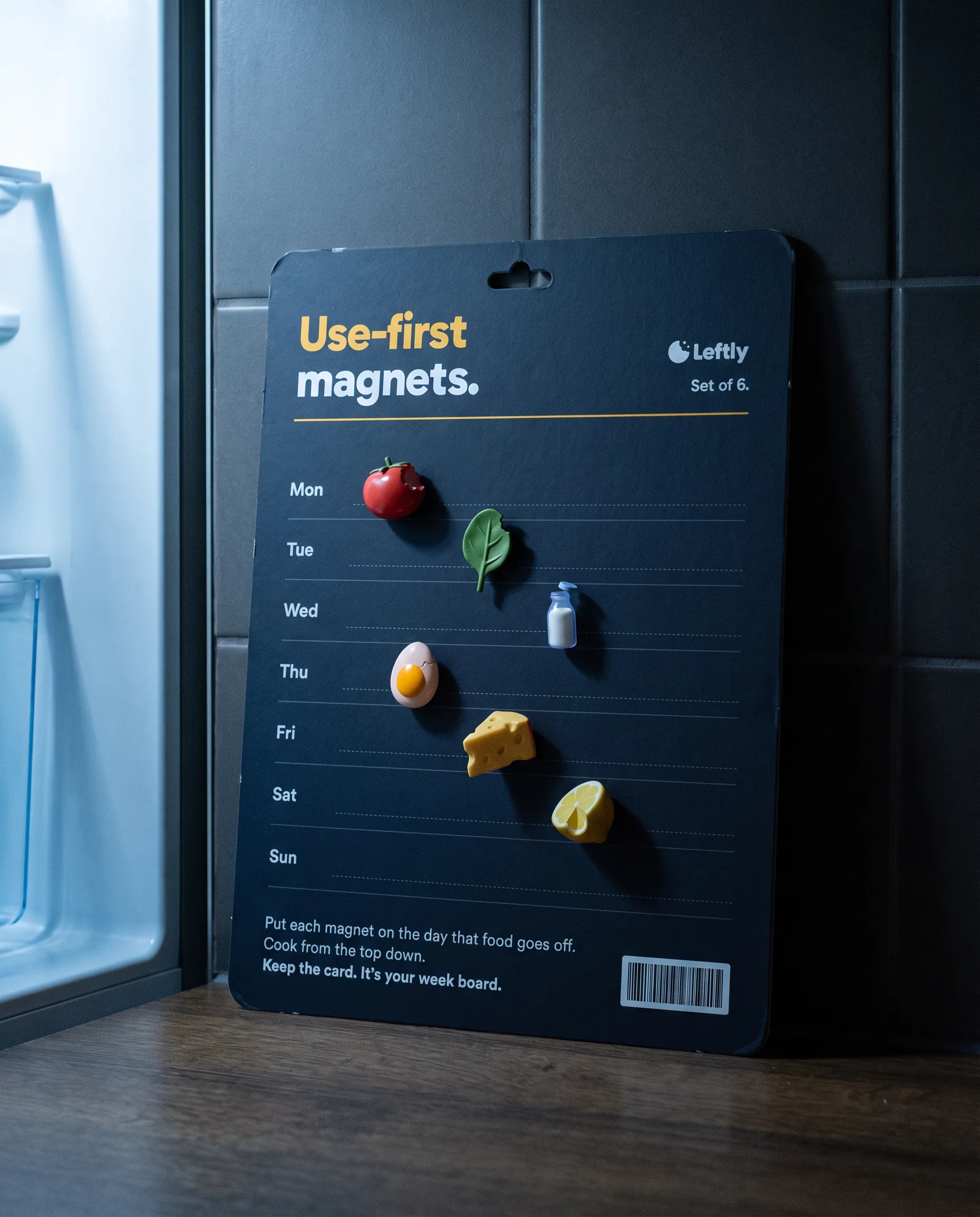
The launch talks like the app's own nudges, on the App Store, a tee, a magnet set for the fridge and a bus shelter at night.
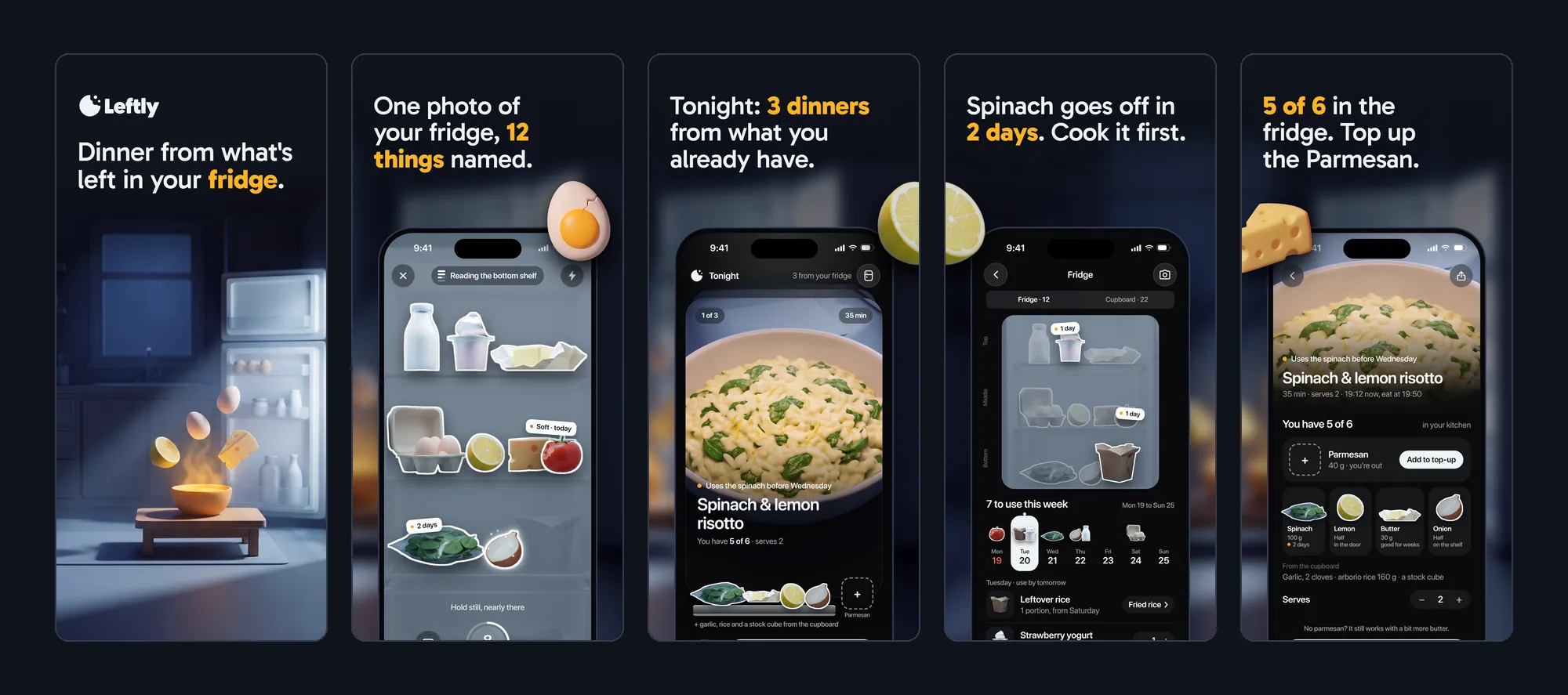
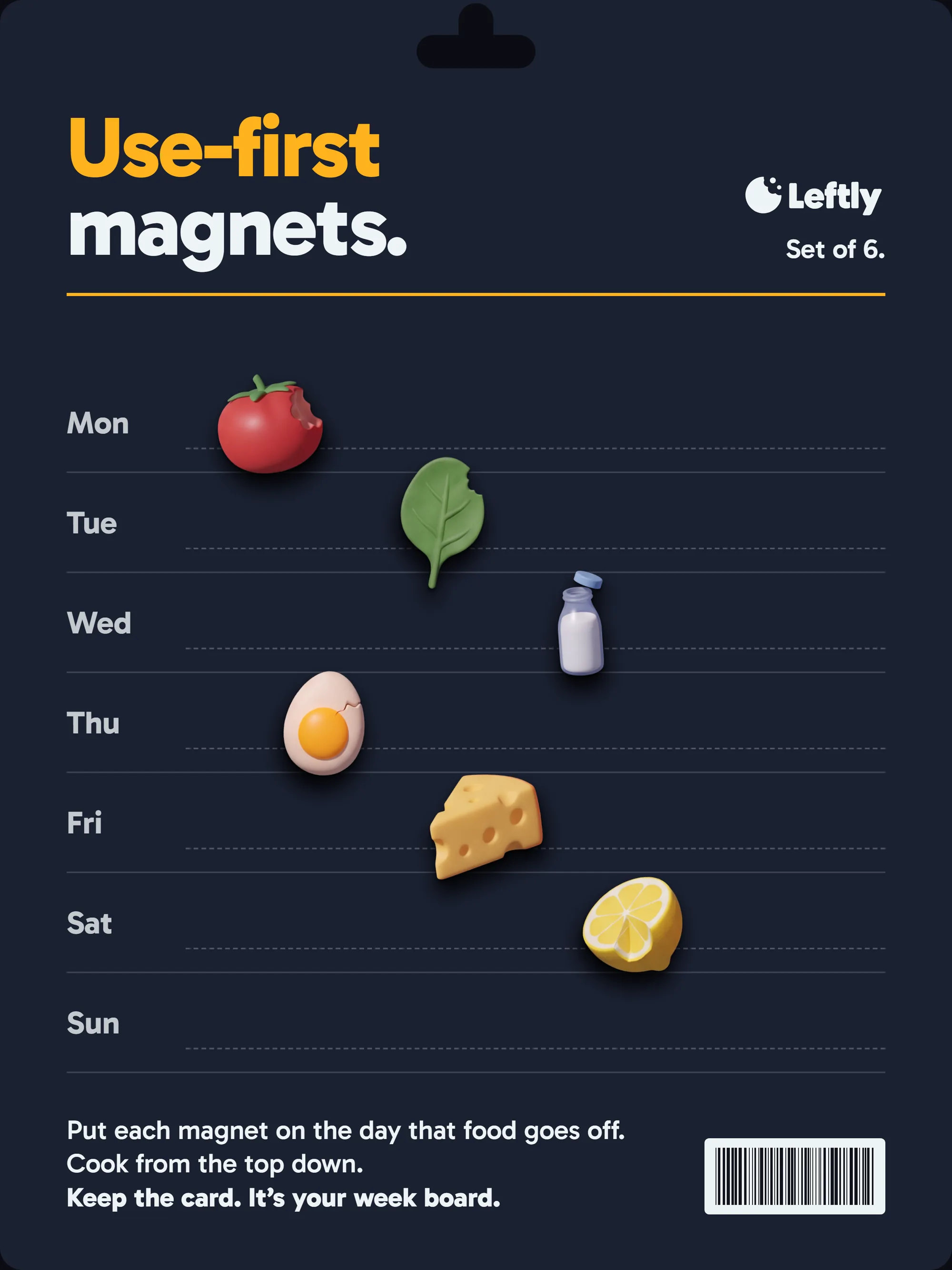
The App Store set gives each frame one line and one real screen, with the food breaking the frame. The magnet set is a week board: put each magnet on the day that food goes off, and cook from the top down.
Credits and how it was made
Brand, product and launch, made by the Alterra Studio team on 19 October 2026.
Ryan made the key picks: the world and the logo. He also sent the first app back, which led to the redo. The worlds, the key art, the dishes and the launch photographs started as generated images; the logo was generated, picked and traced. Every screen, the demo and the board are drawn in code from one tokens file, so the interface is real and renders at any size.
Who did what
- Strategy and research
- The brief, three buyer doubts, and an audit of 10 funded consumer food app homepages
- Identity
- Three worlds, the key art, 18 logo candidates and the trace of the one we kept, the lockups and the app icons
- UX
- The core loop, one job and one number per screen, the copy and a written list of 27 tells of a generated app
- Product design
- Three directions, the merged system, 22 screens and states in night and light, the Live Activity, Dynamic Island and widgets
- Motion
- The 20-second interaction demo, the states film, the animated board and the key-art film
- Launch
- The App Store set, a tee, a use-first magnet set and a bus-shelter poster
- Tools
- HTML screens timed to SwiftUI springs, Nano Banana Pro, GPT Image, Seedance and HyperFrames
The category audit
We scored 10 funded consumer food apps on our startup homepage benchmark. They're as good as the average funded startup, and none starts where the evening starts: at the open fridge.
Six help people cook at home and four fight household food waste. Each homepage was scored on 12 criteria, 0 to 2 each, at 1440 and 390 pixels wide. The group averages 14.4 out of 24, level with the 14.1 of our wider benchmark, and 7 of 10 look established.
The gaps are on the first screen. Only one says what the app does in five seconds at both widths, none names its buyer there, and only three show the app doing its job. None offers to cook from what's already in your fridge. Those are the gaps Leftly's first screen is designed to close.
- Company A19
- Company B18
- Company C17
- Company D16
- Company E16
- Company F15
- Company G12
- Company H11
- Company I10
- Company J10
- Benchmark average, 100 startups14.1
Alterra Studio startup website benchmark 2026. Companies are anonymised.
What we'd ship
For a real consumer food app, this is Brand Identity and Product & UI/UX Design as one engagement.
- Product
- The iOS app in night and light: scan, Tonight, recipe, top-up, cook mode, Live Activity, widgets, the fridge and what you saved, every edge state, and the interaction spec with timings and haptics
- Brand
- Name check, world and key art, the bitten-disc lockup and app icon, palette and type
- Motion
- The 20-second interaction demo and the animated board
- Launch
- The App Store set, a tee, a use-first magnet set and a bus-shelter poster
What's next
- Build the homepage opening on the scan of a real fridge at 1440 and 390, and score it on the same benchmark.
- Test the scan in real kitchens how many items it names on a dark shelf, and what the torch fixes.
The thinking behind it.
Guides on the decisions behind work like this, written by the team that did it.
All insights- Product8 min read
Does a startup need a design system? Cost, timing, what to build
When a startup needs a design system, what it costs in people and upkeep, what to build first (tokens, core components, states) and whether to adopt, adapt or build your own.
- Product8 min read
How much does product design cost for a SaaS startup?
What SaaS product design costs in 2026: Clutch, Upwork, BLS and Levels.fyi data on agencies, freelancers, retainers and in-house designers, what drives the price, a worked example and red flags.
- Brand5 min read
How we turned our logo into a type family
We measured the Alterra wordmark, traced its five letters, and grew it into three display weights and a text companion. The grid, the rules and what we'd do differently.
Want this for your company?
Book 30 minutes. We'll tell you what we'd change first in your brand and on your first screen, and what it would cost.
Book a call, get a price rangeCurious how your site compares?  Run the same audit on your site →
The brand in the feed
A mockup of how the brand would run on X. Not a live account.
Leftly
@leftlyapp
Dinner from what's left in your fridge. One photo, three dinners, the missing thing at your door.
leftly.appJoined October 2026
88 Following2,946 Followers
Pinned
Leftly @leftlyapp · Oct 19
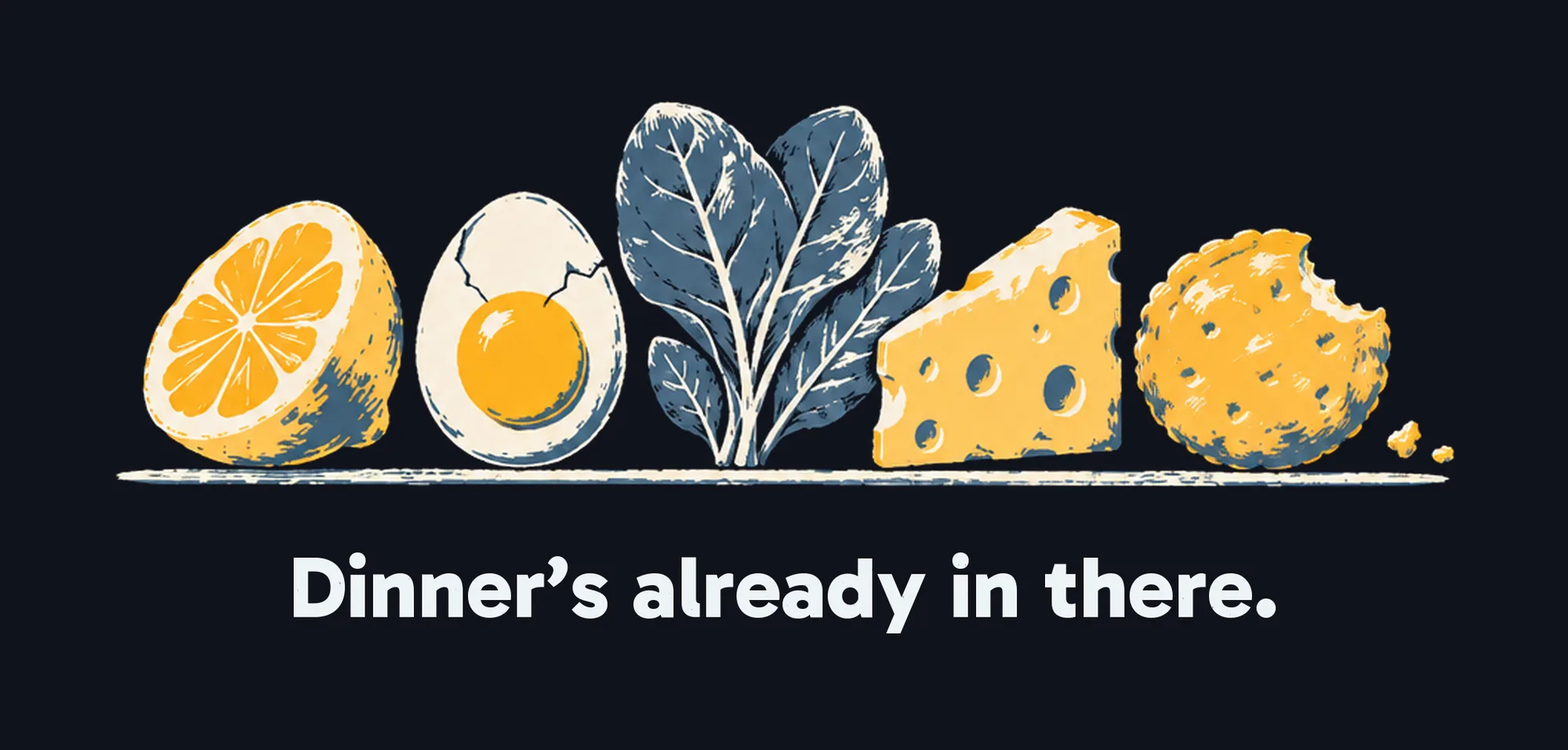
Meet Leftly. Dinner's already in there.
189664038K
Leftly @leftlyapp · Oct 20
One photo of your fridge. Twelve things named, shelf by shelf.
126148027K
Leftly @leftlyapp · Oct 21
Out of Parmesan? Swipe once. It's at your door by the time the rice is done.
94435019K
Leftly @leftlyapp · Oct 23
Spinach goes off Thursday. Risotto?
63127012K